Apple Smart Watch vs Fitbit: Which Is Better for Fitness Tracking?
Have you ever stood in front of your closet, staring at two different workout outfits, completely unsure which one to grab? That’s basically what choosing between an Apple Watch and a Fitbit feels like. Both are fantastic wearable devices, but they’re not exactly the same, and your choice really depends on what matters most to you.
In this article, I’m going to walk you through everything you need to know about these two fitness tracking powerhouses. We’ll compare their features, pricing, design, health monitoring capabilities, and overall performance. By the end, you’ll have a clear picture of which device deserves a spot on your wrist.
Introduction to Apple Watch and Fitbit
When it comes to wearable technology, Apple Watch and Fitbit are two names that immediately spring to mind. They’ve both carved out massive chunks of the fitness tracker market, but they approach health monitoring in surprisingly different ways. Think of Apple Watch as the all-rounder—it does everything from fitness tracking to taking calls to managing your calendar. Fitbit, on the other hand, is like that dedicated personal trainer who focuses specifically on helping you achieve your fitness goals.
Apple released its first smartwatch back in 2015, and it’s been evolving ever since. Fitbit, meanwhile, started purely as a fitness tracker and has gradually added smartwatch-like features. This fundamental difference shapes everything about these devices, from their capabilities to their appeal.
Design and Build Quality Comparison
Apple Watch Design Philosophy
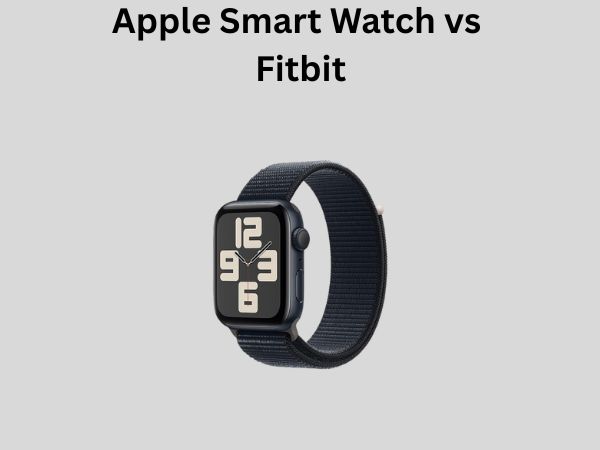
Apple Watch is undeniably stylish. It feels premium right out of the box, with sleek lines and a minimalist aesthetic. The device comes in various models, including the standard Series, SE, and Ultra variants. Each one feels like a luxury item on your wrist—because let’s be honest, Apple knows how to make things look good.
The build quality is exceptional. Whether you opt for aluminum, stainless steel, or titanium, you’re getting a device that feels solid and durable. The square face design has become iconic, and there’s something universally appealing about its simplicity. Plus, the customization options are endless—you can swap out bands faster than you can say “fashion statement.”
Fitbit Design Philosophy
Fitbit takes a different approach. Their devices tend to be more understated and athletic-focused. Models like the Sense, Versa, and Inspire lines have rounded edges and a more sporty vibe. The designs are lighter and often feel more like traditional fitness trackers than smartwatches.
What’s interesting about Fitbit’s design is that they prioritize comfort for extended wear. Many people wear their Fitbits 24/7, including while sleeping, and the lighter design makes this more practical. The bands are typically more athletic and sweat-resistant, which is perfect if you’re someone who actually uses their tracker during workouts.
The build quality is solid, though some users report that certain Fitbit models aren’t quite as premium-feeling as Apple Watch. That said, they’re built to withstand the rigors of fitness activities.
Fitness Tracking Features Head-to-Head
Apple Watch Fitness Capabilities
Apple Watch tracks a comprehensive range of activities. We’re talking about over 100 different workout types, from traditional running and cycling to more niche activities like skateboarding and paddling. The device automatically detects when you’re exercising, which is pretty convenient if you forget to manually start your workout.
The Activity app breaks everything down into three rings—Move, Exercise, and Stand. Closing these rings becomes almost addictive for some people. There’s something motivating about seeing your progress visualized so clearly. The Apple Watch also tracks your daily steps, distance, and calories burned with impressive accuracy.
Fitbit Fitness Capabilities
Fitbit is arguably even more comprehensive when it comes to fitness tracking. These devices monitor dozens of exercises and provide detailed insights into your performance. The auto-tracking feature recognizes common activities automatically, and the data presentation is incredibly detailed.
What really sets Fitbit apart for serious fitness enthusiasts is the granular data. Fitbit shows you pace, heart rate zones, duration, calories, and provides personalized guidance. If you’re someone who digs into the numbers and wants to understand every aspect of your training, Fitbit delivers in spades.
The Sleep Score feature is particularly impressive. Fitbit analyzes your sleep patterns in detail and provides actionable recommendations to improve sleep quality. Apple Watch has sleep tracking, but Fitbit’s implementation is more detailed and educational.
Health Monitoring Capabilities
Apple Watch Health Features
Apple Watch goes beyond basic fitness tracking. It includes an ECG app for detecting irregular heartbeats, blood oxygen measurement, and temperature sensing on newer models. There’s also a comprehensive Health app that integrates with other health services and allows your doctor to access your data.
The fall detection feature is genuinely life-saving for older users. If the watch detects a fall, it can automatically call emergency services. Apple Watch also monitors your noise exposure, encourages you to stand and move regularly, and provides mindfulness features like breathing exercises.
Fitbit Health Features
Fitbit places equal emphasis on health monitoring. Their devices measure heart rate variability, provide stress management tools, and track female health metrics including menstrual cycles. The SpO2 monitoring tracks blood oxygen levels throughout the day and during sleep.
Fitbit’s EDA sensor measures electrodermal activity, which is useful for understanding stress responses. The device also provides detailed insights into how exercise impacts your heart rate recovery, which is a great indicator of cardiovascular fitness.
One area where Fitbit shines is its integration with healthcare providers. Many insurance companies and employers partner with Fitbit, and some health plans actually subsidize or give away Fitbit devices to encourage healthy habits.
Battery Life and Charging
Apple Watch Battery Performance
Here’s where things get a bit frustrating with Apple Watch. The battery lasts about one to two days on a single charge, depending on usage. Heavy users might need to charge it daily. It’s not a deal-breaker, but it does mean you need to develop a charging routine—typically charging it overnight or while you shower.
The charging process is quick and convenient thanks to the magnetic charging cable. You won’t wait around for hours. However, the limited battery life means you can’t go on multi-day trips without packing your charger.
Fitbit Battery Performance
Fitbit devices generally last longer on a single charge. Most Fitbit trackers can go 5 to 7 days between charges, with some models stretching to 10 days or more. This is a massive advantage if you dislike frequent charging rituals.
The longer battery life comes at a cost—Fitbit’s processing power is less advanced than Apple Watch, which is why it drains battery slower. But if you’re someone who forgets to charge things, this alone might make Fitbit the better choice for you.
Compatibility and Ecosystem
Apple Watch Ecosystem
Apple Watch is deeply integrated with the Apple ecosystem. If you’re an iPhone user, you get the seamless experience Apple is famous for. Everything syncs automatically, and the integration is so smooth it feels like magic. Notifications, messages, calls, and calendar events all flow directly to your wrist.
However—and this is a big however—Apple Watch only works with iPhones. If you use an Android phone, Apple Watch is completely incompatible. This isn’t a flaw, but it’s definitely a limitation worth considering.
Fitbit Ecosystem
Fitbit works with both iOS and Android devices. This universal compatibility is a significant advantage if you’re not locked into the Apple ecosystem or if you’re thinking about switching phones in the future. The Fitbit app works well on both platforms and provides the same functionality regardless of which operating system you use.
Since Google acquired Fitbit, there’s been increased integration with Google services like Google Home and Google Calendar. This creates a nice ecosystem if you’re a Google services user, but it’s less proprietary than Apple’s approach.
Price Comparison
Apple Watch Pricing
Apple Watch comes at various price points depending on the model you choose. The SE model starts around $249, the standard Series typically costs $399 to $499, and the Ultra model reaches nearly $800. Band options can add another $50 to $500 depending on what you choose.
You’re paying for the premium build quality and the extensive feature set. If you already own Apple products, the investment often feels worthwhile due to the integration benefits.
Fitbit Pricing
Fitbit devices are generally more affordable. The Inspire line starts around $100, the Versa models typically cost $200 to $250, and the Sense tops out around $300. This makes Fitbit an excellent choice if you want serious fitness tracking without breaking the bank.
The lower price point doesn’t necessarily mean inferior quality—it means Fitbit prioritizes fitness tracking over smartwatch features, which keeps costs down.
User Interface and Experience
Apple Watch Interface
Apple Watch’s interface is intuitive and responsive. The Digital Crown dial makes navigation smooth, and the touch screen is snappy and accurate. The watch face customization options are extensive, allowing you to create a truly personalized device.
The Siri integration means you can voice-control your device, which is incredibly convenient when you’re working out or have your hands full. The interface feels modern and is generally easy to learn, especially if you’re already familiar with iOS.
Fitbit Interface
Fitbit’s interface is streamlined and focused. It’s extremely easy to navigate and doesn’t overwhelm you with unnecessary features. The simplicity is actually refreshing—you open the app or glance at the device, and the information you need is right there.
The touchscreen on Fitbit devices is responsive, though the interface isn’t quite as sophisticated as Apple Watch. That’s not necessarily bad—simpler interfaces often mean faster operation and less confusion.
Water Resistance and Durability
Apple Watch Water Resistance
Apple Watch is water-resistant up to 50 meters, which means you can safely wear it while swimming. The device is rated for swimming and snorkeling but not diving. Most users find this level of water resistance more than adequate.
The durability is excellent. The Gorilla Glass screen is tough, and the overall construction is built to last. Apple’s warranty coverage is solid, providing peace of mind if anything goes wrong.
Fitbit Water Resistance
Fitbit devices are typically water-resistant to 50 meters as well, matching Apple Watch. Most models are suitable for swimming, and they’re definitely fine for showering and sweating through intense workouts.
The durability varies slightly between models, but overall Fitbit devices are robust and reliable. The warranty coverage is comparable to Apple Watch.
App Ecosystem and Third-Party Integrations
Apple Watch App Selection
Apple Watch has an extensive app ecosystem. You can download apps directly from the App Store for your watch, covering everything from fitness apps to productivity tools to entertainment. Major fitness apps like Strava, MyFitnessPal, and Zwift work great on Apple Watch.
The integration with third-party apps is generally seamless. If you use a specific fitness app as your primary training platform, there’s likely an Apple Watch app available.
Fitbit App Selection
Fitbit’s app ecosystem is smaller than Apple Watch, but it includes most of the popular fitness and health apps. The Fitbit app itself is comprehensive and handles most users’ needs without requiring additional apps.
Integrations with popular services are solid. You can connect Fitbit to MyFitnessPal, Google Fit, Apple Health, and various other platforms. This flexibility is excellent for users who prefer a multi-platform approach.
Accuracy and Data Tracking
Both devices are impressively accurate when it comes to step counting and calorie estimation. The heart rate sensors on both are reliable during steady-state activities, though they can be less accurate during high-intensity interval training when arm movement is erratic.
Apple Watch’s ECG and blood oxygen features provide medical-grade data. Fitbit’s stress and sleep tracking are particularly accurate and detailed. In general, you can trust both devices to give you actionable data.
The difference in accuracy is minimal for most users. Both devices are far more accurate than your gut feeling about how much you’ve exercised, which is what matters.
Customer Support and Warranty
Apple Support
Apple’s customer support is legendary. You can visit an Apple Store for hands-on help, call Apple Support, or use their online resources. The warranty is solid, and Apple generally takes good care of customers who have issues.
The AppleCare+ option provides extended coverage and accidental damage protection, which is valuable if you’re clumsy like some of us.
Fitbit Support
Fitbit’s customer support is good, with phone support, email, and online resources available. Since Google acquired Fitbit, support quality has remained consistent. The standard warranty covers manufacturing defects for one year.
Response times are generally reasonable, and the support team is knowledgeable about Fitbit devices.
Real-World Performance Review
After considering all the specs and features, how do these devices actually perform in real life? Let me break it down honestly.
Apple Watch excels if you want a true smartwatch that handles calls, messages, and appointments alongside fitness tracking. It’s perfect for Apple enthusiasts who want seamless integration with their iPhone and other Apple devices. The design is premium, and you’ll feel good wearing it in any setting—gym or office.
Fitbit is the better choice if your primary concern is fitness tracking and health monitoring. It’s more affordable, lasts longer on a battery charge, and provides incredibly detailed fitness insights. If you’re serious about understanding your fitness data and improving your health metrics, Fitbit gives you the tools to do it.
The choice really comes down to your priorities. Are you looking for a comprehensive smartwatch that happens to track fitness? Choose Apple Watch. Are you looking for a dedicated fitness tracker that has some smartwatch features? Choose Fitbit.
Conclusion
Choosing between Apple Watch and Fitbit isn’t about picking an objectively better device—it’s about selecting the right tool for your specific needs. Both are excellent products that will genuinely improve your health and fitness journey.
Apple Watch is your answer if you’re deeply invested in the Apple ecosystem, want a premium smartwatch that handles everything, and don’t mind charging daily. The design is stunning, the features are comprehensive, and the integration with your iPhone is seamless.
Fitbit is
![7 Best Smart Watch For Sleep And Stress Tracking [2026]](https://smartwatchbest.com/wp-content/uploads/2026/09/7-best-smart-watch-for-sleep-and-stress-tracking-2026-featured-768x432.jpg)