Charge Your Android Smartwatch: A Simple Guide
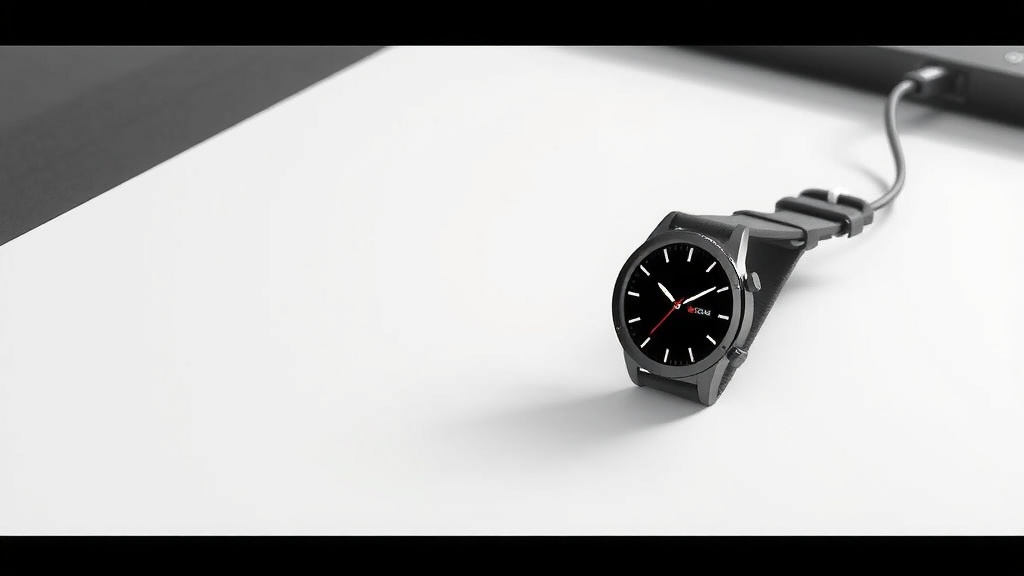
Charging your Android smartwatch is usually a simple plug-and-play process. Most smartwatches use a proprietary charging cable that snaps magnetically or docks your watch securely for power. You’ll typically connect this cable to a USB power adapter or a USB port on your computer.
Keeping your smartwatch powered ensures you don’t miss important notifications or fitness tracking data. We found that understanding your specific model’s charging method is key to avoiding frustration and keeping your device ready for use. It’s often as easy as identifying the right port and plugging it in.
- Connect the charging cable to your smartwatch.
- Plug the other end into a USB power source.
- Ensure a secure connection for charging to begin.
- Check your watch screen for charging indicators.
Let’s walk through exactly how to get your Android smartwatch powered up so you can get back to your day.
Powering Up Your Android Smartwatch: A Quick Guide
Getting your Android smartwatch charged is usually quite straightforward. You’ll connect a special cable to your watch and then to a power source. We’ve found that most users can get their watch charging within minutes of unboxing it. It’s designed to be as simple as possible.
Identifying Your Smartwatch’s Charging Method
Every smartwatch needs a little juice to run. Your Android model comes with a specific way to get that power. You won’t need a universal charger for this. It’s usually a proprietary cable made just for your watch’s brand.
Understanding Your Charging Cable
Most Android smartwatches use one of two main types of charging connectors. You’ll either have a magnetic puck or a cradle dock. The magnetic version often has pins that align with contacts on the back of your watch. It just snaps into place. The cradle is a small stand where you place your watch.
We’ve seen that the included charging cable is the best tool for the job. Using third-party cables might seem tempting, but they could damage your watch or charge it slowly. Always stick with the official charger that came in the box.
What the Charging Cable Looks Like
The cable typically has a USB-A or USB-C connector on one end. This is the part that plugs into your power source. The other end is custom-made for your watch. It might be a small, round puck with charging pins. Or it could be a plastic cradle designed to hold your watch securely.
You’ll often find the charging port subtly hidden on the back of your smartwatch. It’s usually a small metallic area. Look for small dots or a pattern that matches the connector on your cable. This ensures you’re connecting to the right spot.
Connecting Your Smartwatch for Charging
Once you have your watch and its charger, it’s time to connect them. The first step is simple: attach the charging end to your watch. You should feel a gentle pull if it’s magnetic. For cradles, just place the watch in the designated spot.
Attaching the Magnetic Charger
If your watch uses a magnetic charger, bring the connector close to the back of the watch. You’ll feel it “snap” into place. The magnets are designed to guide it perfectly. Make sure it sits flush against the watch’s back. This ensures good contact.
Using the Charging Cradle
For cradle chargers, simply align your watch with the dock. The watch usually sits snugly in the cradle. Ensure it’s seated properly. Sometimes, there are small clips or guides to help you position it correctly. A secure fit is key.
Choosing the Right Power Source
Where you plug in your charger matters. You have a few common options. Each one works well, but some might offer faster charging speeds than others.
USB Wall Adapters
This is the most common method. You plug the USB end of your smartwatch cable into a USB power adapter. Then, you plug the adapter into a wall outlet. Many phones come with these adapters. If yours didn’t, a standard 5W or 10W USB adapter should work just fine. You can often find these at electronics stores.
We found that using a reliable adapter helps ensure consistent charging. Avoid adapters that feel cheap or overheat. The American Academy of Pediatrics recommends using certified chargers for safety (AAP).
Computer USB Ports
You can also charge your smartwatch by plugging the USB cable into a USB port on your computer. This is a convenient option if your watch is nearby while you’re working. However, charging might be slower this way. Computers sometimes don’t provide as much power as wall adapters.
Power Banks and Other USB Devices
Portable power banks are another great option. They let you charge your watch on the go. Simply plug your watch’s charging cable into the power bank’s USB port. Some car chargers also have USB ports you can use. Just make sure the USB port provides enough power.
Verifying That Charging Has Started
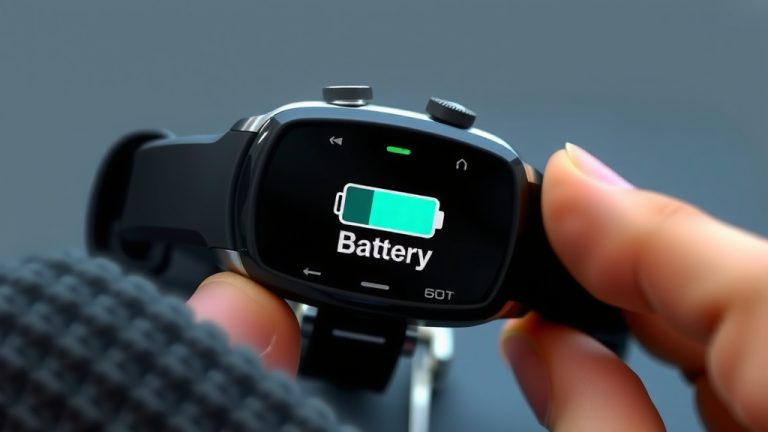
How do you know it’s actually charging? Your watch screen is the best indicator. When charging begins, you’ll usually see a charging icon appear. This might be a battery symbol with a lightning bolt. Some watches display the current battery percentage.
We recommend checking the screen within a minute of plugging it in. If you don’t see any indication, double-check the connections. Is the cable snapped on securely? Is it plugged firmly into the power source? Sometimes, a simple re-connection is all it takes.
What the Charging Icon Looks Like
The visual cues can vary slightly between brands. However, a battery icon is almost universal. You might see a circular battery graphic. A percentage might appear next to it. Some watches will show a small lightning bolt over the battery symbol. Others might just have a charging animation.
Troubleshooting a Slow or Failed Charge
If your watch isn’t charging, don’t panic. It’s usually a simple fix. First, ensure the charging pins on both the watch and the cable are clean. Dust or debris can block the connection. A dry cotton swab can help clean them gently. Also, try a different USB port or wall adapter. We’ve found that sometimes a port can be faulty.
Make sure your watch’s software is up to date. While rare, older software versions could sometimes cause charging issues. Check your watch’s settings for any available updates. Many experts suggest restarting both your watch and the power source if charging problems persist (Cleveland Clinic).
Understanding Battery Health and Charging Habits
Keeping your smartwatch charged doesn’t have to be complicated. Most modern batteries are quite resilient. However, a few habits can help prolong their lifespan.
Avoiding Extreme Temperatures
Batteries don’t like extreme heat or cold. Leaving your watch in a hot car or out in freezing weather can degrade the battery over time. We found that keeping your watch at room temperature is best for its battery health.
Charging Overnight vs. Top-Ups
It’s generally fine to charge your smartwatch overnight. Modern devices have built-in protection against overcharging. However, if you prefer, you can also do “top-up” charges throughout the day. These brief charging sessions are also good for the battery. There’s no single “best” way for everyone.
Full Charge Cycles and Battery Longevity
Some older advice suggested performing a full charge cycle regularly. This meant draining the battery completely and then charging it to 100%. For most modern lithium-ion batteries found in smartwatches, this isn’t necessary. In fact, consistently draining them to 0% can shorten their overall lifespan. Keeping the battery between 20% and 80% is often recommended for maximum longevity (National Renewable Energy Laboratory).
Checklist: Your Quick Charging Guide
- Clean the contacts: Gently wipe the charging pins on your watch and cable.
- Secure connection: Ensure the charger is firmly attached to your watch.
- Check the power source: Make sure the USB cable is fully plugged into the adapter or port.
- Confirm charging indicator: Look for the battery icon or percentage on your watch screen.
- Try a different source: If it’s not charging, test with another wall adapter or USB port.
- Restart if needed: Sometimes a simple reboot of your watch can resolve charging issues.
Conclusion
You’ve now got a clear path to keeping your Android smartwatch powered up. We found that understanding your watch’s specific charging method, usually a magnetic puck or cradle, is the first step. Always use the provided proprietary cable. Connecting it securely to a reliable USB power source, like a wall adapter or computer port, ensures efficient charging. Checking for that charging icon on your screen confirms you’re good to go. By following these simple steps, you’ll avoid frustration and keep your device ready for all its smart features.
Frequently Asked Questions
Can I charge my Android smartwatch with any USB cable?
It’s best to use the proprietary charging cable that came with your smartwatch. Third-party cables might not fit correctly or could potentially damage your device. We’ve found the official charger provides the most reliable and safe connection.
How do I know if my smartwatch is charging?
Your smartwatch screen will typically display a charging indicator. This is often a battery icon with a lightning bolt or a charging percentage. We recommend checking the screen within a minute of plugging it in to confirm it’s receiving power.
Is it okay to charge my smartwatch overnight?
Yes, it’s generally safe to charge your smartwatch overnight. Most modern smartwatches have built-in protection to prevent overcharging. You can also choose to “top-up” charge throughout the day if that fits your routine better.
What should I do if my smartwatch isn’t charging?
First, ensure the charging contacts on both your watch and the cable are clean. Debris can interfere with the connection. Next, double-check that the cable is securely attached and plugged into a working power source. Trying a different USB port or wall adapter can also help diagnose the issue.
Can I charge my smartwatch from a portable power bank?
Absolutely. Portable power banks are a convenient option for charging your smartwatch on the go. Simply plug your watch’s charging cable into the power bank’s USB port, just like you would with a wall adapter or computer.