How to Charge Your Smartwatch with a Wireless Charger
Yes, you can absolutely charge your smartwatch with a wireless charger, provided your watch supports wireless charging technology. This means placing your smartwatch on a compatible charging pad or stand. It’s a super convenient way to keep your wearable powered up without fumbling with cables. Just make sure your watch model is designed for this feature!
Many modern smartwatches, especially those from major brands, come equipped with built-in wireless charging capabilities. This technology often uses the Qi standard, which is the same used by many smartphones. It’s all about convenience, ditching the need to plug in every single night. We found that this method generally offers a stress-free charging experience.
- Simply place your compatible smartwatch on a wireless charging pad.
- Ensure your watch and charger are aligned correctly for optimal charging.
- Most wireless chargers use the Qi standard for broad compatibility.
- Check your smartwatch’s manual to confirm it supports wireless charging.
Let’s walk through exactly how to get your smartwatch juiced up wirelessly, step by step.
Powering Up Your Smartwatch Wirelessly
So, your smartwatch supports wireless charging, and you’re wondering how to make the magic happen? It’s actually quite straightforward! Think of it like setting your phone down on a charging pad, but for your wristwear. The goal is simple: get that battery icon looking full and happy without plugging anything in.
Getting Started: What You’ll Need
Before you can ditch the cable, you’ll need a couple of things. First, of course, is your smartwatch. We’ve already established it needs to have wireless charging capabilities. The second key item is a wireless charging pad or stand. These are readily available from many brands, and many are designed to be universally compatible, especially if they use the Qi standard.
Choosing the Right Wireless Charger
Not all wireless chargers are created equal, though many work well for smartwatches. We found that looking for chargers that explicitly mention smartwatch compatibility is a good bet. Some chargers are designed specifically for certain watch brands, while others are more general. For instance, if you have an Apple Watch, you might look for an Apple-certified charger. If you have a Samsung Galaxy Watch, a charger supporting the Qi standard should work just fine. Many chargers offer multi-device capabilities, meaning you could potentially charge your watch, phone, and earbuds all at once!
Understanding the Qi Standard
You’ll likely see the term “Qi” (pronounced “chee”) mentioned a lot. Qi is an industry standard for wireless power transfer. Most modern devices that support wireless charging, including many smartwatches and smartphones, use this technology. This means a Qi-certified charger should be able to power up any Qi-enabled device. We found that sticking to Qi-certified accessories generally ensures better compatibility and safety for your devices. It’s like a universal plug adapter for wireless power.
The Charging Process: Step-by-Step
Once you have your compatible watch and charger, the actual charging is a breeze. It’s designed for minimal fuss.
Step 1: Connect Your Wireless Charger
First things first, you need to plug in your wireless charging pad or stand. Most wireless chargers come with a USB cable and sometimes a power adapter. Connect the cable to the charger and then plug the other end into a power source. This could be a wall adapter, a USB port on your computer, or even a power bank. Make sure your charger has a stable power supply.
Step 2: Position Your Smartwatch
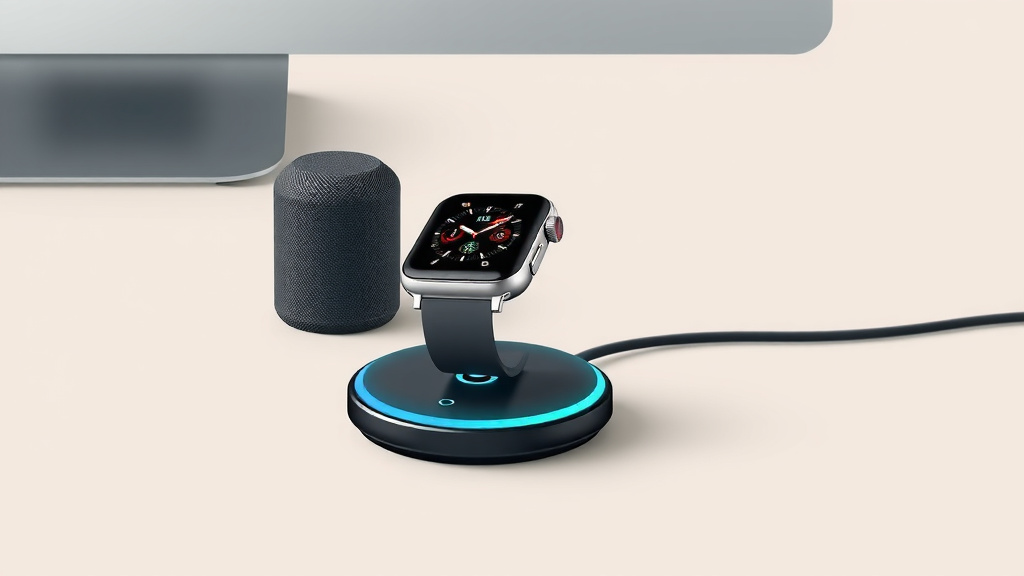
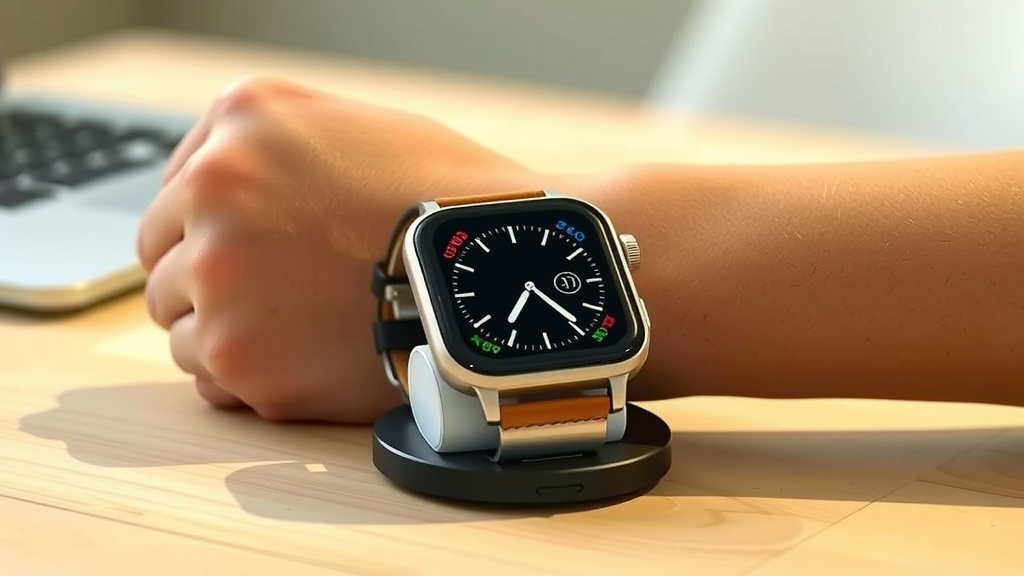
This is where the “wireless” part really shines. Simply take your smartwatch and place it on the charging pad or dock. You don’t need to plug anything into the watch itself. The charger typically has a specific area where you should place your watch. Many pads have a slightly raised or indented spot. Stands usually have a cradle for your watch to rest in.
Step 3: Ensure Proper Alignment
Getting the best charge often comes down to alignment. Wireless charging works through electromagnetic induction. This means the charging coil in your watch needs to be as close as possible to the coil in the charger. Most modern chargers and watches are quite forgiving, but you might need to make a slight adjustment. If you don’t see the charging indicator on your watch or the charger’s LED light, try shifting the watch slightly. We found that nudging it a millimeter or two often does the trick.
You’ll usually see a visual cue that charging has begun. This could be an animation on your watch screen, a small battery icon, or a change in an LED light on the charging pad itself. This is your confirmation that the power is flowing!
Troubleshooting Common Wireless Charging Issues
Even with this simple method, you might run into a hiccup now and then. Don’t worry; most issues are easy to fix.
Watch Not Charging? Check This First.
The most common reason for a smartwatch not charging wirelessly is improper alignment. Try repositioning the watch on the charger. Ensure there’s nothing between the watch and the charger, like a thick phone case that you might have forgotten to remove (if you’re using a multi-device charger). Also, confirm that both the charger and your watch are clean. Dust or debris can sometimes interfere with the connection.
Slow Charging Speeds
If your watch seems to be charging slower than usual, there are a few potential culprits. The power source you’re using for the charger might not be strong enough. A lower-wattage USB port on a computer, for example, might charge slower than a dedicated wall adapter. We found that using the manufacturer-recommended adapter or one with a higher wattage can often speed things up. Also, ensure your watch’s software is up to date, as updates can sometimes improve charging efficiency.
Incompatible Accessories
Sometimes, the issue might be with the charger itself. While many chargers claim universal compatibility, not all are created equal. If you’re using a third-party charger, try a different one, perhaps one that’s officially recommended for your smartwatch. Checking your watch’s manual is always a good idea. It will usually specify the type of wireless charging it supports and might even list compatible accessories. Research from consumer reports suggests that certified accessories often provide a more reliable experience (Consumer Reports).
Keeping Your Smartwatch Charged: A Quick Checklist
Here’s a simple checklist to make sure your wireless charging experience goes smoothly:
- Confirm Watch Compatibility: Double-check that your smartwatch model supports wireless charging.
- Use a Qi-Certified Charger: Opt for chargers that meet the Qi standard for broad compatibility.
- Connect Charger to Power: Ensure your wireless charger is plugged into a reliable power source.
- Align Watch Correctly: Position your watch on the charger so the coils align.
- Look for Charging Indicators: Verify that your watch screen or charger lights show charging is active.
- Keep it Clean: Make sure the watch and charger surfaces are free of debris.
Conclusion
Charging your smartwatch wirelessly is a straightforward way to keep it powered up. You’ve learned that ensuring your watch supports this technology is the first step. Then, you just need a compatible wireless charger, ideally one that uses the Qi standard for broad compatibility. Proper alignment is key for a good charge, and most of the time, you’ll see an indicator light or screen animation to confirm it’s working. If you encounter issues, simple checks like repositioning the watch or ensuring a strong power source usually resolve them. Now you’re all set to enjoy the convenience of cable-free charging for your smartwatch!
Frequently Asked Questions
Can I use my smartphone’s wireless charger for my smartwatch?
In many cases, yes! If both your smartphone and your smartwatch support the Qi wireless charging standard, you can likely use the same charging pad for both devices. Just ensure your smartwatch is designed for wireless charging.
Does a thicker smartwatch band affect wireless charging?
A very thick or metallic smartwatch band could potentially interfere with wireless charging. We recommend removing the watch from any unusually bulky or metallic bands before placing it on the charger. Most standard bands shouldn’t cause problems.
How do I know if my smartwatch is charging wirelessly?
You’ll typically see a visual cue. Your smartwatch screen might show a charging animation or a battery icon. Many wireless chargers also have an LED light that illuminates or changes color to indicate that charging is in progress.
Is wireless charging slower than wired charging for smartwatches?
Sometimes, wireless charging can be a bit slower than a direct wired connection, especially with older technology. However, modern wireless chargers are often quite efficient. Using a strong power adapter for your wireless charger can help maximize charging speed.
What if my smartwatch gets hot while wireless charging?
It’s normal for devices to generate a little heat during wireless charging. If your smartwatch feels excessively hot, remove it from the charger immediately. Ensure you are using a certified charger and that it’s properly aligned. Overheating can sometimes be a sign of a faulty charger or accessory.

![7 Best Kids Smart Watches 2025 [2026]](https://smartwatchbest.com/wp-content/uploads/2026/08/7-best-kids-smart-watches-2025-2026-featured-768x432.jpg)