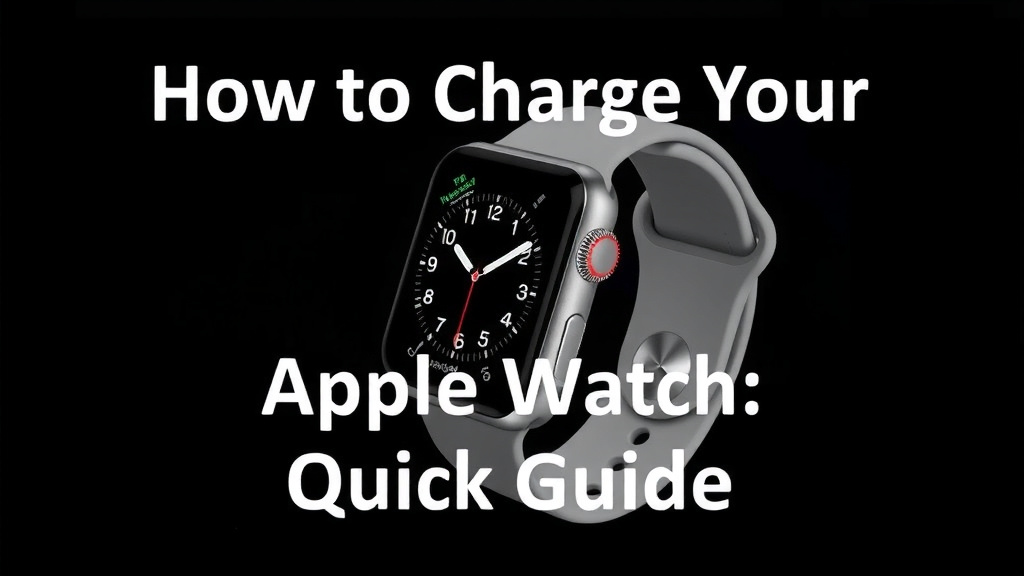
How to Charge Your Apple Watch: A Quick Guide
Charging your Apple Watch is super simple and usually takes just a few hours. You can easily charge it using the included magnetic charging cable that came with your watch. Just snap it onto the back of your Apple Watch, and it will start powering up. For the quickest charge, make sure your watch is turned off.
Many people wonder if they need a special adapter, but you can use almost any USB power adapter with the cable. You can even plug it into a computer’s USB port. Keeping your Apple Watch charged ensures you don’t miss any important notifications or health tracking data.
- Use the magnetic charging cable that came with your watch.
- Snap the puck onto the back of your Apple Watch.
- Plug the USB end into a power adapter or computer.
- Your watch will show a charging symbol when it’s working.
- It usually takes about 1.5 to 2.5 hours for a full charge.
Let’s walk through the simple steps to get your Apple Watch back to 100% power.
Powering Up Your Apple Watch: A Simple Guide
Keeping your Apple Watch charged is pretty straightforward. You want to make sure it’s ready to track your steps, send notifications, and keep you connected. Fortunately, Apple makes it easy with the right accessories.
Using Your Included Magnetic Charger
The magic behind charging your Apple Watch lies in its magnetic charging cable. This cable comes right in the box with your watch. It features a small, round puck on one end and a USB connector on the other. The puck is designed to magnetically align with the back of your Apple Watch. It just snaps into place!
How the Magnetic Charger Works
When you place the magnetic puck on the back of your Apple Watch, it automatically attaches. This ensures a perfect connection every time. You don’t need to fiddle with alignment. The magnets will guide it. This is a key design feature that makes charging simple and effective.
Connecting the USB End
Once the puck is attached to your watch, you need to plug the other end into a power source. The USB connector is quite versatile. You can plug it into a standard USB power adapter, like the ones you use for your iPhone or iPad. Many people already have a collection of these adapters. It’s convenient to use one you already own.
Choosing the Right Power Adapter
Apple recommends using a USB power adapter with a rating of 5W or higher. Most modern phone chargers meet or exceed this requirement. You can find these adapters from Apple or many third-party manufacturers. Just ensure it’s a reputable brand to avoid any charging issues or potential damage.
What if I don’t have a USB adapter?
No worries! If you don’t have a spare USB power adapter handy, you can also use your computer’s USB port. Simply plug the USB end of the charging cable into an available USB port on your Mac or PC. Make sure your computer is turned on and not in sleep mode for charging to occur.
Checking if Your Watch is Charging
Once everything is connected, your Apple Watch will visually confirm it’s charging. You’ll see a green charging symbol appear on the watch face. This symbol looks like a lightning bolt within a small circle. If your watch screen is off, pressing the Digital Crown will wake it up to show the charging status. A full battery icon means you’re good to go.
Charging Speed and What to Expect
Charging times can vary slightly depending on your watch model and battery health. However, Apple generally states that a full charge typically takes between 1.5 to 2.5 hours. This is quite efficient for a device packed with so many features.
Getting a Faster Charge
For the quickest possible charge, researchers have found that turning your Apple Watch off completely can help. When your watch is off, it uses less power. This means more energy can be directed towards replenishing the battery. While not always necessary, it’s a good tip if you’re in a hurry.
Understanding Charging Cycles
Your Apple Watch, like all lithium-ion batteries, has a limited number of charge cycles. Over time, batteries naturally degrade. However, by following these simple charging methods, you can help maintain battery health for longer. Avoid letting your battery drain completely too often. Keeping it between 20% and 80% is often recommended for long-term battery longevity, according to many battery experts.

Alternative Charging Methods and Accessories
While the included cable is the primary method, there are other ways to charge your Apple Watch. You might consider these if you need more convenience or a travel solution.
Charging Stands and Docks
Many third-party companies offer charging stands and docks designed specifically for the Apple Watch. These accessories often allow you to charge your watch while keeping it upright, which can be useful if you use it as an alarm clock. Some stands can even charge your iPhone and AirPods simultaneously. They typically use the same magnetic charging puck, so they are a straightforward replacement for the standard cable. When choosing one, look for reputable brands that offer good reviews.
Portable Power Banks
For charging on the go, a portable power bank with a USB port can be a lifesaver. You can plug your Apple Watch’s magnetic charging cable into the power bank, just as you would with a wall adapter or computer. This is perfect for long trips, camping, or any time you’re away from a power outlet. Many power banks are compact and can easily fit into a pocket or bag.
Important Charging Tips to Remember
To ensure you get the best performance and battery life from your Apple Watch, keep these tips in mind:
- Always use the Apple-certified magnetic charging cable that came with your watch or a reputable third-party alternative.
- Ensure the back of your Apple Watch and the magnetic puck are clean and free of debris for a good connection.
- Avoid charging in extreme temperatures, as this can affect battery health.
- If you’re experiencing slow charging, try a different USB power adapter or a different USB port on your computer.
Did you know that leaving your watch on the charger overnight is generally safe? Modern Apple Watches have circuitry to prevent overcharging. However, it’s still a good practice to unplug it once it reaches 100% if you can. This helps prolong the overall lifespan of the battery.
| Charge Level | Approximate Time |
|---|---|
| 0% to 80% | About 1.5 hours |
| 0% to 100% | About 2 to 2.5 hours |
This table gives you a general idea of how long it takes to reach different charge levels. Remember these are estimates, and actual times may vary slightly based on conditions.
Troubleshooting Common Charging Issues
Sometimes, your Apple Watch might not seem to be charging. If you encounter this, don’t panic! First, double-check that the magnetic puck is properly seated on the back of the watch. Then, ensure the USB end is firmly plugged into its power source. Sometimes, simply unplugging and replugging both ends can resolve minor connection glitches. If you’re still having trouble, try a different power adapter or USB port. A quick restart of both your watch and the power source can also sometimes clear up charging problems.
Conclusion
Charging your Apple Watch is refreshingly simple. You’ve learned how to use your included magnetic cable with various power sources, like wall adapters or your computer. Remember, a full charge usually takes around 1.5 to 2.5 hours, and you can speed it up by turning your watch off. Keeping your watch charged ensures you never miss a beat with notifications or health tracking. Now that you’re a charging pro, make sure to keep that battery topped up so your Apple Watch is always ready for your day!
Frequently Asked Questions
Can I charge my Apple Watch with my iPhone’s charger?
Yes, you absolutely can! Your Apple Watch uses a standard USB connector on its charging cable. You can plug this into most 5W or higher USB power adapters, including the ones you use for your iPhone. Just ensure the adapter is from a reputable brand.
How do I know if my Apple Watch is charging correctly?
Once you connect the magnetic charger, your Apple Watch will display a green charging symbol on the screen. This symbol looks like a lightning bolt within a small circle. If your screen is off, press the Digital Crown to wake it and see the charging status.
Is it bad to charge my Apple Watch overnight?
Modern Apple Watches are designed to prevent overcharging. It’s generally safe to leave your watch on the charger overnight. However, for optimal battery health over the long term, it’s often recommended to unplug it once it reaches 100% if you can.
What if my Apple Watch isn’t charging when plugged in?
If your watch isn’t charging, first double-check that the magnetic puck is properly aligned and seated on the back. Ensure the USB end is securely plugged into the power source. Try unplugging and replugging both ends, or use a different power adapter or USB port. Sometimes, a simple restart of your watch can also help.
Can I charge my Apple Watch from a power bank?
Absolutely! As long as the power bank has a standard USB port, you can plug your Apple Watch’s magnetic charging cable into it just like you would a wall adapter. This is a fantastic option for charging on the go when you don’t have access to an electrical outlet.

![7 Best Smart Watch For Sleep And Stress Tracking [2026]](https://smartwatchbest.com/wp-content/uploads/2026/09/7-best-smart-watch-for-sleep-and-stress-tracking-2026-featured-768x432.jpg)
![7 Best Apple Smart Watch For Seniors [2026]](https://smartwatchbest.com/wp-content/uploads/2026/06/7-best-apple-smart-watch-for-seniors-2026-featured-768x432.jpg)
![7 Best Large Smart Watch [2026]](https://smartwatchbest.com/wp-content/uploads/2026/08/7-best-large-smart-watch-2026-featured-768x432.jpg)