How Does a Smart Watch Track Steps?
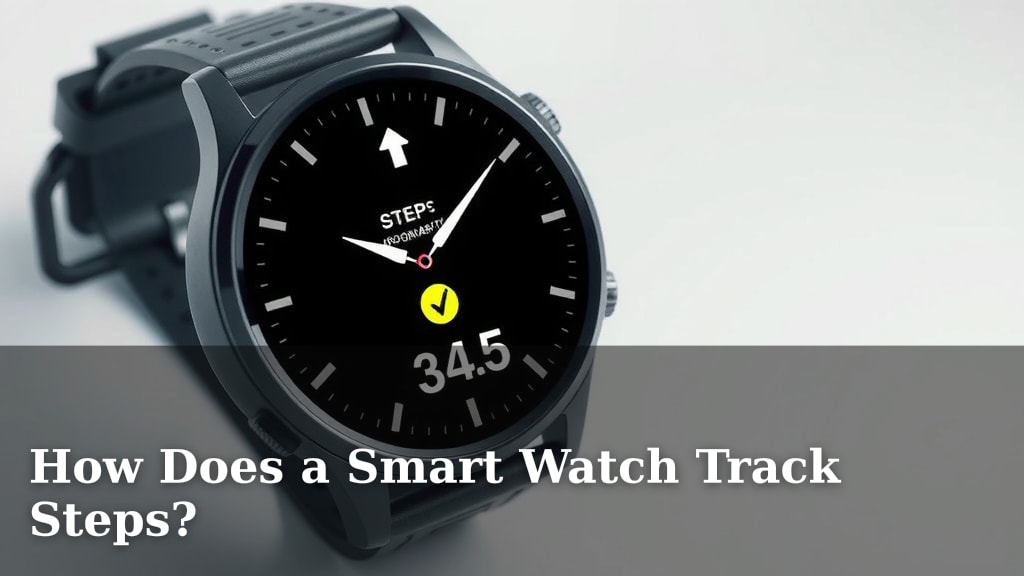
Your smartwatch tracks your steps using a tiny sensor called an accelerometer. This sensor detects movement in three directions: forward/backward, side-to-side, and up/down. When you walk, your wrist moves, and the accelerometer picks up these motions, counting them as steps. It’s a surprisingly clever piece of tech right there on your wrist!
Beyond just counting steps, your smartwatch uses this accelerometer data, along with other sensors, to estimate more about your activity. It can help track calories burned and distance traveled. Many smartwatches also incorporate a gyroscope for even more precise motion tracking. This helps differentiate between actual walking and other movements, giving you a more accurate picture of your daily activity.
- Smartwatches use an accelerometer to count steps.
- This sensor detects movement in three directions.
- It works by sensing your arm’s swing as you walk.
- Additional sensors can improve accuracy.
Ready to dive deeper into how this little gadget keeps tabs on your stride? Let’s get into the nitty-gritty of how your smartwatch tracks steps.
“`htmlUnderstanding How Your Smartwatch Counts Your Steps
So, how does that little device on your wrist actually know you’re walking? It’s not magic, though it might feel like it! Your smartwatch relies on a few key sensors working together to translate your movements into a step count. Think of them as tiny detectives constantly observing your motion.
The Heart of the Matter: The Accelerometer
We mentioned it in the intro, but let’s give the accelerometer its due. This is the primary sensor responsible for step counting. It’s essentially a tiny chip with miniature balls or weights that move when you do. These movements are detected and measured. It’s been around in electronics for a while, but smartwatches put it to excellent use.
The accelerometer measures acceleration, which is the rate of change of velocity. When you walk, your arms swing. This swinging motion causes acceleration that the accelerometer picks up. It looks for a specific pattern of movement that signifies a step. Imagine it as a tiny swing detector for your arm.
Three Axes of Movement
To be accurate, the accelerometer measures movement along three axes: the X, Y, and Z axes. The X-axis might detect side-to-side motion. The Y-axis could track forward and backward movement. The Z-axis captures up-and-down motion. Your smartwatch uses data from all three to build a clear picture of your activity.
When you take a step, there’s a distinct combination of these movements. Your arm swings forward and backward (Y-axis), and there’s a slight up and down motion (Z-axis) as your body adjusts. The accelerometer’s job is to identify this unique signature for each step.
Improving Accuracy with the Gyroscope
Some smartwatches also include a gyroscope. While the accelerometer detects motion and changes in speed, the gyroscope measures rotational changes and orientation. Think of it like a tiny spinning top that stays pointed in a direction even when you tilt it. This helps the watch understand how your wrist is turning.
Why is this important for step counting? A gyroscope can help differentiate between a genuine walking motion and other types of movement. For example, if you’re vigorously shaking your hands or gesturing during a conversation, the gyroscope can help tell your watch that this isn’t a step. It adds an extra layer of confirmation.
Combining Sensor Data
The real magic happens when the smartwatch’s software takes the data from both the accelerometer and the gyroscope. It uses sophisticated algorithms to analyze this combined information. These algorithms are programmed to recognize the specific patterns associated with walking or running.
These algorithms are constantly being refined by manufacturers. They learn to ignore false positives, like typing on a keyboard or riding a bike, while accurately capturing your actual steps. It’s a clever piece of engineering right on your wrist!
Algorithms: The Brains Behind the Steps
Even with the best sensors, the raw data they collect needs interpretation. This is where the algorithms come in. Your smartwatch’s software uses these sets of rules and calculations to process the sensor inputs. They are designed to filter out noise and identify true steps.
These algorithms are trained on vast amounts of data. Researchers collected data from people walking and running at different speeds, wearing the watches. This helps the algorithms learn what a step looks and feels like. They account for variations in gait and stride length. It’s a scientific approach to counting your strides.
Differentiating Stride Types
Algorithms also help distinguish between walking and running. While both involve similar movements, running typically has a higher impact and a different arm swing. The algorithms look for these subtle differences in acceleration and rotation. This allows your watch to provide separate metrics for steps, distance, and calories burned.
Some advanced algorithms can even detect different types of activities beyond just walking and running. Think of cycling, swimming, or even dancing. While the primary step-counting sensor remains the accelerometer, these algorithms allow for a broader understanding of your activity. It’s more than just a pedometer!
Factors Affecting Accuracy
While smartwatches are quite good at tracking steps, they aren’t always perfect. Several factors can influence how accurately your watch counts your steps. Understanding these can help you get the most reliable data.
Arm Movement and Carrying Habits
Since the watch relies on arm movement, how you carry yourself can make a difference. If your arms are unnaturally still, like when you’re pushing a stroller or carrying heavy bags, your step count might be lower than reality. The accelerometer simply won’t detect the full motion.
Similarly, if you’re wearing the watch on your non-dominant hand, and you tend to keep that hand more stationary, it might affect readings. We found that some users adjust by consciously swinging their arms a bit more, even when pushing a stroller, to ensure better tracking.
Device Placement and Fit
Ensuring your smartwatch is worn correctly is important. It should be snug on your wrist, but not so tight that it restricts blood flow. A loose watch can move around too much, leading to inaccurate readings. Conversely, a watch that’s too tight might not pick up subtle movements effectively.
Most manufacturers recommend wearing the watch a finger’s width above your wrist bone. This position generally allows the sensors to capture the most accurate motion data. Checking your watch’s manual can provide specific guidance. We found this simple adjustment can make a surprising difference.
Software Updates and Calibration
Like any technology, smartwatch software gets updated. Manufacturers frequently release updates that improve the accuracy of their algorithms. Keeping your watch’s software up-to-date is a good practice. Some watches also offer calibration options, allowing you to fine-tune the accuracy based on your personal stride.
If you notice consistently odd step counts, you might want to check if there’s a manual calibration feature available for your model. This often involves a short, guided walk where the watch measures your actual distance against its detected steps. It’s a neat way to personalize the tracking.
Beyond Steps: What Else Your Watch Tracks
While step counting is a primary function, the sensors and algorithms in your smartwatch do more. They use the motion data to estimate other important health metrics.
- Distance Traveled: By knowing your step count and an estimated stride length (which can often be personalized in the app), your watch calculates the total distance you’ve covered.
- Calories Burned: Your basal metabolic rate (BMR) plus the calories burned through physical activity contribute to your total calorie expenditure. Your watch uses your movement data to estimate the “activity” portion. Factors like your age, weight, height, and gender, which you input into the companion app, are used alongside motion data for a more accurate calorie burn estimate. Many experts suggest this is an approximation, not an exact science (CDC).
- Active Minutes/Zone Minutes: Many watches track how long you spend in moderate to vigorous activity, often referred to as active minutes or zone minutes. This goes beyond just counting steps and focuses on the intensity of your movement.
It’s amazing how much information can be gathered from those tiny sensors. They are working hard to give you a clearer picture of your daily movement and overall health. Many studies highlight the role of wearable devices in promoting increased physical activity (NIH).
A Quick Checklist for Understanding Your Step Count:
- Your watch uses an accelerometer to detect motion.
- This sensor measures movement in three directions (X, Y, Z).
- A gyroscope can add rotation data for better accuracy.
- Algorithms interpret sensor data to identify walking patterns.
- Wear your watch snugly for best results.
- Keep your watch software updated for improved accuracy.
Conclusion
You’ve learned how your smartwatch uses tiny sensors like the accelerometer and gyroscope, powered by smart algorithms, to count your steps. It’s a sophisticated system that translates your natural movements into actionable data. Remember, consistent wear and correct fit are key to getting the most accurate readings. Now that you understand the technology, you can feel more confident in the step counts you see, encouraging you to stay active and reach your fitness goals. Keep moving!
Frequently Asked Questions
Can my smartwatch count steps if I don’t swing my arms?
Your smartwatch relies heavily on arm movement detected by the accelerometer to count steps. If your arms are held very still, such as when pushing a stroller or carrying bags, your step count might be lower than your actual movement. Some users find they can improve accuracy by consciously swinging their arms slightly more.
Why is wearing my smartwatch snugly important for step tracking?
Wearing your smartwatch snugly ensures the sensors can accurately pick up the subtle movements of your wrist. A watch that is too loose can shift around, leading to inaccurate readings. Conversely, a watch that’s too tight might not register smaller motions effectively, so finding that comfortable, secure fit is important.
Does the type of activity affect how my watch counts steps?
Yes, the algorithms in your smartwatch are designed to differentiate between various activities. While walking and running both contribute to step counts, vigorous arm movements during other activities might sometimes be misinterpreted. Advanced algorithms help distinguish genuine steps from other motions.
How often should I update my smartwatch’s software for better step tracking?
Manufacturers often release software updates that improve the accuracy of algorithms used for step counting. It’s a good practice to keep your smartwatch’s software updated whenever new versions are available. This ensures you’re benefiting from the latest improvements in tracking technology.
Can my smartwatch tell the difference between walking and dancing?
Generally, your smartwatch’s algorithms are programmed to identify the distinct patterns of walking and running. While dancing involves movement, the specific rhythm and type of motion might not always be recognized as distinct steps by basic algorithms. Some advanced models and apps might offer activity-specific tracking.
![7 Best Android Smart Watch Under $100 [2026]](https://smartwatchbest.com/wp-content/uploads/2026/06/7-best-android-smart-watch-under-100-2026-featured-768x432.jpg)
![7 Best Aviation Smart Watches [2026]](https://smartwatchbest.com/wp-content/uploads/2026/06/7-best-aviation-smart-watches-2026-featured-768x432.jpg)