Smart Watch Battery Replacement Guide
Yes, you can replace a smartwatch battery yourself. While it might seem daunting, many smartwatches have batteries that are replaceable with the right tools and patience. You’ll need to be careful not to damage your device’s internal components during the process.
We found that replacing your smartwatch battery can save you money compared to professional repair. It’s a task that requires a delicate touch, as smartwatch internals are quite small and sensitive. Many users successfully perform this DIY fix at home.
- Locate a replacement battery kit.
- Gather your repair tools carefully.
- Follow step-by-step instructions for your model.
- Be patient; this is a small device.
Let’s walk through exactly how to tackle this task and get your smartwatch ticking again.
“`htmlGetting Your Smartwatch Battery Replaced
So, your trusty smartwatch battery is starting to give up the ghost. Maybe it drains too fast, or perhaps it won’t hold a charge at all. You’re wondering if you can actually swap it out yourself. The good news is, for many smartwatches, the answer is a resounding yes! It just takes a bit of know-how and the right approach. If you’re unsure about your watch’s battery health, our guide on how to check battery levels can help.
This guide will walk you through the process. We’ll cover what you need, how to do it, and what to watch out for. Think of it like giving your watch a new lease on life. A dead battery doesn’t have to mean a dead smartwatch. Let’s dive in!
First Steps: Identifying Your Smartwatch and Battery Needs
Before you grab any tools, you need to know exactly what you’re dealing with. Not all smartwatches are created equal when it comes to repairs. Some are designed to be opened, while others are sealed tighter than a drum.
Researching Your Specific Smartwatch Model
The very first step is to identify your smartwatch’s exact model number. You can usually find this on the back of the watch itself. Once you have that, hop onto the internet. Search for “[Your Smartwatch Model Number] battery replacement” or “[Your Smartwatch Model Number] teardown.”
We found that many popular smartwatch brands have online communities or repair guides dedicated to them. These resources often show if a battery replacement is even possible. They might also provide critical information about the battery type and size you’ll need. This research is absolutely vital before you buy anything.
Finding the Right Replacement Battery
Once you’ve confirmed your model is repairable, it’s time to find a replacement battery. You’ll want to look for batteries specifically designed for your smartwatch model. Generic batteries might fit, but they could have the wrong voltage or capacity. This can damage your watch or simply not work well.
We found that reputable online electronics parts stores or specialized smartwatch repair sites are your best bet. Look for batteries that come with a warranty. Read reviews from other customers who have purchased batteries for your specific watch model. A good battery can make all the difference, and a cheap, poor-quality one can cause more headaches.
Gathering Your Smartwatch Repair Toolkit
Think of this like a surgeon preparing for an operation. You need the right instruments for precision work. Smartwatches are tiny, and their components are delicate. Using the wrong tools can easily lead to damage. You don’t want to turn a simple battery swap into a disaster.
Essential Tools for the Job
Here’s a list of tools that are generally helpful for smartwatch battery replacements. You might not need every single item, depending on your watch’s construction, but it’s good to be prepared:
- Small Phillips head screwdrivers: Look for sizes like 000 or 00.
- Pry tools (spudgers): These are plastic tools for gently separating components. Metal ones can scratch or damage your watch.
- Suction cup: Useful for lifting screens or back panels.
- Tweezers: For handling tiny screws and connectors.
- Heat gun or hairdryer: Sometimes needed to soften adhesive holding the watch case or screen together.
- Thin plastic cards (like old gift cards): Can help separate adhesive.
- Safety glasses: Always a good idea to protect your eyes.
Where to Find Tool Kits
Many online retailers offer smartwatch repair tool kits. These often bundle the necessary screwdrivers, pry tools, and other small items. We found that investing in a decent kit can be more cost-effective than buying individual tools. Make sure the kit includes the small screwdriver sizes specific to electronics.
The Battery Replacement Process: A Step-by-Step Guide
Now for the main event! Remember, patience is your best friend here. Take your time and work in a well-lit, clean area. Avoid distractions. It’s like building with LEGOs, but a bit more nerve-wracking!
Opening Your Smartwatch Case
This is often the trickiest part. Many smartwatches are sealed with adhesive. You might need to gently heat the edges of the screen or back panel with a hairdryer on a low setting. Don’t overheat it; you don’t want to damage the display or internal components.
Once the adhesive is softened, use a thin pry tool or plastic card to carefully work around the edge. Gently pry the piece open. If you encounter resistance, stop and reapply gentle heat. Never force it. We found that some models have screws that need to be removed first. Your initial research is key here.
Disconnecting the Old Battery
Once the watch is open, locate the battery. It’s usually a flat, rectangular component. The battery will be connected to the motherboard by a small connector. This connector often has a tiny latch or is held in place by a small bracket.
Use your spudger or plastic pry tool to gently lift the connector straight up or slide it out. Do NOT pull on the wires themselves. We found that these connectors are very delicate and can tear easily. If there’s a bracket holding it down, carefully remove the tiny screws holding the bracket, and then lift the bracket away.
Removing and Installing the New Battery
The old battery might be held in place with a small amount of adhesive. Carefully use your pry tool to lift it out. Again, be gentle. Avoid puncturing or bending the old battery, as they can be a fire hazard.
Once the old battery is out, place the new battery in the same spot. Make sure it fits snugly. Now, carefully connect the new battery’s connector to the motherboard. Ensure it’s seated correctly and the latch (if present) is secured. Many experts advise ensuring the connector is perfectly aligned before pressing down.
Sealing Your Smartwatch Back Up
If your watch used adhesive to seal, you’ll need new adhesive strips designed for electronics. You can often find these online. Clean off any old adhesive residue from both the watch case and the component you removed.
Apply the new adhesive strips precisely. Then, carefully align the screen or back panel and press down firmly to secure it. If your watch used screws, reinsert them in the correct locations. Don’t overtighten.
Testing and Troubleshooting Your Smartwatch
You’ve done it! Now comes the moment of truth. Power on your smartwatch. Does it boot up normally? Does the battery percentage seem accurate?
Initial Power-Up and Charge
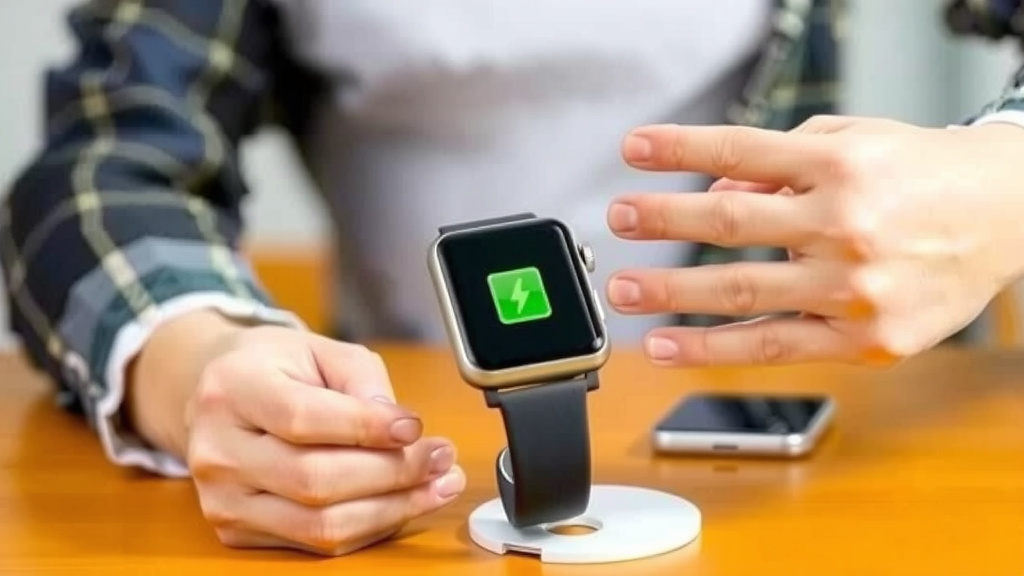
If your watch turns on, congratulations! Plug it in to charge. Watch it for a bit to ensure it’s charging correctly. The first charge is important. We found that charging it fully without interruption can help calibrate the new battery.
Common Issues and What to Do
What if it doesn’t turn on? Double-check that the battery connector is seated properly. Did you use the correct replacement battery? Is it fully charged? Sometimes, a smartwatch might need a “hard reset” after a battery replacement. You can usually find instructions for this by searching your model’s name.
If the battery drains unusually fast, the new battery might be faulty, or there could be another issue with your watch. If you’re uncomfortable troubleshooting further, it might be time to consult a professional. Many sources suggest a second attempt at the battery connection is often successful.
Checklist: Did You Cover Your Bases?
- Confirmed your smartwatch model is repairable.
- Purchased the correct replacement battery for your model.
- Gathered all necessary specialized tools.
- Worked in a clean, well-lit, and distraction-free area.
- Handled all connectors and internal components with extreme care.
- Successfully powered on and charged your smartwatch.
Conclusion
You’ve successfully learned that replacing your smartwatch battery is within your reach. By carefully researching your model, gathering the right tools, and following each step with patience, you can avoid costly professional repairs. It requires a delicate touch, but the reward is a revitalized smartwatch.
Take a deep breath, trust the process, and give your watch the new life it deserves. If you’re ready to give it a try, start by identifying your smartwatch model number. Your next steps are clear: find that battery and those tiny tools!
Frequently Asked Questions
How do I know if my smartwatch battery is bad?
The most common signs are a significantly shorter battery life than usual or your watch constantly shutting down unexpectedly. You might also notice that your smartwatch takes an unusually long time to charge, or it won’t charge at all.
Can I use a generic battery if I can’t find one for my specific model?
It’s highly recommended to use a battery specifically designed for your smartwatch model. Generic batteries might have the wrong voltage or capacity, which could damage your watch or lead to poor performance. Always try to find the exact replacement first.
What if my smartwatch is water-resistant? Will replacing the battery ruin that?
Water resistance can be compromised if the watch isn’t sealed properly after the repair. You’ll need to ensure you use appropriate adhesive and seal the case perfectly. Some users find that water resistance is never quite the same after a DIY repair.
Is it possible to damage my smartwatch while trying to replace the battery?
Yes, it is possible. Smartwatches contain very small and delicate components. Forcing parts open, using the wrong tools, or mishandling connectors can lead to damage. Patience and the correct tools are essential to minimize this risk.
How long should a new smartwatch battery last?
A new smartwatch battery should ideally last for a full day of typical use, similar to when your watch was new. However, battery lifespan depends heavily on your watch’s model, how you use it, and the quality of the replacement battery.

![7 Best Rugged Smart Watch For Men [2026]](https://smartwatchbest.com/wp-content/uploads/2026/08/7-best-rugged-smart-watch-for-men-2026-featured-768x432.jpg)