Smart Watch Not Charging? Fix It Now
If your smartwatch isn’t charging, don’t panic just yet! Often, this common issue can be fixed with a few simple troubleshooting steps. We found that checking the charging cable connection and ensuring a clean port are usually the first things to try to get your watch powered up again.
It’s frustrating when your trusty wearable suddenly refuses to charge. Many users experience this, and we found that it’s typically not a sign of a dead device. Problems can range from a loose connection to minor software glitches that prevent charging. Let’s get that battery icon back!
TL;DR:
- Check your charging cable and port for debris.
- Ensure the cable is firmly connected.
- Try a different power source or outlet.
- Restart your smartwatch.
- Update your watch’s software.
Let’s walk through the easiest fixes to get your smartwatch charging properly again.
Troubleshooting Your Smartwatch’s Charging Issues
It’s incredibly frustrating when your smartwatch decides it’s done for the day, especially when it refuses to charge. You might be looking at a dead battery icon and wondering if your favorite gadget is truly gone. We’ve found that this is a common problem many smartwatch owners face. Luckily, most of the time, the fix is quite simple and doesn’t require a trip to the repair shop. Let’s get that power flowing again!
Checking the Basics: Power and Connections
Before we dive into more technical solutions, let’s make sure we’ve covered the most straightforward possibilities. Sometimes, the simplest things are overlooked when we’re in a hurry or feeling a bit stressed about a non-functioning device.
The Charging Cable and Port Inspection
Your smartwatch relies on a clean connection to get juice. Dust, lint, and other small debris can get lodged in the charging port of your watch or on the connector of your charging cable. We found that a close look is often revealing.
- Gently inspect the charging port on your smartwatch for any visible obstructions.
- Do the same for the charging end of your cable.
- Use a soft, dry brush (like a clean toothbrush or a makeup brush) or a can of compressed air to carefully remove any gunk. Avoid using sharp objects that could damage the delicate pins. If you find debris, use a soft brush to remove any gunk from the charging port.
Ensuring a Secure Connection
A loose connection is a prime suspect for charging problems. Your smartwatch needs to be seated properly on its charger. We’ve seen many instances where the watch simply wasn’t snapped on correctly or the cable wasn’t fully plugged in.
- Make sure your smartwatch is firmly attached to its charging puck or cable.
- If it’s a charging stand, ensure the watch is aligned correctly. Many smartwatches have magnetic connectors that need to align with pins on the charger.
- For USB cables, ensure it’s fully inserted into the power adapter and the smartwatch port.
Testing Different Power Sources
The problem might not be your watch at all, but where you’re plugging it in. Different power sources can behave differently, and some might not provide enough stable power for your device.
- Try plugging your charger into a different wall outlet. It’s possible the outlet you’re using is faulty.
- If you’re using a USB port on a computer or a power strip, try a direct wall adapter instead. Some computer USB ports don’t provide enough wattage.
- If you have a different USB wall adapter that you know works for other devices, try using that with your smartwatch’s charging cable. If you have a different USB wall adapter that you know works for other devices, try using that with your smartwatch’s charging cable.
Addressing Potential Software Glitches
Sometimes, the issue isn’t with the hardware at all. A software hiccup can sometimes prevent your smartwatch from recognizing that it’s being charged. Think of it like your phone not showing notifications until you restart it – it’s a temporary glitch.
The Ever-Reliable Restart
Restarting your smartwatch is often the first software-based fix to try. It can clear out temporary errors and refresh the system. We found this simple step resolves charging issues surprisingly often.
- How to restart: The method varies by smartwatch model. Usually, you’ll need to press and hold the side button or buttons until a power-off option appears. Select “Power Off” or “Restart.” Once it’s off, press and hold the same button(s) to turn it back on.
Checking for Software Updates
Manufacturers frequently release software updates to fix bugs and improve performance. An outdated operating system on your watch could potentially interfere with its charging function. Keeping your watch’s software up-to-date is a good habit.
- Most smartwatches can check for updates via their companion app on your smartphone or directly through the watch’s settings menu.
- Ensure your smartwatch has a decent charge (if possible) or is connected to its charger while it downloads and installs updates. This process can sometimes take a while.
When the Basics Don’t Work: Advanced Steps
If you’ve tried the simple fixes and your smartwatch is still not charging, it might be time to look at a couple more specific scenarios. Don’t worry, we’re not talking about rocket science here!
Testing the Charger Itself
It’s possible your charging cable or the power adapter has failed. If you have access to another compatible charger, testing with that is a wise next step. This helps you pinpoint if the charger is the culprit.
We recommend borrowing one from a friend or family member who has the same smartwatch brand. If the new charger works, you’ll know it’s time to get a replacement for your old one. Many manufacturers offer replacement chargers directly on their websites.
Considering Battery Health and Age
Like all rechargeable batteries, smartwatch batteries degrade over time. If your watch is several years old, the battery might simply be nearing the end of its lifespan. We found that batteries typically lose capacity after a certain number of charge cycles.
While battery replacement isn’t usually a DIY job for smartwatches, knowing that battery aging is a possibility can help you manage expectations. If your watch is still under warranty, this would be a good time to contact the manufacturer.
Quick Checklist for Smartwatch Charging Problems
Here’s a quick rundown of what to try:
- Inspect and clean the charging port and cable.
- Ensure a solid connection between the watch and charger.
- Try a different power outlet or USB source.
- Restart your smartwatch.
- Check for and install software updates.
- Test with a different charging cable or adapter if possible.
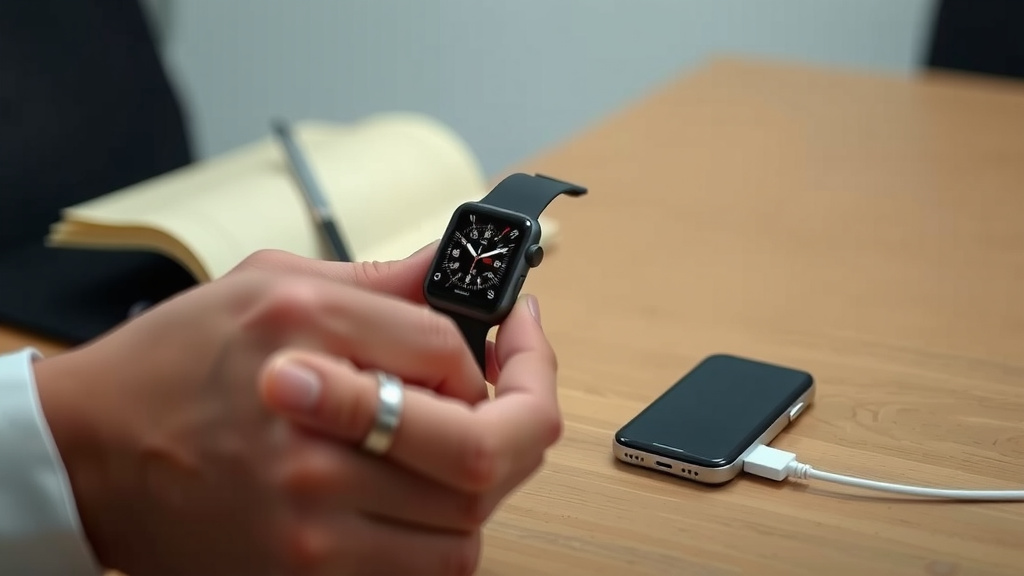
Conclusion
We understand how frustrating it is when your smartwatch stops charging. Fortunately, most charging issues are fixable with simple steps. You’ve learned to check the charging cable and port for debris, ensure a secure connection, and test different power sources. We also covered how restarting your watch and checking for software updates can often resolve glitches. If these don’t work, testing a different charger or considering battery age are your next steps. If your watch is still under warranty after trying these solutions, don’t hesitate to contact the manufacturer for further assistance.
Frequently Asked Questions
My smartwatch won’t charge at all, even after cleaning the port. What else could be wrong?
If a clean port and cable don’t help, the issue might be with the power source. Try a different wall outlet or a known-good USB adapter. We’ve also found that testing with a completely different, compatible charging cable can help isolate if the cable itself has failed.
How do I know if my smartwatch battery is dead or if it’s just a charging problem?
If your watch is several years old and has started holding a charge for significantly less time than it used to, battery degradation is likely. If it simply won’t power on or charge at all, and basic troubleshooting like checking connections and power sources doesn’t work, it’s more probable to be a charging system issue rather than just a worn-out battery.
Can I use a charger from a different brand smartwatch?
It’s best to use the charger specifically designed for your smartwatch brand. While some USB-C cables might be interchangeable, proprietary magnetic chargers or specific voltage requirements mean a charger from a different brand might not work, or could potentially even damage your watch. Always check compatibility.
My smartwatch charges very slowly. Is this normal?
Slow charging can happen if your power source isn’t providing enough wattage, or if there’s a minor obstruction in the charging port that isn’t completely preventing charging but is hindering it. Ensure you’re using a wall adapter rated for your watch’s needs and that the connections are clean and secure. Sometimes, software glitches can also impact charging speed.
My smartwatch gets warm while charging. Should I be worried?
A little warmth during charging is generally normal for most electronic devices, including smartwatches. However, if your watch becomes excessively hot to the touch, you should immediately disconnect it from the charger. This could indicate a faulty battery or charger, and you should seek professional help or contact the manufacturer.

![7 Best Fitness Smart Watch 2025 [2026]](https://smartwatchbest.com/wp-content/uploads/2026/08/7-best-fitness-smart-watch-2025-2026-featured-768x432.jpg)