Smartwatch Compatibility for Strava: Your 2026 Guide
Yes, many smartwatches are compatible with Strava, making it easy to track your workouts. Most popular brands, including Garmin, Apple, and Samsung, offer direct integration. This means your run, ride, or swim data can automatically sync to your Strava account.
Choosing the right smartwatch means you can effortlessly record your activities and share them with your friends on Strava. We found that most modern smartwatches offer this capability. It’s a big reason why many athletes love using both devices together for effortless workout tracking.
- Most major smartwatch brands sync with Strava.
- Garmin, Apple, and Samsung are great options.
- Direct integration means no manual uploads are needed.
- This saves you time and keeps your activity data together.
Let’s break down which smartwatches work best with Strava and how to get them connected so you can start sharing your next adventure.
Which Smartwatches Play Nicely with Strava?
You’re likely wondering which smartwatches can actually send your sweaty workout data over to Strava. The good news is that most modern smartwatches from the big names do. Strava has made it super easy to connect. Your watch becomes your personal trainer and your Strava becomes your digital training log.
This means you can focus on your run or ride. You don’t need to worry about manually uploading files later. It’s all about making your fitness tracking as simple as possible. Let’s look at the brands that offer this seamless integration.
Top Smartwatch Brands for Strava Enthusiasts
Garmin: The Athlete’s Choice
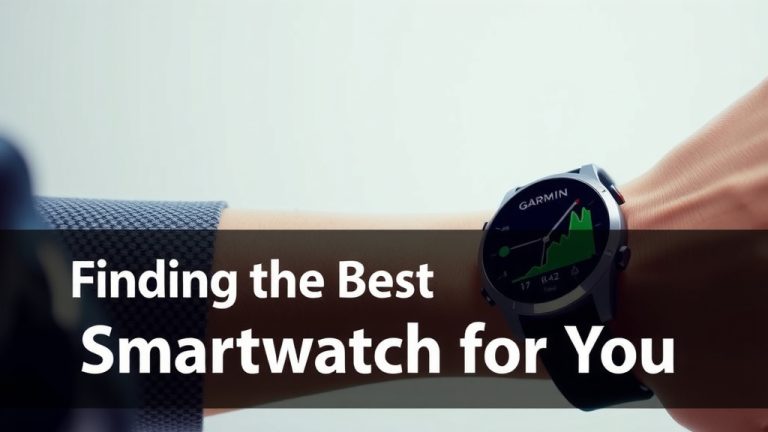
Garmin is a name you’ll hear a lot in the sports watch world. They are practically built for athletes. Garmin devices offer direct Strava integration. This is probably their most loved feature among runners, cyclists, and swimmers. You can set it up easily through the Garmin Connect app.
Once linked, your activities from your Garmin watch are automatically sent to Strava. This includes everything: distance, pace, heart rate, and even advanced metrics like VO2 max. It’s a powerful combination for serious training. Many users find that Garmin’s workout tracking is incredibly accurate. This accuracy then translates directly into their Strava stats.
Apple Watch: For the Everyday Athlete
If you own an iPhone, the Apple Watch is a popular choice. Apple Watches connect to Strava through the native Workout app or third-party apps. You can track various activities directly on your watch. Then, you simply authorize Strava to access this data.
Setting up the connection is straightforward. You’ll usually grant Strava permission within the Apple Health app. We found that for most common activities like running, walking, and cycling, the syncing is quite reliable. It’s a great option if you want a smartwatch that does it all – fitness, notifications, and more. The ease of use is a big win here.
Samsung Galaxy Watch: Android’s Strong Contender
For Android users, the Samsung Galaxy Watch series is a top pick. Similar to Apple, these watches integrate with Strava. You’ll often use Samsung Health to track your workouts. Then, you connect Samsung Health to your Strava account. The process is usually found within the settings of both apps. For Android users, the Samsung Galaxy Watch series is a top pick that can connect Samsung Health to your Strava account.
This allows your runs, swims, and bike rides to appear on Strava. We’ve seen that the integration works well for a wide range of activities. If you’re in the Samsung ecosystem, this provides a cohesive fitness tracking experience. It’s convenient to have all your workouts in one place.
Fitbit: Keeping it Simple and Stylish
Fitbit devices are known for their focus on health and general fitness. While they might not have the deep sports metrics of Garmin, many Fitbit models sync perfectly with Strava. You typically connect your Fitbit account to Strava. After that, your tracked activities will transfer over.
This is ideal if you’re looking for a stylish tracker that also helps you stay connected with your fitness community on Strava. It’s a user-friendly option for many. Research suggests Fitbit’s focus on daily activity and sleep tracking can complement Strava’s performance-oriented features.
Other Brands That Connect
It’s not just the big three! Many other smartwatch brands also offer Strava compatibility. This includes companies like Suunto, Polar, and Coros. These brands often cater to more specific sports or offer advanced features. Their integration with Strava is usually quite robust.
If you have a watch from one of these brands, chances are it works with Strava. The setup process typically involves linking your watch’s native app to Strava. We recommend checking your specific watch brand’s support pages or the Strava app’s connected services section. You might be surprised at how many options you have!
How to Connect Your Smartwatch to Strava
The Basic Connection Steps
Connecting your watch to Strava usually follows a similar pattern. You’ll start by opening the Strava app on your phone. Look for the ‘Settings’ or ‘Profile’ section. Within settings, you should find an option for ‘Connected Apps’ or ‘Link New Device’.
From there, you’ll select your watch brand or its associated app (like Garmin Connect, Samsung Health, or Fitbit). You’ll then be prompted to log in to your account for that app. Finally, you’ll grant Strava permission to access your activity data. It’s a quick process.
What if Your Watch Doesn’t Sync Directly?
Don’t despair if your watch doesn’t have a direct, automatic link to Strava. Many watches export activity files in formats like .GPX or .TCX. You can then manually upload these files to Strava through their website. It takes a few extra clicks but gets the job done.
This manual method is a bit more work. However, it ensures your hard-earned workout data still makes it to your Strava profile. We found that most users prefer the automatic sync, but manual uploads are a reliable fallback. It’s like having a backup plan for your fitness data.
Making the Most of Your Smartwatch and Strava Combo
So, you’ve got your smartwatch connected. What’s next? Use your watch to track your runs, rides, swims, and other activities. Ensure you’re getting accurate data by wearing your watch snugly. Check your heart rate zones and pace regularly during your workouts.
After your workout, check your phone. Your activity should appear in Strava shortly after you finish. You can then add photos, notes, or kudos. Share your progress with friends. It’s a fantastic way to stay motivated and connected. Many users find this daily feedback loop incredibly rewarding.
A Quick Checklist for Connection Success
- Ensure your smartwatch has a stable internet connection.
- Make sure your phone’s Bluetooth is turned on.
- Update both your watch’s firmware and the Strava app.
- Log in to the correct account for your watch’s app.
- Grant Strava the necessary permissions to access your data.
- Test with a short activity first to confirm syncing.
Conclusion
You’ve learned that a vast majority of smartwatches seamlessly connect with Strava. Brands like Garmin, Apple, and Samsung offer straightforward integration. This connection means your workout data automatically syncs. You can spend less time managing files and more time enjoying your activities. Ready to get started? Your next step is to check your watch’s app for connection settings and link it to your Strava account today!
Frequently Asked Questions
Will my older smartwatch work with Strava?
Many older smartwatches can still connect to Strava, especially if they support exporting activity files. While direct automatic syncing might be less common, you can often manually upload files like .GPX or .TCX. We found this manual method is a reliable fallback for getting your data onto Strava.
Do I need to pay for Strava Premium to connect my watch?
No, you do not need Strava Premium to connect most smartwatches. The basic Strava app allows you to link many devices and sync your activities automatically. Premium features offer advanced analysis and training plans, but core connectivity is generally free.
What if my smartwatch brand isn’t listed as compatible?
If your specific smartwatch brand isn’t explicitly mentioned, don’t worry! Many devices can still sync via manual uploads. Check if your watch’s app can export workout files in formats like .GPX or .TCX. You can then upload these directly to Strava’s website.
How long does it take for my watch data to appear on Strava?
Typically, synced data appears on Strava within a few minutes of completing your workout. This depends on your watch’s connectivity and your phone’s internet connection. We found that a quick Bluetooth connection and Wi-Fi or cellular data on your phone speed up the process considerably.
Can I use my smartwatch to track an activity and then upload it to Strava manually?
Absolutely. If your smartwatch doesn’t sync automatically, you can usually track your activity on the watch. Then, export the workout data from your watch’s companion app. You can then upload that file directly to your Strava account via the Strava website.