
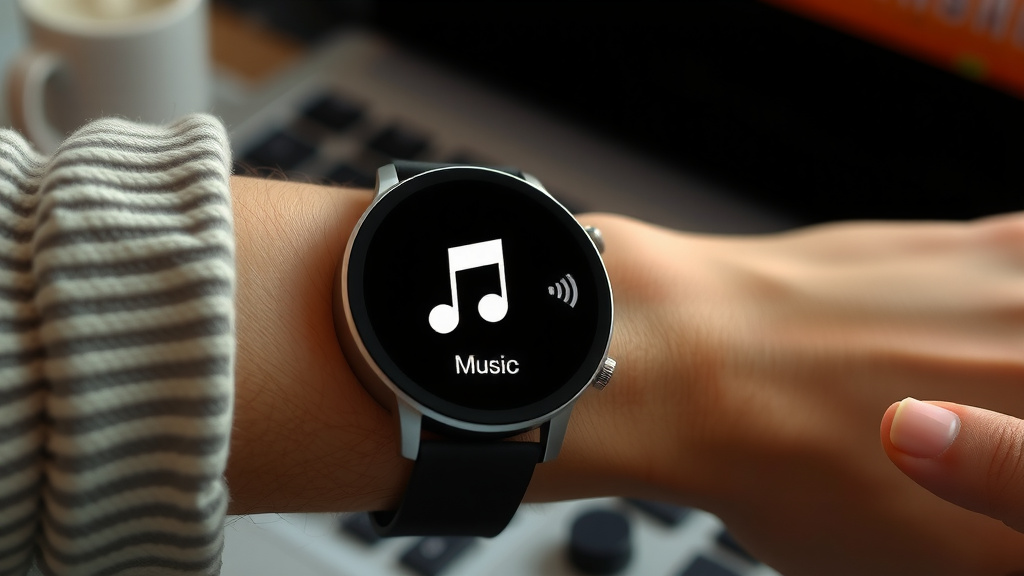
Play Music on Your Smart Watch: A Step-by-Step Guide
Yes, you can absolutely play music on your smartwatch! Most smartwatches let you store music directly or stream it through connected apps like Spotify or Apple Music. You’ll typically need Bluetooth headphones or speakers to listen.
Playing music from your wrist means you can leave your phone behind during workouts or quick errands. It’s about convenience and freedom. Many people find it a fantastic way to stay motivated or simply enjoy tunes on the go without carrying extra devices.
- Yes, playing music on your smartwatch is possible and quite convenient.
- You can store music locally or stream it via apps.
- Bluetooth headphones are usually required for listening.
- It offers freedom from carrying your phone during activities.
- It’s a great way to keep your music easily accessible.
Let’s walk through exactly how you can get your favorite songs playing on your smartwatch, step by step.
Getting Your Music Ready for Your Smartwatch
So, you’re ready to ditch your phone and groove to your tunes right from your wrist? That’s awesome! The first step is getting your music onto your smartwatch. There are generally two main ways to do this: storing music directly on the watch or using streaming apps.
Storing Music Directly on Your Watch
This is like having a tiny music player right on your wrist. Many smartwatches have built-in storage. Think of it like a small USB drive for your favorite songs. You can load up playlists for your runs or walks. This is super handy when you don’t want to carry your phone at all.
How to Transfer Music Files
The exact process can vary slightly between watch brands and models. But generally, you’ll connect your smartwatch to your computer using its charging cable. Then, you’ll use a desktop app provided by the watch manufacturer. This app lets you drag and drop music files from your computer onto your watch. It’s similar to moving files to a thumb drive.
Research and found that most major brands like Samsung, Apple, and Garmin offer dedicated software for this. You’ll need to ensure your music files are in a compatible format, usually MP3 or AAC. Most music you’ve purchased or ripped from CDs will work fine.
Creating Playlists for Your Watch
Once the music is on your watch, you’ll want to organize it. You can create playlists directly on the watch itself or through the companion computer app. Think about what you’ll be doing when you listen. Maybe a high-energy playlist for workouts? Or a chill one for evening walks?
Streaming Music from Apps
If you prefer having a vast library at your fingertips, streaming is the way to go. This means your watch connects to an app like Spotify, Apple Music, or YouTube Music, and plays music over the internet or uses downloaded tracks from the app. It’s like having a radio station that plays exactly what you want.
Popular Music Streaming Apps
Many smartwatches support popular music streaming services. We found that Apple Watches heavily favor Apple Music, but also work with Spotify. Android-based watches, like those running Wear OS, often have good support for Spotify, YouTube Music, and Pandora. Some watches even let you download playlists from these apps for offline listening, which is a lifesaver when you’re out of Wi-Fi or cell service range.
Setting Up Offline Playback
This is a game-changer for listening without your phone or an internet connection. You’ll need to have the streaming app installed on your watch. Then, within the app, you can select specific playlists, albums, or podcasts to download. It’s like saving your favorite songs directly to the watch’s memory. This requires a Wi-Fi connection during the download process. Many experts say this offline feature is one of the biggest benefits of smartwatch music (Spotify Community FAQs).
Connecting Your Audio Devices
Now that your music is ready, how do you actually listen? Unless your watch has a built-in speaker, which is rare and usually quite tinny, you’ll need a way to get the sound to your ears. Bluetooth is your best friend here.
Pairing Bluetooth Headphones or Earbuds
This is the most common and convenient method. You’ll need a pair of Bluetooth headphones or earbuds. Most smartwatches have a Bluetooth settings menu. You simply put your headphones into pairing mode and then select them from the list of available devices on your watch.
We found that pairing is usually a straightforward process. Your watch will scan for nearby Bluetooth devices. Once your headphones appear, you tap on them to connect. It’s like introducing two gadgets to each other so they can chat using wireless signals.
Once paired, your watch will remember your headphones. The next time you turn on your headphones and open your music app on the watch, they should connect automatically. This makes jumping into your music super quick.
Using Bluetooth Speakers
Want to share your tunes with friends, maybe at a picnic or a small gathering? You can also connect your smartwatch to Bluetooth speakers. The pairing process is identical to connecting headphones. Just make sure your speaker is in pairing mode and select it from your watch’s Bluetooth menu. Keep in mind that the sound quality and volume will depend heavily on the speaker.
Controlling Your Music Playback
Once everything is set up, playing music is a breeze. Your smartwatch becomes a mini remote control for your audio experience.
Basic Playback Controls
On most smartwatches, when music is playing, a dedicated music control screen will appear. This usually includes:
- Play/Pause button
- Next/Previous track buttons
- Volume controls
- Sometimes a scrubber to jump to a specific point in a song
You can often access these controls by swiping down from the top of your watch face or by opening the music app on the watch. It’s designed to be quick and easy to use, even when you’re on the move.
Voice Commands for Music
Many smartwatches have built-in voice assistants like Siri, Google Assistant, or Bixby. You can use voice commands to control your music. Simply activate your watch’s assistant and say things like, “Play my running playlist,” “Next song,” or “What’s playing?” This is incredibly convenient when your hands are full or you don’t want to tap on the small screen.
Research shows that voice control can make interactions much faster. It’s like having a personal DJ ready to take your requests, all from your wrist.
Quick Checklist for Getting Started
Ready to get your music on the go? Here’s a quick rundown:
- Confirm your smartwatch has music storage or supports streaming apps.
- Decide if you’ll store music locally or use streaming.
- Download the necessary companion app to your phone or computer.
- Pair your Bluetooth headphones or speakers with your watch.
- Transfer music files or download playlists from streaming apps.
- Start playing your tunes and enjoy the freedom!
Conclusion
You’ve got this! Playing music directly from your smartwatch is totally achievable and adds so much convenience to your day. Whether you prefer loading up your favorite tracks for offline listening or streaming through apps, the steps are straightforward. Remember to pair your Bluetooth headphones, and you’re ready to go.
The real magic is leaving your phone behind during workouts or daily errands. Take the next step and get your music set up. You’ll be enjoying tunes from your wrist in no time!
Frequently Asked Questions
Can I use my smartwatch for music without Bluetooth headphones?
Generally, no. Most smartwatches require Bluetooth headphones or speakers to listen to music, as they don’t have built-in speakers powerful enough for enjoyable listening. You’ll need to pair your wireless audio device with your watch.
How much music can I store on my smartwatch?
The storage capacity for music varies greatly by smartwatch model. Some might only hold a few playlists, while others can store hundreds of songs, similar to a small MP3 player. Always check your watch’s specifications for exact storage details.
Do I need a separate subscription for music on my smartwatch?
If you’re streaming music, you’ll need a subscription to services like Spotify Premium or Apple Music, just as you would on your phone. For locally stored music, no additional subscription is needed, provided you own the music files.
What happens to my music if my smartwatch battery dies?
If your smartwatch battery dies, your music playback will simply stop. Once you charge your watch and turn it back on, you can resume playing your music from where you left off or restart your playlist.
Can I control music playing on my phone from my smartwatch?
Yes, many smartwatches can act as a remote control for music playing on your paired smartphone. You can typically play, pause, skip tracks, and adjust volume directly from your watch, even if the music isn’t stored on the watch itself.
![7 Best Fossil Smart Watches [2026]](https://smartwatchbest.com/wp-content/uploads/2026/08/7-best-fossil-smart-watches-2026-featured-768x432.jpg)