
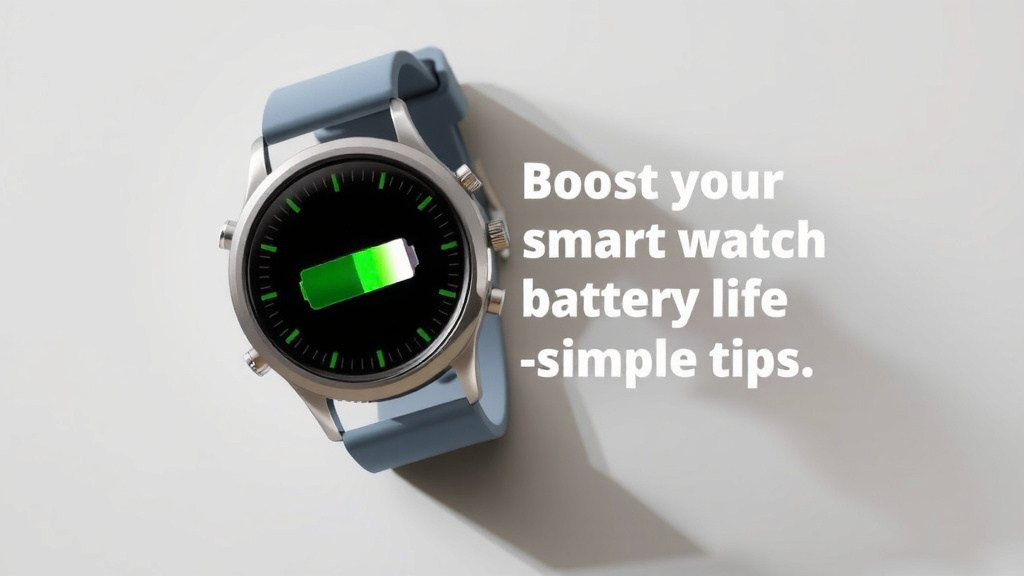
Boost Your Smartwatch Battery Life: Simple Tips
To make your smartwatch battery last longer, focus on reducing screen brightness, disabling unnecessary notifications, and turning off continuous heart rate monitoring. You can also get more battery life by limiting background app refresh and using airplane mode when you don’t need connectivity. These simple changes can make a big difference in your daily charge cycle.
Many smartwatch owners struggle with battery drain. It’s frustrating when your watch dies before the day is over. Thankfully, there are proven methods to extend your battery life. We found that managing these settings proactively is key to a longer-lasting charge. You’ll be surprised at how much power you can save with a few smart adjustments.
- Lower your screen’s brightness.
- Turn off unwanted notifications.
- Disable always-on heart rate tracking.
- Limit background app activity.
- Use airplane mode when offline.
Ready to keep your smartwatch powered up for longer? Let’s walk through the easiest ways to boost your battery life, one simple tip at a time.
Making Your Smartwatch Battery Last Longer: Simple Strategies
Your smartwatch is a handy companion, but watching its battery dip can feel like a race against time. Many users find themselves needing to charge their watch mid-day. We found that tweaking a few settings can make a substantial difference. You can often double your battery life with these straightforward adjustments.
Understanding Your Smartwatch’s Power Drain
Smartwatches are mini-computers on your wrist. They perform many tasks, and each one uses a bit of battery. Think of it like your smartphone; the more you use it, the faster it drains. Some features are particularly hungry for power. Identifying these can help you manage your charge effectively.
Screen Time: The Biggest Battery Hog
The display is often the main culprit for battery drain. Every time your screen lights up, it consumes energy. This includes when you glance at the time or when notifications pop up.
Lowering Screen Brightness
One of the easiest ways to save battery is to lower the screen’s brightness. Most smartwatches allow you to do this in the display settings. You don’t need it at maximum brightness all the time. A dimmer screen is perfectly readable in most indoor conditions.
We found that setting the brightness to 50% or less can dramatically extend battery life. For outdoor use, you might need a bit more, but try to avoid the highest settings unless absolutely necessary. Many watches also have an auto-brightness feature, which can help, but manual control often offers greater savings.
Reducing Screen Timeout
How long does your screen stay on after you wake it up? A shorter timeout means less time the screen is actively drawing power. Look for a “screen timeout” or “wake duration” setting. Setting this to the shortest possible time (often 5-15 seconds) is a smart move.
Notifications: The Constant Buzz
Your smartwatch is designed to keep you informed. But receiving constant alerts can drain your battery. Each notification wakes the screen and processor. We found that many users receive alerts they don’t truly need on their wrist.
Curating Your Notifications
Go through your app settings on your phone and your watch. Turn off notifications for apps that aren’t essential. Do you really need to know every time someone likes a photo on social media? Probably not. Prioritize alerts from messaging apps, calendars, and critical work-related tools.
Research by many tech reviewers points to notification management as a key battery-saving technique. By reducing the number of times your watch vibrates and lights up, you conserve significant power.
Disabling Raise-to-Wake
The “raise-to-wake” feature is convenient. It turns on your screen when you lift your wrist. However, it relies on motion sensors that are always active. This can use up battery, especially if you move your arm frequently.
Turning off raise-to-wake forces you to tap the screen or press a button to see the time. While less convenient, it can lead to a noticeable improvement in battery life. Try it for a day and see if the trade-off is worth it for you.
Optimizing Connectivity and Background Activity
Your smartwatch uses various radios to connect to your phone, Wi-Fi, and GPS. These are powerful and can be battery intensive. Similarly, apps running in the background consume power. GPS is a major battery drain, so check out our guide to the best GPS tracker smartwatches for efficient options.
Smart Use of GPS and Location Services
GPS is a major battery drain. If your watch has built-in GPS and you’re using a fitness app for a run or hike, it will consume power. For everyday use, you can often disable continuous location tracking for most apps.
Many experts recommend turning off GPS unless you are actively using an app that requires it, like a navigation app or a high-accuracy workout tracker. When not in use, ensure location services are set to “while using the app” or even off for apps that don’t need it.
Managing Background App Refresh
Some apps on your smartwatch refresh their content in the background. This means they are running even when you’re not actively looking at them. This uses both data and battery power.
We found that disabling background app refresh for non-essential apps can make a big difference. Check your watch’s settings for an option like “Background App Activity” or “Background Refresh.” Be selective about which apps you allow to run in the background.
The Power of Airplane Mode
When you don’t need connectivity, airplane mode is your best friend. It turns off all wireless radios – Bluetooth, Wi-Fi, and cellular. This is a massive battery saver.
Consider using airplane mode during meetings, movies, or overnight if you don’t need notifications. You can often re-enable Wi-Fi or Bluetooth selectively if needed. It’s a quick way to get hours of extra battery life when you’re disconnected.
Advanced Tips for Maximum Battery Longevity
Beyond the basic settings, a few other adjustments can help squeeze out more life from your smartwatch battery.
Heart Rate Monitoring Frequencies
Continuous heart rate monitoring is a popular feature. However, it requires the sensor to be active constantly. If you don’t need real-time heart rate data all day, consider changing the setting.
Many smartwatches allow you to set heart rate monitoring to specific intervals (e.g., every 10 or 30 minutes) or to only track during workouts. We found that switching from continuous monitoring to periodic checks can save substantial battery. For medical needs requiring constant monitoring, this isn’t an option, but for general use, it’s a significant saver.
Keep Your Software Updated
Manufacturers often release software updates that include battery optimizations. These updates can improve how efficiently your watch uses power. Make sure your smartwatch is set to update automatically or check for updates regularly.
We found that keeping your operating system and apps up-to-date is important for both performance and battery life. These updates can fix bugs that might be causing excessive drain.
Watch Faces Matter!
Did you know your watch face can impact battery life? Traditional analog watch faces with simple hands use very little power. However, dynamic watch faces with animations, moving elements, or bright colors can drain the battery faster.
If your watch has an always-on display option, dark or minimalist watch faces will consume less power than those with a lot of bright pixels. Consider using a simpler watch face if you’re looking to conserve every bit of battery life.
Charging Habits for Healthier Batteries
While modern smartwatch batteries are quite robust, healthy charging habits can help maintain their capacity over time. Avoid letting your battery drop to 0% frequently. Similarly, constantly charging to 100% and keeping it there for extended periods isn’t ideal.
Many experts suggest keeping your battery between 20% and 80% for optimal long-term health. Some smartwatches even have features that optimize charging overnight to reduce battery stress. Understanding your device’s charging capabilities can help.
Here’s a quick checklist to help you make the most of your smartwatch battery:- Lower your screen brightness to 50% or less.
- Disable raise-to-wake if you don’t need it.
- Turn off notifications for non-essential apps.
- Set GPS to “while using” or disable it when not needed.
- Check for software updates regularly.
- Use airplane mode when you don’t need connectivity.
Conclusion
You’ve now learned how to make your smartwatch battery last much longer. By managing your screen brightness, curating notifications, and being smart about connectivity, you can avoid midday charging. Simple tweaks to settings like raise-to-wake and background app refresh can add hours to your battery life. Even your watch face choice makes a difference! Start implementing these tips today to keep your smartwatch powered and ready for whatever your day brings. Your watch will thank you with extended uptime.
Frequently Asked Questions
How often should I charge my smartwatch?
For optimal long-term battery health, try to keep your smartwatch battery between 20% and 80%. Avoid letting it consistently drop to 0%. Many smartwatches also offer optimized charging features that help manage this automatically overnight.
Will turning off my smartwatch at night save battery?
Yes, turning off your smartwatch at night when you’re not using it can significantly save battery. This prevents background processes and the always-on display from consuming power while you sleep. You’ll wake up to a fully charged watch ready for the day.
Does using a dark or minimalist watch face really save battery?
It absolutely can, especially if your watch has an always-on display. Darker watch faces use less power because fewer pixels need to be illuminated. Animated or very bright watch faces, on the other hand, require more energy to display.
Is it okay to keep my smartwatch connected to Wi-Fi and Bluetooth all the time?
Keeping both Wi-Fi and Bluetooth active constantly does use extra battery. Consider turning off Wi-Fi when you’re not actively using it, or rely on Bluetooth for syncing with your phone. Using airplane mode when you don’t need any connectivity is the biggest saver.
Can disabling continuous heart rate monitoring help my battery?
Yes, continuous heart rate monitoring is a major battery drain. If you don’t need real-time data all day, switching to periodic checks or only tracking during workouts can dramatically extend your battery life. You can usually adjust this in your watch’s health settings.
![7 Best Apple Smart Watch For Health Monitoring [2026]](https://smartwatchbest.com/wp-content/uploads/2026/06/7-best-apple-smart-watch-for-health-monitoring-2026-featured-768x432.jpg)


![7 Best Smart Watch Pulse Oximeter [2026]](https://smartwatchbest.com/wp-content/uploads/2026/10/7-best-smart-watch-pulse-oximeter-2026-featured-768x432.jpg)