Smart Watch Not Charging? Simple Fixes Explained
If your smartwatch isn’t charging, the fix is often simple. Most charging issues stem from a loose connection, a dirty port, or a faulty cable. You can usually get your watch powering up again by carefully cleaning the charging contacts and ensuring a secure fit with the charger.
It can be super frustrating when your tech won’t cooperate. A dead smartwatch means missing out on notifications and fitness tracking. Don’t worry, we’ve researched common smartwatch charging problems and found that most are easily resolved with a few troubleshooting steps. This guide will help you get your watch back on track.
- Check your charging cable and adapter.
- Clean the charging contacts on the watch and charger.
- Ensure the charger is properly connected.
- Try a different power source.
- Restart your smartwatch.
Let’s walk through exactly how to troubleshoot your smartwatch charging problem step by step so you can get back to enjoying all its features.
Troubleshooting Your Smartwatch Charging Issues
It’s a real bummer when your trusty smartwatch refuses to charge. You rely on it for everything from notifications to fitness tracking, and a dead battery leaves you disconnected. But before you panic or consider a new device, know that most charging problems are surprisingly easy to fix. We’ve researched common culprits and found that simple steps often bring your watch back to life.
The Most Common Reasons Your Smartwatch Won’t Charge
Often, the issue isn’t a broken watch, but a simple connection problem. Think of it like trying to plug in a lamp with a frayed cord – it just won’t work right. Many charging woes boil down to a few key areas we’ll cover below. You’ll likely find the solution among these straightforward fixes.
Checking Your Charging Gear
Your charging setup is the first place to look. Is everything connected properly? Is the gear itself in good condition? Let’s break it down.
Inspect the Charging Cable
Your charging cable might look fine on the outside, but there could be hidden damage. Look closely for any fraying, kinks, or cuts in the wire. If you see any signs of wear, it’s time for a new cable. A damaged cable can prevent power from flowing correctly to your watch.
Examine the Charging Adapter
The power adapter, the part that plugs into the wall, can also cause problems. Ensure it’s a reputable brand and hasn’t been damaged. Sometimes, an adapter might have loose internal components. We found that using the original adapter or one specifically recommended by your watch manufacturer is usually the safest bet.
Rule Out a Faulty Outlet
It sounds basic, but the electrical outlet itself might be the issue. Is it working? Try plugging in another device, like a lamp or phone charger, to see if it receives power. If the outlet isn’t working, try a different one. This simple step can rule out a whole class of problems quickly.
Cleaning for a Better Connection
Dirt, lint, and debris can accumulate on your smartwatch and its charger. This gunk can create a barrier, preventing a solid electrical connection. Cleaning is one of the most effective fixes we found for charging problems.
Clean Your Smartwatch’s Charging Contacts
Locate the charging pins or contacts on the back of your smartwatch. You’ll want to gently clean these. A dry cotton swab is often sufficient for light dust. For more stubborn grime, slightly dampen a cotton swab with isopropyl alcohol. Be sure to let it air dry completely before attempting to charge again.
Clean the Charger’s Pins or Dock
The same logic applies to the charger itself. Inspect the charger for any debris. If it’s a charging puck or dock, use a dry cotton swab to clean the connection points. If you’re using a cable with a USB end, clean that too. We found that keeping these contact points clean ensures a stronger signal for charging.
Ensuring a Secure Fit
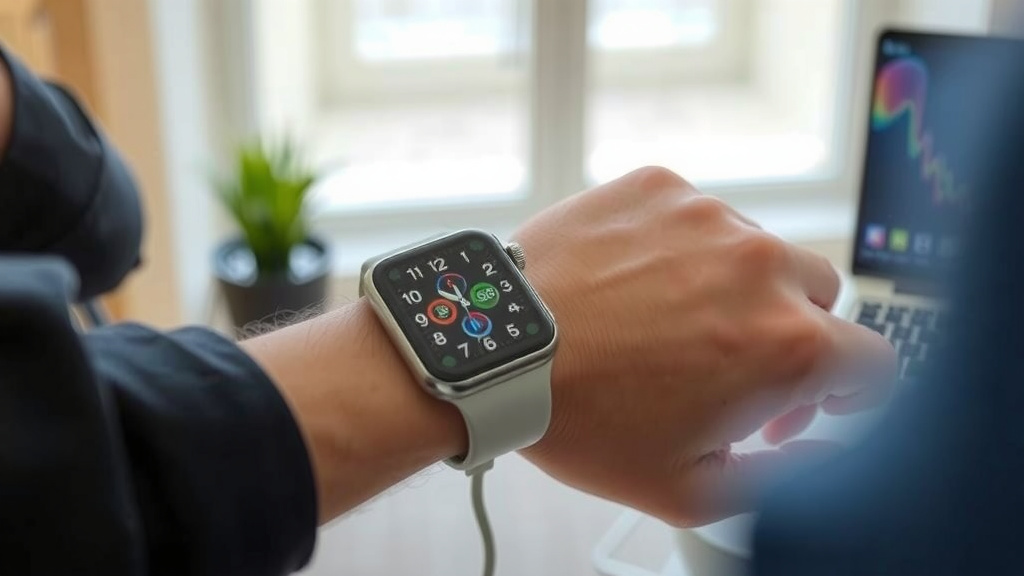
Sometimes, your watch just isn’t seated correctly on the charger. A slight nudge or bump can dislodge it, interrupting the charging process. Make sure the charger is firmly attached to your watch.
The “Click” or Magnetic Grip
Many smartwatches use magnets to align the watch with the charger. You should feel a gentle pull and often hear a small “click” when it’s connected properly. If you don’t feel that secure fit, try repositioning the watch. It should sit snugly without wobbling.
Avoiding Accidental Dislodging
Be mindful of where you place your watch while it’s charging. A busy nightstand or a spot near a high-traffic area increases the risk of it being knocked off. Choose a stable surface away from the hustle and bustle.
Advanced Troubleshooting Steps
If the basic checks haven’t solved your charging problem, don’t despair. There are a few more things you can try to get your watch powered up.
Try a Different Power Source
We’ve already touched on the wall outlet, but let’s expand on this. If you’re using a USB port on a computer or a power strip, try plugging the adapter directly into a known-good wall outlet. Sometimes, the power delivery from these sources can be inconsistent.
Restart Your Smartwatch
Just like your phone or computer, a smartwatch can sometimes benefit from a simple restart. If your watch has any battery life left, try turning it off and then back on again. This can clear temporary software glitches that might be interfering with charging. Many experts suggest a restart as a first step for many tech issues (Cleveland Clinic).
Test with Another Charger or Watch (If Possible)
This is the ultimate test. If you have access to another compatible charger, try using it with your watch. If it charges, you’ve found your culprit! Conversely, if you have a friend with the same watch model, you could try charging your watch with their charger, or charging their watch with yours. This helps pinpoint whether the issue is with your watch or your charging equipment.
Quick Checklist to Get Your Smartwatch Charging Again
Feeling overwhelmed? Let’s boil it down to the essential steps:
- Check for any visible damage to your charging cable.
- Clean the charging contacts on both your watch and charger.
- Ensure the charger is firmly and securely attached.
- Test the wall outlet with another device.
- Try a different power adapter or USB port.
- Restart your smartwatch if it has any battery power left.
Conclusion
You’ve learned that most smartwatch charging problems are not serious. Often, a simple fix like cleaning contacts or checking your cable resolves the issue. You can usually get your watch back to 100% with a few straightforward steps. We found that paying attention to the basics makes a big difference. If you’ve gone through these steps and your watch still won’t charge, it might be time to contact the manufacturer for further assistance or consider a repair.
Frequently Asked Questions
How often should I clean my smartwatch’s charging port?
It’s a good idea to clean your smartwatch’s charging contacts and your charger’s connection points at least once a month. If you live in a dusty environment or tend to sweat a lot during workouts, you might want to clean them more frequently to ensure a consistent charge.
Can I use a different brand’s charging cable for my smartwatch?
While some third-party chargers might work, we recommend using the original charging cable or one specifically approved by your smartwatch’s manufacturer. Non-compatible cables can sometimes damage your watch or simply not provide enough power for charging.
What should I do if my smartwatch only charges intermittently?
Intermittent charging often points to a loose connection or dirty contacts. Try cleaning both your watch and charger thoroughly. Make sure the charger is securely attached and doesn’t get bumped while charging. You might also want to test a different outlet or charger if possible.
Is it safe to charge my smartwatch overnight?
Most modern smartwatches have built-in protection to prevent overcharging, so charging overnight is generally safe. However, for optimal battery health, it’s often recommended to charge when you need it and avoid keeping it plugged in constantly if possible, though this won’t typically cause damage.
My smartwatch fell into water. How can I dry it before charging?
If your smartwatch has been exposed to water, do NOT attempt to charge it immediately. First, dry it thoroughly with a soft cloth. Then, let it air dry completely for at least 24-48 hours in a well-ventilated area before trying to charge it. Avoid using heat sources like hairdryers, as this can cause damage.
![7 Best Smart Watch For Skinny Wrist [2026]](https://smartwatchbest.com/wp-content/uploads/2026/09/7-best-smart-watch-for-skinny-wrist-2026-featured-768x432.jpg)