
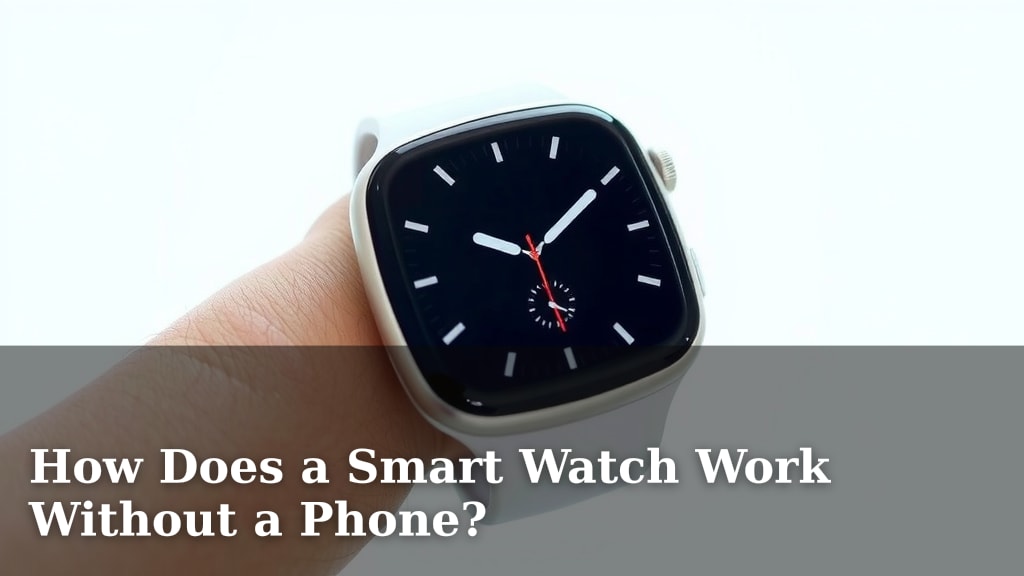
How Does a Smart Watch Work Without a Phone?
Yes, many smart watches can work without a phone, thanks to built-in cellular connectivity or Wi-Fi. This means your watch can make calls, send texts, and stream music independently. You get some phone-like features right on your wrist.
You might be wondering how this magic happens. We found that these watches use their own SIM cards or connect to Wi-Fi networks. This allows them to access the internet and cellular service directly. It’s like having a mini-phone attached to your arm, offering convenience and freedom.
TL;DR:
- Smart watches can work without a phone.
- They use cellular service or Wi-Fi.
- This lets them make calls and send texts alone.
- Enjoy phone-like features on your wrist.
- It’s all about connectivity and independence.
Let’s walk through exactly how your smartwatch manages to go phone-free, step by step.
Understanding How Smartwatches Operate Independently
So, you’re curious about how your smartwatch can ditch the phone connection and still keep chugging along. It’s not magic, but it’s pretty neat technology. We found that these watches have their own ways of talking to the world, mostly through cellular connectivity and Wi-Fi.
Cellular Connectivity: Your Watch Gets Its Own Phone Number
This is the big one. Many modern smartwatches come with their own cellular chip. Think of it like a tiny phone inside your watch. This chip allows your watch to connect directly to a cellular network, just like your smartphone does. This means you can make calls, send texts, and use data services even when your phone is miles away.
The Role of eSIM Technology
How does this cellular magic happen without a physical SIM card slot? Many smartwatches use an eSIM. This is an embedded SIM, meaning the SIM functionality is built right into the watch’s hardware. You don’t need to pop out a tiny card. Instead, you activate the cellular service through your mobile carrier. We found this is a super convenient way to get your watch connected.
What You Can Do with Cellular
With cellular service on your watch, you gain a lot of freedom. You can leave your phone at home during a run and still be reachable. You can also stream music or podcasts directly to your Bluetooth headphones without draining your phone’s battery. It’s like having a mini-phone right on your wrist, offering convenience and independence.
Wi-Fi Connectivity: Tapping into Existing Networks
Even if your smartwatch doesn’t have cellular, it can still work independently using Wi-Fi. Your watch can connect to any available Wi-Fi network. This is similar to how your tablet or laptop connects to your home internet. Once connected, it can access the internet for many functions.
What Wi-Fi Enables
With Wi-Fi, your watch can download apps, receive notifications, and even make voice calls over Wi-Fi. Some services allow you to make calls using Wi-Fi calling features, which are often provided by your mobile carrier. We found that this is a great option for when you’re at home or in a place with reliable Wi-Fi, and you want to leave your phone behind.
The Difference: Cellular vs. Wi-Fi
The main difference is how you connect to the internet. Cellular uses your mobile carrier’s network and usually requires a separate plan for your watch. Wi-Fi uses existing wireless networks you have access to. We found that cellular offers more freedom to roam, while Wi-Fi keeps you connected when you’re within range of a network.
Onboard Storage: Apps and Data at Your Fingertips
Smartwatches also have their own internal storage. This is where your apps, music, and other data live. Think of it like a small hard drive within your watch. Having onboard storage means you don’t always need to rely on your phone to access your favorite tunes or apps.
Storing Music and Podcasts
Many smartwatches allow you to download music or podcasts directly from streaming services like Spotify or Apple Music. You can then listen to them using Bluetooth headphones. We found that this is a huge plus for workouts or commutes when you don’t want to carry your phone. You can curate your playlists right on your wrist.
Running Apps Independently
Certain apps are designed to run fully on the smartwatch itself. This could include fitness trackers, timers, alarms, and even some messaging apps. These apps access the watch’s internal sensors and connectivity to perform their functions. We found that the app ecosystem is growing, allowing for more independent use.
Sensors: The Watch’s Built-in Brains
Your smartwatch is packed with sensors that allow it to gather information about you and your surroundings. These sensors work independently of your phone to track your activity and health.
Key Sensors and Their Functions
Common sensors include accelerometers, gyroscopes, heart rate monitors, and GPS. The accelerometer and gyroscope track your movement, helping to count steps and detect different types of activities. The heart rate monitor keeps tabs on your pulse. GPS tracks your location, which is essential for mapping runs or hikes. We found these sensors are the core of many smartwatch features.
Standalone Functionality: What You Can Actually Do
With these technologies combined, your smartwatch can perform a surprising number of tasks without a phone nearby. Here’s a quick rundown of what you can expect:
- Make and receive phone calls (via cellular or Wi-Fi calling).
- Send and receive text messages (via cellular or Wi-Fi).
- Stream music or podcasts from downloaded content.
- Use GPS for navigation and activity tracking.
- Access downloaded apps like timers, alarms, and fitness trackers.
- Make contactless payments (like Apple Pay or Google Pay).
- Monitor your heart rate and other health metrics.
Limitations to Keep in Mind
While smartwatches are getting more independent, there are still some limitations. We found that complex app functions or tasks requiring a large amount of data might still perform better when tethered to a phone. Also, battery life can be a factor when using cellular data heavily.
A Quick Comparison: Phone-Dependent vs. Phone-Free Smartwatches
It’s helpful to see how they stack up. Many experts suggest understanding these differences.
| Feature | Phone-Dependent Smartwatch | Phone-Free (Cellular/Wi-Fi) Smartwatch |
|---|---|---|
| Calls & Texts | Relies on phone’s connection | Independent connection (cellular or Wi-Fi) |
| App Usage | Many apps sync with phone | Some apps run independently, others sync |
| Music Streaming | Streams via phone’s connection or phone’s storage | Streams from downloaded content or via cellular/Wi-Fi |
| GPS Tracking | Uses phone’s GPS or watch’s GPS | Uses watch’s independent GPS |
| Independence | Limited without phone | High degree of independence |
Getting Your Smartwatch Set Up for Standalone Use
Getting your watch ready to go phone-free involves a few steps. We found these to be the most common:
- Activate Cellular Service: If your watch has cellular, contact your mobile carrier to add it to your plan.
- Connect to Wi-Fi: Go to your watch’s settings and connect to a familiar Wi-Fi network.
- Download Music/Podcasts: Use the companion app on your phone (initially) to sync your favorite audio content.
- Install Apps: Download apps directly from your watch’s app store.
- Pair Bluetooth Headphones: Ensure your headphones are connected to your watch for audio.
Conclusion
You now understand that your smartwatch doesn’t always need your phone to function. By using cellular service via eSIM or connecting to Wi-Fi networks, your watch can operate independently. It can handle calls, texts, music streaming, and even run apps on its own. Plus, its built-in sensors work tirelessly to track your health and activities. To truly experience this freedom, take the next step: check your watch’s capabilities and activate cellular service or connect it to a familiar Wi-Fi network. You’re ready to enjoy phone-free convenience right from your wrist!
Frequently Asked Questions
Do I need a separate data plan for my smartwatch to work without a phone?
If your smartwatch has cellular capabilities, you will likely need a separate data plan. We found that most carriers offer smartwatch-specific plans that can be added to your existing phone plan. This plan allows your watch to connect to the cellular network independently.
Can my smartwatch store music without being connected to my phone?
Yes, many smartwatches have onboard storage for music and podcasts. You can usually download content directly from streaming apps to your watch. This means you can leave your phone at home and still enjoy your favorite audio through Bluetooth headphones.
What happens to my fitness tracking if my watch has no phone signal?
Your smartwatch’s sensors, like the accelerometer, gyroscope, and heart rate monitor, work independently. They can track your steps, workouts, and heart rate even without a phone signal. The GPS will also track your route on its own for activities like running or cycling.
Are there any smartwatches that can function completely independently, with no need for a phone ever?
While many smartwatches offer impressive standalone features, most still require a phone for initial setup and software updates. We found that for complex app functions or syncing large amounts of data, a phone connection is often still beneficial, even if not strictly required for daily use.
Will my smartwatch’s battery drain faster when it’s working without a phone?
Using cellular data and GPS for extended periods can indeed drain your smartwatch’s battery faster. We found that Wi-Fi generally uses less power than cellular. You can manage battery life by turning off unnecessary radios or relying on downloaded content when possible.

![7 Best Smart Watch For Android Under $100 [2026]](https://smartwatchbest.com/wp-content/uploads/2026/08/7-best-smart-watch-for-android-under-100-2026-featured-768x432.jpg)
![7 Best Smart Watch For Texting And Calling [2026]](https://smartwatchbest.com/wp-content/uploads/2026/09/7-best-smart-watch-for-texting-and-calling-2026-featured-768x432.jpg)