Can a Smart Watch Track Your Sleep? Full Guide
Yes, your smartwatch can absolutely track your sleep, and many modern models do it quite effectively. These devices use built-in sensors to monitor movement and heart rate, offering a good general picture of your sleep patterns. You might be surprised at how much data your watch can collect while you’re dreaming!
Understanding your sleep is becoming easier thanks to wearable technology. Your smartwatch can provide insights into sleep stages, duration, and even disturbances. This information can help you identify potential issues and make small adjustments for better rest. It’s like having a sleep coach on your wrist!
- Smartwatches use sensors like accelerometers and heart rate monitors.
- They track movement and heart rate to estimate sleep duration and stages.
- You can learn about your deep sleep, light sleep, and REM sleep.
- It helps identify patterns and potential disruptions in your sleep.
Ready to see what your smartwatch can tell you about your slumber? Let’s dive into how these gadgets work and what you can expect from their sleep-tracking features.
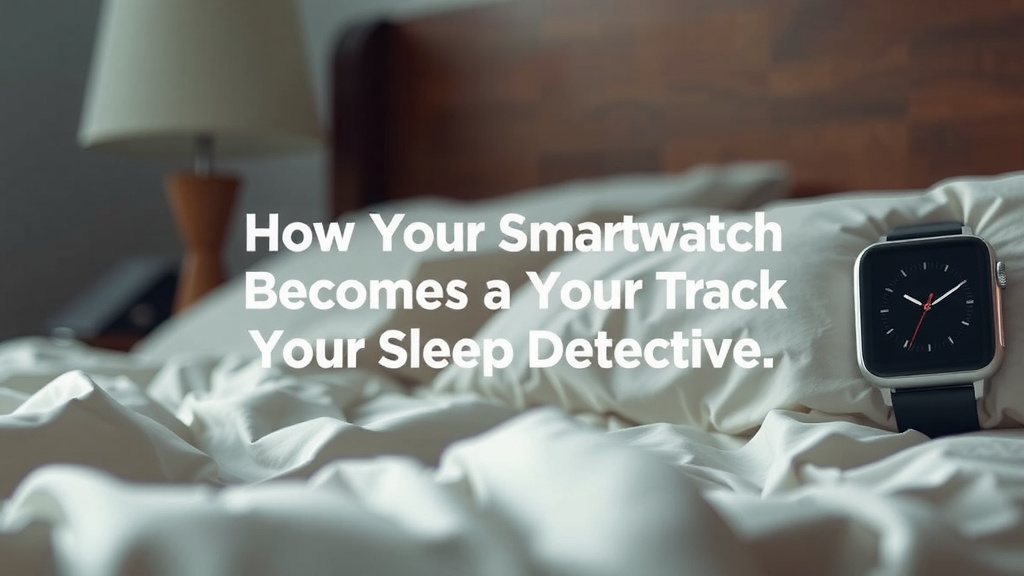
“`htmlHow Your Smartwatch Becomes Your Sleep Detective
So, can your smartwatch actually track your sleep? The short answer is a resounding yes! Modern smartwatches are equipped with sensors that act like tiny sleep detectives on your wrist. They work diligently through the night to gather data about your slumber. You might be amazed at what these little gadgets can tell you about your nightly rest. We’re going to break down exactly how they do it.
The Technology Behind the Tracking
Your smartwatch uses a few key components to understand your sleep. The most common ones are accelerometers and heart rate monitors. These sensors work together to paint a picture of your night. It’s a clever use of everyday technology to give you sleep insights. Think of it like a mini-health checkup while you sleep.
Accelerometers: Detecting Your Movements
Accelerometers are motion sensors. They can detect even the smallest twitches and turns you make in your sleep. If you’re tossing and turning a lot, the accelerometer picks that up. Less movement often suggests deeper sleep. This movement data is a primary way your watch estimates how long you’ve been asleep and how restless you were. It’s like the watch is counting your sheep… or your movements!
Heart Rate Monitoring: The Rhythm of Your Rest
Your heart rate naturally changes throughout the night. It generally slows down as you fall into deeper sleep. Your smartwatch’s heart rate sensor tracks these fluctuations. A lower heart rate can indicate a more relaxed state. When combined with movement data, the heart rate gives the watch more clues about your sleep cycles. For instance, a steady, lower heart rate might mean you’re in deep sleep. A slightly higher or more variable rate could point to lighter sleep or REM. Many experts agree that heart rate variability is a good indicator of recovery and stress levels (Mayo Clinic).
Understanding Your Sleep Data
Once your watch collects all this data, it processes it to give you a breakdown of your sleep. This isn’t just a simple “you slept for 7 hours” report. It goes much deeper. You’ll likely see different sleep stages identified. This helps you understand the quality, not just the quantity, of your sleep. It’s like getting a report card for your night’s rest.
Sleep Stages: A Nightly Journey
Most smartwatches aim to distinguish between several sleep stages:
- Awake: Times you were actually awake during the night.
- Light Sleep: This is where most of your sleep time is spent. It’s easy to wake from.
- Deep Sleep: This is crucial for physical recovery and feeling refreshed. It’s harder to wake someone from deep sleep.
- REM Sleep: Stands for Rapid Eye Movement. This stage is linked to dreaming and cognitive functions like learning and memory.
Your watch uses the movement and heart rate data to estimate which stage you were likely in. For example, a period of little movement and a steady heart rate might be categorized as deep sleep. Periods with more movement and a slightly elevated heart rate could be light sleep or REM. Research indicates that the percentage of time spent in each stage can vary nightly (National Institutes of Health).
Sleep Duration and Quality Scores
Beyond stages, your watch will report your total sleep duration. It also often assigns a sleep quality score. This score is usually a number out of 100. It takes into account how long you slept, how much time you spent in different stages, and any disturbances detected. A higher score generally means you had a more restorative night. It’s a handy way to quickly gauge how well you slept.
What Your Smartwatch Sleep Data Can Reveal
Tracking your sleep can be eye-opening. You might discover patterns you never noticed. Are you getting enough deep sleep? Is your REM sleep consistent? Your watch data can help answer these questions. It can also highlight potential issues. Sometimes, you might see more “awake” time than you realized. This could point to sleep disruptions.
Identifying Sleep Patterns and Habits
Over time, you’ll start to see trends. Do you sleep better on weekdays or weekends? Does a late-night workout affect your deep sleep? This information is super useful. It helps you understand what lifestyle choices impact your rest. You can then make informed changes to improve your sleep hygiene. Many people find they get more sleep on nights they prepare for bed earlier.
Spotting Potential Sleep Disruptions
If your watch consistently shows frequent awakenings or very little deep sleep, it’s worth paying attention. While a smartwatch isn’t a medical device, it can be an early warning system. These patterns might suggest something is interfering with your sleep quality. It could be stress, an inconsistent sleep schedule, or even environmental factors. If you notice persistent issues, it’s a good idea to talk to your doctor. They can help you figure out what’s going on.
Making the Most of Your Sleep Tracking
Simply looking at the data isn’t enough. The real benefit comes from using that information. How can you turn your smartwatch’s sleep stats into better sleep? It’s all about making small, actionable changes. Think of your watch as a guide, not a judge. Here’s a quick checklist to get you started:
- Review your sleep data daily. Look at your sleep stages and total time.
- Note down any unusual disturbances. Did something happen that might have affected your sleep?
- Experiment with bedtime routines. Try a relaxing activity before bed.
- Adjust your wake-up time. Aim for consistency, even on weekends.
- Check your environment. Is your bedroom dark, quiet, and cool?
- Listen to your body. Does the data match how you feel?
Accuracy and Limitations: What to Keep in Mind
It’s important to be realistic about what your smartwatch can do. While sleep tracking technology has improved greatly, it’s not perfect. These devices estimate sleep based on algorithms. They can sometimes misinterpret restlessness as wakefulness or vice versa. They are great for identifying general trends and patterns. However, they don’t offer the precise measurements of a clinical sleep study. For most people, the information provided is more than sufficient for understanding sleep habits (Cleveland Clinic).
When to Seek Professional Advice
Your smartwatch is a fantastic tool for self-monitoring. If you have serious concerns about your sleep, like persistent insomnia, excessive daytime sleepiness, or suspected sleep apnea, don’t rely solely on your watch. These conditions require diagnosis and treatment from a healthcare professional. Think of your smartwatch data as helpful context to discuss with your doctor.
“`
Conclusion
Your smartwatch is a fantastic tool for understanding your sleep. By tracking movement and heart rate, it gives you a clear picture of your sleep stages and duration. This data can help you spot patterns and potential disruptions. While not a medical device, it offers actionable insights for improving your rest. Start by reviewing your nightly reports and making small adjustments to your routine. Use this information to guide you toward better sleep hygiene and a more refreshed you. Pay attention to what your watch tells you, and you’re well on your way to better sleep.
Frequently Asked Questions
Will my smartwatch tell me if I have a sleep disorder?
No, a smartwatch cannot diagnose sleep disorders like sleep apnea or chronic insomnia. It can, however, identify patterns like frequent awakenings or very little deep sleep. If you consistently see concerning patterns, use this data as a starting point to discuss with your doctor.
How accurate is smartwatch sleep tracking compared to a doctor’s sleep study?
Smartwatch sleep tracking is generally good for identifying trends and general sleep quality. It uses algorithms based on movement and heart rate. A clinical sleep study uses more advanced methods for precise measurement. Think of your watch as a helpful guide for daily habits, not a medical diagnosis tool.
Can I wear my smartwatch all night without it affecting my sleep?
Most people find they can wear their smartwatch all night without issue. Modern watches are designed to be comfortable and lightweight. If you’re concerned about the light from the screen or any vibrations, you can usually turn off the display at night and set alarms to vibrate only.
What’s the difference between light sleep, deep sleep, and REM sleep according to my watch?
Your watch estimates these stages based on your movement and heart rate. Light sleep is when you spend most of your time, and it’s easy to wake from. Deep sleep is vital for physical recovery and shows minimal movement and a steady heart rate. REM sleep is associated with dreaming and cognitive functions, often showing more varied heart rate and some movement.
Should I base all my sleep decisions on my smartwatch data?
Your smartwatch data is a great starting point, but it’s not the whole story. Always listen to your body and how you feel. If your watch shows you slept well but you feel exhausted, trust your body’s signals. Use the data to guide experiments with your sleep routine, but combine it with your personal experience for the best results.
![7 Best Looking Men'S Smart Watch [2026]](https://smartwatchbest.com/wp-content/uploads/2026/08/7-best-looking-men-s-smart-watch-2026-featured-768x432.jpg)
![7 Best Refurbished Smart Watches [2026]](https://smartwatchbest.com/wp-content/uploads/2026/08/7-best-refurbished-smart-watches-2026-featured-768x432.jpg)