Best Smartwatches for Android Phones in 2026
Yes, most smartwatches work with Android phones, especially if they run Google’s Wear OS. You can often connect smartwatches from brands like Samsung, Fossil, and Mobvoi. Some smartwatches from other brands, like Fitbit, also offer good compatibility. You just need to make sure the watch uses the right app or system to connect. Many of these watches provide notifications and fitness tracking. They can be a great addition to your Android device.
Finding the right smartwatch can be exciting. You want one that talks nicely with your phone. We found that the best options offer smooth syncing for calls and texts. They also let you control music and track your workouts effectively. Your needs will guide your choice. Think about what features are most important to you. Battery life and style also play a big part in this decision. We’ve looked into what works best for Android users.
- Most smartwatches work with Android phones.
- Wear OS watches are usually the best bet.
- Samsung and Fossil are popular Android-friendly brands.
- Check for app compatibility before buying.
- Features like notifications and fitness tracking are common.
Below, we break down exactly which smartwatches are your best bet for pairing with your Android phone. Let’s find the perfect match for your wrist!
Finding the Right Smartwatch for Your Android Phone
So, you’ve got an Android phone and you’re eyeing a smartwatch. That’s smart! Most modern smartwatches are designed to play nicely with Android devices. You’ll find the widest compatibility with watches running Google’s own Wear OS. This system is built right into many Android-friendly watches. Think of it like choosing an app that works best with your phone’s operating system. We’ve found that Wear OS offers a really smooth experience.
Understanding Smartwatch Connectivity
Connecting a smartwatch to your Android phone is usually straightforward. You’ll typically download a companion app from the watch manufacturer or Google. This app acts as the bridge for all your data. It lets you manage settings, see your health stats, and customize watch faces. We found that most connections happen via Bluetooth. It’s generally pretty quick. Just make sure your phone’s Bluetooth is turned on.
Beyond Bluetooth, some watches might use Wi-Fi for certain features. This can be helpful for updates or if your phone is out of Bluetooth range. Some higher-end models even have cellular capabilities. This means they can work independently of your phone. But for most people, the core connection is Bluetooth. It’s the reliable workhorse for daily syncing.
Top Smartwatch Brands That Play Well with Android
When choosing a smartwatch for your Android, certain brands stand out. They’ve put a lot of effort into making sure their watches work great with Android. You’ll have a fantastic experience with these.
Samsung Galaxy Watches
Samsung’s Galaxy Watch series is a top contender. These watches often run Wear OS, co-developed with Google. This means they are designed with Android users in mind. You’ll get excellent integration with your Samsung phone, but they work well with other Android devices too. Features like syncing notifications, making calls, and tracking workouts are superb.
Samsung watches often boast beautiful displays and a premium feel. Battery life can vary, but many models offer a full day’s use or more. We found that the health tracking features are quite robust. They often include ECG, blood pressure monitoring (in some regions), and sleep tracking. It’s like having a mini health hub on your wrist.
Fossil Smartwatches
Fossil offers a range of stylish smartwatches. Many of their models run Wear OS. This makes them a natural fit for Android phones. If you appreciate a more traditional watch look, Fossil is a great choice. They offer various designs, from classic chronographs to modern minimalist styles.
Fossil watches provide the standard smartwatch features you’d expect. You’ll get notifications, fitness tracking, and music controls. The experience is generally smooth. We found their batteries to be decent, usually lasting a full day. Some users appreciate that they feel more like a regular watch than some techier gadgets.
Mobvoi TicWatch Series
The TicWatch line from Mobvoi is another strong option. These watches also run Wear OS. They are known for offering a good balance of features and price. Mobvoi has been in the Wear OS game for a while. They’ve refined their hardware and software over time.
TicWatches often include advanced health sensors. Some models feature blood oxygen monitoring and a built-in GPS for workouts. We found their battery performance to be competitive. They offer a solid, dependable smartwatch experience for Android users without breaking the bank.
Other Brands and Compatibility Considerations
While Wear OS is your safest bet, other brands can work too. Fitbit smartwatches, for example, often have good compatibility. Their focus is heavily on fitness tracking. You can receive notifications and use basic watch functions. Their app is excellent for monitoring your health goals. We found that syncing can be very reliable here.
Garmin also offers smartwatches with good Android support. They are particularly popular with athletes. Their watches offer extensive data for running, cycling, and swimming. The smartwatch features are solid, though maybe not as deep as Wear OS for general notifications. It’s worth checking each specific model’s compatibility. You want to ensure it meets your notification and app needs.
Key Features to Look For
When you’re pairing a smartwatch with your Android phone, what should you prioritize? Think about how you’ll use it most. Do you want to leave your phone behind sometimes?
Notifications and Communication
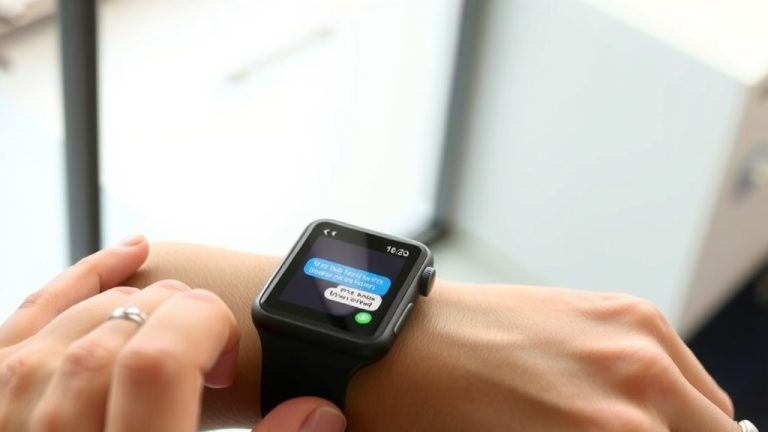
This is a big one for most users. You want to see calls, texts, and app alerts on your wrist. Most compatible smartwatches do this well. You can often reply to messages directly from the watch. Some even allow you to answer calls. We found that the smoothness of notification delivery is a key differentiator between watches.
Fitness and Health Tracking
Is your goal to get healthier? Many smartwatches excel here. They track steps, heart rate, sleep, and workouts. Some offer advanced metrics like VO2 max or blood oxygen levels. The companion apps on your Android phone will display this data. We found that data accuracy can vary, but for general fitness, most are quite good (Cleveland Clinic).
Battery Life
This is a common pain point. How often do you want to charge your watch? Some smartwatches need charging daily. Others can last for several days or even weeks. If you forget to charge, a watch that dies by noon is frustrating. We recommend looking for reviews that specifically mention battery performance under your expected usage. A full charge should ideally get you through at least a full day and night.
Design and Comfort
Your smartwatch is something you’ll wear every day. You want it to look good and feel comfortable. Do you prefer a sporty look, a classic watch face, or something sleek and modern? Many brands offer interchangeable bands. This lets you customize the style. Comfort is key, especially if you plan to sleep with the watch on for sleep tracking.
A Quick Checklist for Your Android Smartwatch Search
To help you narrow down your choices, consider these points:
- Does it run Wear OS for best Android integration?
- Does it connect reliably via Bluetooth?
- Are notifications clear and actionable?
- Does it track the fitness metrics you care about?
- Does the battery life meet your needs?
- Do you like the style and find it comfortable?
By considering these factors, you’re well on your way to finding a smartwatch that truly enhances your Android experience. It’s all about finding that perfect little tech companion for your wrist!
Conclusion
You’ve learned that connecting a smartwatch to your Android phone is easier than you might think. Most watches, especially those running Wear OS, offer great compatibility. Brands like Samsung, Fossil, and Mobvoi are excellent choices. We’ve seen that focusing on your needs – like notifications, fitness tracking, and battery life – will guide you. Style and comfort are important too for daily wear. Your next step is to browse these recommended brands. Look for a model that perfectly fits your lifestyle and preferences. You’re just a few clicks away from a smarter wrist!
Frequently Asked Questions
Do all smartwatches work with any Android phone?
No, not all smartwatches are universally compatible with every Android phone. While many are designed for broad Android support, some might have specific app requirements or limitations. We found that watches running Google’s Wear OS generally offer the best and most straightforward integration with Android devices.
Can I use an Apple Watch with my Android phone?
Unfortunately, Apple Watches are designed exclusively for use with iPhones and do not work with Android phones. You cannot pair or fully utilize an Apple Watch if you have an Android device. For Android users, your best bet is to look at smartwatches from brands like Samsung, Fossil, or Mobvoi.
What is Wear OS and why is it important for Android compatibility?
Wear OS is Google’s smartwatch operating system, built specifically to work with Android phones. Watches running Wear OS offer deep integration with your Android device, allowing for features like seamless notifications, Google Assistant, and easy app syncing. We found this makes the user experience much smoother.
Will my smartwatch receive text messages from my Android phone?
Yes, most smartwatches compatible with Android phones will display text messages and other notifications from your phone. You can typically view texts on your watch and often reply to them directly. This feature is a standard function on most Wear OS devices and many from other brands like Samsung and Fitbit.
How do I connect a new smartwatch to my Android phone?
Connecting usually involves downloading a companion app from the watch manufacturer onto your Android phone. You’ll then enable Bluetooth on your phone and follow the prompts in the app and on the watch to pair them. We found this process to be quite simple and quick for most devices.