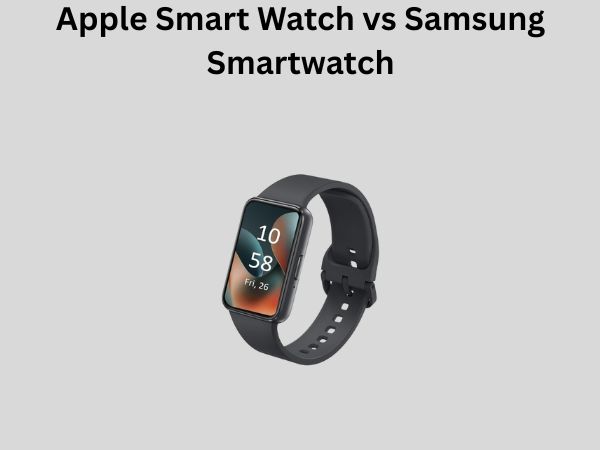
Apple Smart Watch vs Samsung Smartwatch: Full Comparison Guide
When you’re standing in the electronics aisle, trying to decide between an Apple Watch and a Samsung smartwatch, you’re facing one of the most important tech decisions you’ll make this year. Both of these wearables promise to transform how you stay connected, track your fitness, and manage your daily life. But here’s the thing—they’re not created equal, and choosing the wrong one could leave you frustrated and out several hundred dollars.
Think of picking a smartwatch like choosing a smartphone. Sure, they both make calls and send messages, but the experience is completely different depending on which ecosystem you belong to. In this comprehensive guide, I’m going to walk you through everything you need to know to make an informed decision that actually fits your lifestyle and needs.
Understanding the Two Major Players in Smartwatch Technology
Before we dive into the nitty-gritty comparisons, let me explain why these two brands dominate the smartwatch market. Apple and Samsung have invested billions of dollars into developing proprietary technologies that lock you into their ecosystems. That’s not necessarily a bad thing—it just means you need to understand what you’re getting into.
When Apple released the first generation Apple Watch in 2015, nobody really knew if smartwatches would become mainstream. Fast forward to today, and Apple controls nearly a third of the global smartwatch market. Samsung, on the other hand, has been iterating and improving their Wear OS smartwatches for years, and more recently, they’ve introduced their own operating system called Wear OS Powered by Samsung.
Operating System Differences: iOS vs Wear OS
How Apple’s watchOS Functions
Apple’s watchOS is like the carefully curated garden of the smartwatch world. Everything is controlled, optimized, and works seamlessly with other Apple devices. When you’re using an Apple Watch, you’re getting an experience that’s been refined specifically for that hardware. There’s no bloatware, no unnecessary apps cluttering your interface, and updates roll out smoothly without breaking anything.
The downside? You’re limited to what Apple decides to offer. If you want to customize your watch face beyond Apple’s pre-designed options, you’ll find yourself hitting a wall pretty quickly. It’s like living in a beautifully designed house, but you can only rearrange the furniture in certain ways.
Samsung’s Wear OS Powered by Samsung Approach
Samsung’s newer smartwatches run on Wear OS Powered by Samsung, which is essentially Google’s Wear OS with Samsung’s custom enhancements layered on top. This gives you significantly more flexibility and customization options. You can install apps from the Play Store, customize watch faces extensively, and even sideload applications if you’re technically inclined.
However, this flexibility sometimes comes at a cost. More options can mean more complexity, and occasionally, you might experience performance dips or compatibility issues with third-party apps. It’s the trade-off between freedom and polish.
Hardware Design and Build Quality Comparison
Apple Watch Design Philosophy
Apple Watch models come in two main sizes—41mm and 45mm—and they maintain a distinctive square or rounded rectangular design depending on which generation you choose. The newer Apple Watch Series models feature a flat-edge design that mirrors their iPhone aesthetic. Apple offers these watches in aluminum, stainless steel, and titanium, giving you options at different price points.
The build quality is exceptional. These watches feel premium in your hand, and they’re engineered to last. The Ion-X glass on standard models and sapphire crystal on higher-end models provide excellent scratch resistance. The digital crown, which is Apple’s way of letting you interact with the watch without blocking the screen, is intuitive once you get used to it.
Samsung Smartwatch Design and Materials
Samsung’s Galaxy Watch series typically features a circular dial with a rotating bezel that you can use to navigate apps and menus. This design language has evolved over generations, but the circular face remains iconic. Samsung offers their watches in various materials including aluminum, stainless steel, and titanium, similar to Apple.
The rotating bezel is actually brilliant for usability. It means you can navigate through menus without your finger obscuring the screen. Many long-time Samsung users swear by this design choice. However, the circular shape means watch face real estate is used less efficiently than Apple’s rectangular design, which can sometimes make text and information harder to read at a glance.
Fitness and Health Tracking Capabilities
Apple Watch Health Features
Apple Watches come equipped with an impressive array of sensors including heart rate monitors, blood oxygen monitors, temperature sensors, and accelerometers. The newer models even include ECG functionality that can detect irregular heart rhythms. If you’re serious about health tracking, Apple’s Health app integrates all this data beautifully.
For fitness, you get comprehensive workout tracking across numerous exercise types. Whether you’re running, swimming, cycling, or doing yoga, the Apple Watch captures detailed metrics. The Fitness+ service offers guided workouts, though this requires a subscription.
Samsung’s Health Monitoring Technology
Samsung Galaxy Watches also pack serious health monitoring capabilities. They include heart rate sensors, SpO2 (blood oxygen) monitors, stress tracking, and sleep analysis. Some models include body composition analysis, which attempts to estimate your muscle mass and body fat percentage, though this feature’s accuracy is debatable.
The Samsung Health app is comprehensive and integrates well with Google Fit. For fitness enthusiasts, the tracking capabilities rival Apple’s in many ways. However, Samsung doesn’t offer as comprehensive a fitness subscription service like Apple’s Fitness+, though you can connect to third-party services.
Battery Life: A Critical Consideration
Apple Watch Battery Performance
Here’s where I need to be honest with you: Apple Watch battery life is a legitimate weakness. Most Apple Watch models, including the Series 9, last approximately 18 hours on a single charge. This means you’re charging every single day, typically overnight. If you forget to charge for one night, you’re dead in the water the next morning.
Apple justifies this by saying you’ll charge it like you charge your AirPods or phone, but realistically, it’s an inconvenience. However, newer models have made slight improvements, and with aggressive power management, some users report getting closer to 24 hours.
Samsung Smartwatch Battery Longevity
This is where Samsung has a significant advantage. Most Samsung Galaxy Watches last 2-3 days per charge, and some older models could stretch even longer. The Galaxy Watch 6 Classic, for example, comfortably lasts 3 days with moderate use. This means you’re charging roughly 2-3 times per week instead of daily.
If you’re someone who hates the charging hassle, Samsung’s battery advantage might be worth the entire price of admission. However, it’s worth noting that aggressive use, particularly with GPS activities, will drain the battery faster on any smartwatch.
App Ecosystem and Third-Party Support
Apple Watch App Availability
Apple’s App Store for watchOS has grown substantially, but it’s still more limited than what you’ll find on Android-based smartwatches. Many popular apps have Apple Watch versions, including fitness apps, banking apps, and productivity tools. However, you’ll sometimes find that the Apple Watch version of an app has fewer features than the phone equivalent.
The advantage is that apps tend to be better optimized for the Apple Watch specifically. Developers know exactly what hardware they’re building for, so performance and battery efficiency are generally excellent.
Samsung and Google Play Store Integration
Samsung’s Wear OS platform has access to the Google Play Store, which means significantly more apps are available. You can install practically any app you want, from banking apps to niche fitness trackers to streaming services. This is a major advantage if you use specific applications that might not have Apple Watch support.
The trade-off is that not all apps are optimized for smartwatches, so some might not work perfectly or might drain your battery faster than you’d like.
Compatibility and Ecosystem Integration
Apple Watch Ecosystem Requirements
Here’s the fundamental truth: to get the most out of an Apple Watch, you really need to own an iPhone. While Apple Watch can technically work with older iPhones dating back several generations, it’s designed to be deeply integrated with iOS. If you’re an Android user, I’d seriously reconsider buying an Apple Watch because you’ll miss out on notifications, health app integration, and many features.
If you do own an iPhone, though, the integration is seamless. Your messages, calls, calendar events, and notifications all flow to your wrist naturally.
Samsung Watch Compatibility Considerations
Samsung Galaxy Watches work best with Samsung phones running One UI, but here’s the important part—they also work with other Android phones and even iPhones. While iPhone compatibility isn’t perfect, it’s much more flexible than Apple Watch. If you’re using a non-Samsung Android phone, a Galaxy Watch is a viable option, whereas an Apple Watch would be limiting.
If you already own a Samsung phone, integration is deep and natural, but you won’t be locked out entirely if you switch phones in the future.
Price Comparison and Value Proposition
Apple Watch Pricing Breakdown
Apple Watch prices start at around $249 for the standard aluminum model and can exceed $800 for titanium cellular versions. When you factor in that you’ll need to charge it daily, you’re also investing in a charger or charging dock. Premium watch bands can add another $50-$150 to your total investment.
For many people, the price is justified by the build quality and ecosystem integration. For others, it’s hard to justify the expense for a device with battery life measured in hours rather than days.
Samsung Smartwatch Pricing Strategy
Samsung Galaxy Watches typically start around $199 for base models and reach $400-$500 for premium versions with cellular connectivity. When you compare the feature set, battery life, and customization options to the price, many users find Samsung offers better value. You’re spending less and getting a device that lasts 2-3 times longer per charge.
However, the gap between the two brands’ pricing has narrowed in recent years, so it’s not as clear-cut as it once was.
Display Quality and Brightness Comparison
Apple Watch Display Technology
Apple’s always-on Retina display is bright, vibrant, and readable in sunlight. Recent models use LTPO OLED technology, which allows the screen to adjust its refresh rate from 1Hz to 60Hz based on what you’re doing. This helps conserve battery when you’re just checking the time. The always-on display is convenient, though it does contribute to the battery drain.
Colors pop nicely, and text is crisp and clear. The display is one area where Apple hasn’t cut corners.
Samsung Display Specifications
Samsung Galaxy Watches feature AMOLED displays that are equally impressive in terms of brightness and color accuracy. The rotating bezel design means you get a large, circular display area. However, the circular shape means you’re working with less screen real estate compared to Apple’s rectangular design, which can make information denser and sometimes harder to read quickly.
Both displays have always-on capabilities, and both are excellent in bright sunlight. The choice between them largely comes down to personal preference and the shape you prefer.
Water Resistance and Durability Features
Apple Watch Water Resistance Ratings
Apple Watches are rated for water resistance up to 50 meters, which is suitable for swimming but not diving. They can handle splashes, rain, and casual swimming without issue. The Sport models have even proven durable in more intense water conditions, though Apple doesn’t officially rate them for diving.
The build quality is robust, and most users find their Apple Watches survive drops and daily wear without problems.
Samsung Smartwatch Durability Standards
Samsung Galaxy Watches come with similar water resistance ratings up to 50 meters and comparable durability. Some models include Gorilla Glass DX protection, which is Samsung’s proprietary scratch-resistant coating. Both brands build watches that can handle the rigors of daily life without excessive caution.
Payment and Contactless Features
Apple Pay Integration
Apple Watch includes Apple Pay, which allows you to make payments directly from your wrist at contactless payment terminals. This is incredibly convenient for quick purchases, and it works smoothly without requiring your phone. The security is solid, using your passcode or biometric authentication.
Samsung Pay and Google Pay Options
Samsung smartwatches support Google Pay (and Samsung Pay on Samsung phones), allowing similar contactless payment functionality. The experience is comparable to Apple Pay, though some regions have better support for Google Pay than others. Generally, both systems work equally well for this feature.
Sleep Tracking and Rest Analysis
Apple’s Sleep Tracking Approach
Apple Watch can track your sleep, but the feature is relatively basic compared to competitors. It monitors total sleep time and waking periods but doesn’t classify sleep stages as deeply as some other trackers. If sleep tracking is critical for you, Apple Watch is adequate but not exceptional.
Samsung’s Advanced Sleep Monitoring
Samsung’s sleep tracking is more comprehensive, offering REM sleep detection and providing detailed sleep stage breakdowns. If you’re serious about understanding your sleep patterns, Samsung’s implementation is noticeably more detailed and useful.
Voice Assistant Integration
Siri on Apple Watch
Siri comes baked into every Apple Watch, allowing you to control your watch and connected devices with voice commands. It’s convenient for setting timers, making calls, or sending messages without touching the screen. However, Siri’s capabilities are somewhat limited compared to what you get on iPhone.
Google Assistant on Samsung Watches
Samsung watches can use Google Assistant, which is generally more powerful and flexible than Siri for smartwatch use. You get broader integration with Google services and more natural language processing. If you regularly use voice assistance, Google Assistant’s capabilities might give Samsung an edge.
Conclusion
So here we are at the end of this journey, and you might be wondering which watch you should actually buy. The honest answer is that it depends entirely on your circumstances and priorities.
Choose an Apple Watch if you own an iPhone, value deep ecosystem integration, don’t mind charging every day, and prefer a polished, curated experience. You’re paying a premium for consistency and build quality. The Apple Watch ecosystem is mature, apps are generally well-optimized, and everything just works without friction.
Choose a Samsung smartwatch if you want better battery life, more customization options, lower prices, more flexible phone compatibility, or more advanced health tracking features. Samsung gives you more freedom and generally better value for your money. You’re getting a mature product with excellent features and a more practical charging schedule.
Neither choice is wrong. Both companies make excellent smartwatches. The key is understanding your priorities. If ecosystem loyalty matters most, go Apple. If battery life and flexibility matter most, go Samsung. Your wrist will thank you for making an informed decision.
Frequently Asked Questions
Can I use an Apple Watch with an Android phone?
While Apple Watch technically doesn’t officially support Android phones, some limited functionality might work. However, this isn’t a recommended setup. You’ll miss critical features like notifications, Health app integration, and proper syncing. If you use Android, a Samsung smartwatch or another Wear OS device is a much better choice.
![7 Best Smart Watch For Iphone 15 Pro Max [2026]](https://smartwatchbest.com/wp-content/uploads/2026/09/7-best-smart-watch-for-iphone-15-pro-max-2026-featured-768x432.jpg)
![7 Best Smart Watch On The Market 2025 [2026]](https://smartwatchbest.com/wp-content/uploads/2026/09/7-best-smart-watch-on-the-market-2025-2026-featured-768x432.jpg)