Samsung vs Apple Smart Watch: Which Is Best For You
Deciding between a Samsung smartwatch vs. Apple smartwatch depends on your phone. If you have an iPhone, an Apple Watch is your best bet. For Android users, a Samsung Galaxy Watch offers better compatibility. Both are fantastic wearables, but the ecosystem lock-in is real.
You want a smartwatch that works well with your current devices. Choosing the wrong one can lead to frustrating limitations. We’ve looked into what makes each brand tick. Both excel at fitness tracking and smart notifications, but integration is key for your experience.
- Apple Watch: Best for iPhone users.
- Samsung Galaxy Watch: Best for Android users. For Android users, a Samsung Galaxy Watch offers better compatibility.
- Consider your phone first.
- Both track fitness and deliver notifications.
- Ecosystem matters for features.
Below, we’ll break down the Samsung vs. Apple smartwatch debate to help you make the best choice for your daily life.
Apple Watch vs. Samsung Galaxy Watch: Which Smartwatch Works Best for You?
Picking the right smartwatch really boils down to one big question: what kind of smartphone do you already own? Think of it like choosing accessories for your favorite outfit. You want them to match and work together smoothly. If your phone is an iPhone, the Apple Watch is usually your smoothest sailing option. For those rocking an Android phone, especially a Samsung device, the Samsung Galaxy Watch is often the best fit.
Compatibility is King: Why Your Phone Matters Most
This is the absolute biggest factor. Apple’s ecosystem is quite locked down. You’ll find that an Apple Watch works best, and sometimes only, with an iPhone. Similarly, Samsung smartwatches are designed to pair most effectively with Android phones, particularly Samsung’s own Galaxy devices. Trying to force a mismatch can lead to a less-than-ideal experience, with missing features and connectivity headaches.
The Apple Watch Ecosystem: iPhone’s Best Friend
If you own an iPhone, the Apple Watch is practically a no-brainer. Setting it up is a breeze. You can use it to answer calls, reply to texts, track workouts, and even monitor your health with features like ECG and blood oxygen sensing. All your notifications from your iPhone pop up instantly. Plus, you can use Apple Pay right from your wrist. Many apps designed for the Apple Watch are built with the iPhone experience in mind.
The Samsung Galaxy Watch Ecosystem: Android’s Favorite Companion
For Android users, the Samsung Galaxy Watch is a fantastic choice. It integrates beautifully with Android phones, especially Samsung Galaxy phones. You’ll get similar features like call and text notifications, fitness tracking, and contactless payments with Samsung Pay. Samsung often adds its own unique software features that work best within its own product line. It’s a powerful duo when paired with a compatible Android device.
Key Features Compared: What Can They Actually Do?
Both smartwatches are packed with features. They’re not just fancy wristwatches anymore; they’re personal assistants and health trackers. We looked at what each brings to the table to help you compare.
Fitness and Health Tracking: Who’s Got the Edge?
When it comes to tracking your activity, both brands do an excellent job. They monitor steps, distance, calories burned, and various workout types. Both offer heart rate monitoring. Apple Watch has strong features like fall detection and ECG. Samsung also includes ECG and body composition analysis, which measures skeletal muscle, fat mass, and body water. The accuracy of these health sensors is important. Many studies have shown that heart rate monitors on wearables are generally accurate for everyday fitness (Cleveland Clinic).
Workout Tracking Details
Whether you’re a runner, swimmer, or yogi, both watches offer dedicated modes. You can dive deep into your performance metrics. Apple Watch excels with its deep integration into the Apple Health app. Samsung’s watches use Samsung Health, which is robust and user-friendly for Android users. You can often track sleep patterns and stress levels on both devices too.
Advanced Health Monitoring
Both brands are increasingly focusing on health. You can get notifications for high or low heart rates. ECG apps can help detect signs of atrial fibrillation. Some models even offer blood oxygen tracking. These are powerful tools for staying informed about your well-being. Always remember these are not medical devices, but they can provide useful data for discussion with your doctor.
Smart Features and Notifications: Staying Connected
This is where the ecosystem tie-in really shines. Receiving text messages, seeing who’s calling, and getting app alerts on your wrist is incredibly convenient. You can often respond to messages directly from your watch. Both offer voice assistants: Siri for Apple Watch and Bixby or Google Assistant for Samsung Galaxy Watch.
App Availability and Ecosystem Integration
The Apple Watch benefits from having a massive library of apps on the App Store. Many developers prioritize creating apps for watchOS. For Samsung Galaxy Watch users, the Google Play Store offers a good selection, especially with the move to Wear OS for many newer models. However, some apps might be more polished or offer fuller functionality on one platform over the other, depending on how well they are optimized for each operating system.
Contactless Payments
Want to leave your wallet behind? Both brands offer excellent contactless payment solutions. Apple Watch uses Apple Pay. Samsung Galaxy Watch uses Samsung Pay or Google Pay. As long as your bank supports it, you can tap your watch to pay for items quickly and securely.
Design and Build Quality: Style on Your Wrist
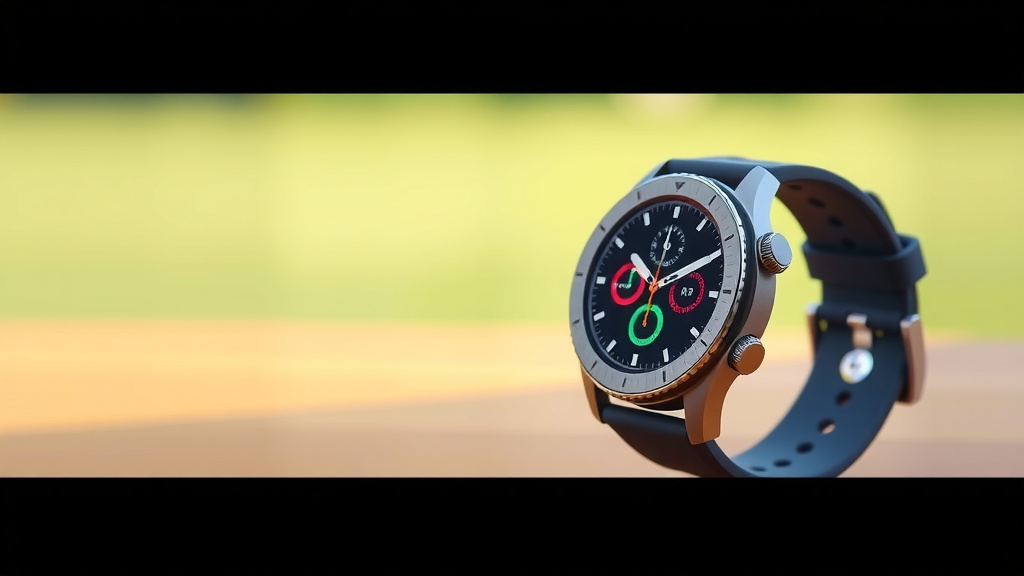
Let’s talk looks. Both Apple and Samsung offer stylish smartwatches. They come in various sizes, materials, and band options. You can often customize them to match your personal style.
Materials and Durability
Apple offers aluminum, stainless steel, and titanium finishes. Samsung also uses premium materials like stainless steel and aluminum, with some models featuring tough Gorilla Glass. Both brands have watches that are water-resistant, making them suitable for swimming. Durability is generally very good for both leading brands.
Display Technology
You’ll find vibrant AMOLED displays on most modern Apple Watches and Samsung Galaxy Watches. These screens offer great colors and deep blacks. Many models also feature an always-on display, so you can see the time and important info at a glance without raising your wrist. Battery life can be affected by using the always-on display, though.
Battery Life: How Often Do You Need to Charge?
Battery life is a common concern for all smartwatches. Generally, you’ll need to charge both an Apple Watch and a Samsung Galaxy Watch daily or every other day. This depends heavily on usage. Features like the always-on display, GPS, and cellular connectivity can drain the battery faster. Research suggests that typical smartwatch battery life ranges from 18 hours to a few days (Statista). If multi-day battery life is your absolute top priority, you might need to look at other brands or models that specifically advertise longer endurance.
Here’s a quick checklist to help you decide:
- Do you primarily use an iPhone or an Android phone?
- Are specific health features like ECG or body composition important to you?
- How important is the widest possible app selection for your watch?
- Do you prefer a particular design or aesthetic?
- How often are you willing to charge your smartwatch?
- Are you heavily invested in Apple’s or Samsung’s broader tech ecosystem?
Conclusion
Choosing between a Samsung and Apple smartwatch comes down to your phone. For iPhone users, the Apple Watch offers the best integration and features. Android users, especially those with a Samsung phone, will find the Samsung Galaxy Watch provides a more complete experience. Both smartwatches excel at fitness tracking and keeping you connected. Your current smartphone ecosystem is the primary driver for a smooth and enjoyable smartwatch experience. Make your phone your first consideration, and you’ll land on the right wrist companion for your daily life.
Frequently Asked Questions
Can I use an Apple Watch with an Android phone?
Unfortunately, no. An Apple Watch is designed to work exclusively with iPhones. You won’t be able to pair or use its full functionality with an Android device. This strict compatibility is a core part of Apple’s ecosystem.
Can I use a Samsung Galaxy Watch with an iPhone?
While some Samsung Galaxy Watch models can connect to iPhones, the experience is very limited. You’ll miss out on many key features and notifications that would normally sync. For the best experience, it’s highly recommended to pair it with an Android phone.
Which smartwatch has better fitness tracking features?
Both brands offer robust fitness and health tracking. Apple Watch has strong health monitoring with ECG and fall detection. Samsung Galaxy Watches often include body composition analysis. Research and found both provide accurate heart rate monitoring and a wide range of workout modes for most users.
Do both smartwatches support contactless payments?
Yes, they do! Your Apple Watch can use Apple Pay, and your Samsung Galaxy Watch typically supports Samsung Pay or Google Pay. As long as your bank is compatible, you can easily make payments from your wrist.
Which smartwatch generally has better battery life?
Battery life is similar for both, usually lasting one to two days depending on usage. Features like the always-on display and continuous GPS tracking will drain the battery faster. If multi-day battery life is your top priority, you might need to look beyond these two brands.


![7 Best Smart Watch Blood Pressure Monitor [2026]](https://smartwatchbest.com/wp-content/uploads/2026/08/7-best-smart-watch-blood-pressure-monitor-2026-featured-768x432.jpg)