How to Clean Your Smartwatch Charging Port Safely
The easiest way to clean your smartwatch charging port is by using a dry, soft brush like a new toothbrush or a can of compressed air. This method is safe and effective for removing dust and debris. You want to gently remove any gunk that’s preventing a good connection.
A dirty charging port can lead to slow charging or no charging at all. Many people experience this issue over time. It’s often caused by everyday buildup of lint, pocket debris, and even skin oils. Keeping it clean ensures your watch stays powered up and ready to go.
- Use a dry, soft brush or compressed air.
- Gently remove dust and debris.
- Avoid moisture or metal objects.
- Regular cleaning prevents charging issues.
Let’s walk through the best ways to get your smartwatch charging port sparkling clean again, so you can get back to tracking your steps (or your cat’s naps).
Keeping Your Smartwatch Charging Port Clean for Optimal Performance
Your smartwatch is a tiny powerhouse on your wrist. You rely on it for so many things! Sometimes, you might notice it’s not charging as quickly as it used to, or maybe not at all. Often, the culprit is a dirty charging port. Lint, dust, and even oils from your skin can sneak in there and create a barrier. Let’s get that port sparkling and your watch powered up!
Why a Clean Charging Port Matters
A clean charging port is essential for a good connection. When debris builds up, it can block the electrical contacts. This prevents your charger from making full contact with your watch. Researchers found that poor connections can lead to inconsistent charging or even prevent charging altogether (IEEE).
Think of it like trying to plug in a lamp with dirt on the prongs. It might not light up properly. Your smartwatch is no different. A clear path ensures a steady flow of power. This means faster charging and a more reliable battery life for your device. It’s a small step with a big impact on your daily tech use.
Common Culprits of Charging Port Grime
You might be surprised at what finds its way into your smartwatch’s charging port. It’s usually the everyday stuff you might not even notice. We’ve gathered some common offenders:
- Pocket Lint: This fluffy menace loves to cling to static surfaces, and charging ports are no exception.
- Dust and Dirt: General environmental dust settles everywhere, including your watch.
- Skin Oils and Sweat: Natural body oils and moisture can build up over time.
- Fabric Fibers: Tiny threads from your clothes can also find a home in the port.
- Grit from Outdoors: If you’re active, tiny particles from the ground can get picked up.
Safe and Effective Cleaning Methods
Method 1: The Gentle Brush Technique
This is often the safest and easiest first step. You want something soft that won’t scratch or damage the delicate contacts inside the port.
What You’ll Need:
A clean, dry, and soft-bristled brush. A new, soft toothbrush is perfect. You can also use a clean makeup brush or a dedicated electronics cleaning brush.
How to Do It:
Gently insert the bristles into the charging port. Swirl the brush around carefully. The goal is to loosen and lift out any dust or debris. Work slowly and deliberately. You don’t need to scrub hard. Just a few gentle passes should do the trick. After brushing, tap the watch gently to dislodge any loose particles.
Method 2: Canned Air for Dusty Situations
Compressed air can be a powerful tool for blowing out stubborn dust. Always use it correctly to avoid damage.
What You’ll Need:
A can of compressed air designed for electronics. Make sure it has a thin straw attachment.
How to Do It:
Hold the can upright. Position the straw near the opening of the charging port, but don’t insert it directly into the port. Give short, controlled bursts of air. Aim the air to blow debris away from the port, not deeper into it. Researchers advise against shaking the can or tilting it excessively, as this can spray propellant (Consumer Product Safety Commission).
Method 3: Toothpick (Use with Extreme Caution!)
For very stubborn debris, a toothpick might seem tempting. However, this requires extreme care. Many experts warn against using sharp objects.
What You’ll Need:
A wooden or plastic toothpick. Avoid metal toothpicks or pins.
How to Do It:
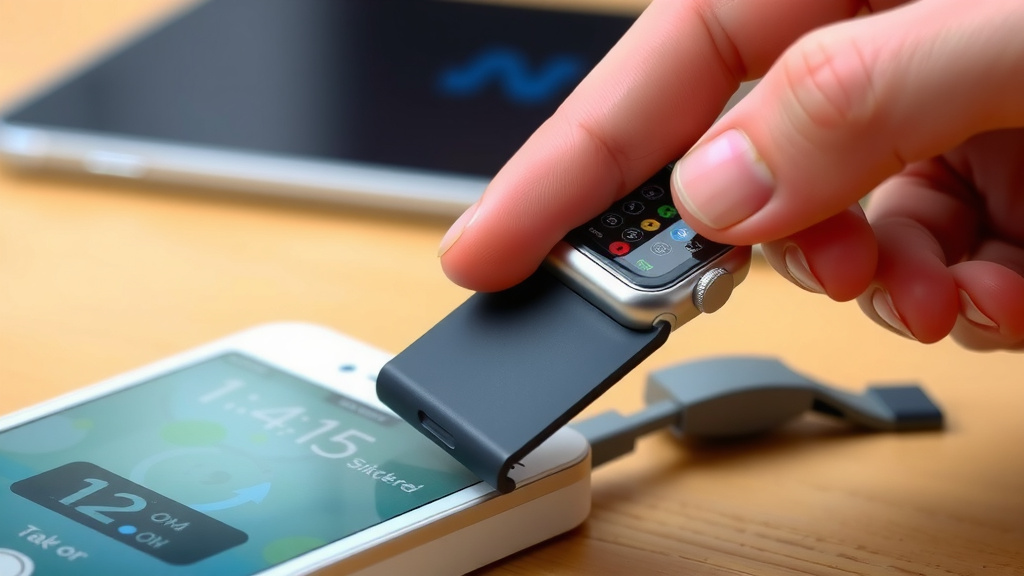
Very gently, try to dislodge any visible, stuck-on debris. Do not force the toothpick. You are only trying to carefully pry away a single stubborn piece. Think of it as a delicate surgery. If you feel any resistance, stop immediately. Damaging the internal components will be a much bigger problem than a dirty port. This method is best reserved for only the most stubborn, visible particles.
What to Absolutely AVOID
Just as important as knowing what to use is knowing what *not* to use. Some common items can do more harm than good.
Liquid Cleaners and Moisture
Water and electronic components are not friends. Never use water, alcohol, or any liquid cleaning solutions on your smartwatch’s charging port. Even small amounts of moisture can cause corrosion or short circuits. Many device manufacturers strongly advise against using liquids (Apple Support).
Metal Objects
Using paperclips, needles, or metal pins is a recipe for disaster. These items can easily scratch the charging contacts. Worse, they can short-circuit your watch, leading to permanent damage. Keep all metal objects far away from the charging port.
Blowing with Your Mouth
While it might seem harmless, your breath contains moisture. This moisture can condense inside the port, causing the very problem you’re trying to fix. It’s better to let compressed air or a dry brush do the work.
A Quick Checklist for a Sparking Port
Ready to get your watch charging again? Here’s a quick rundown:
- Choose a dry, soft brush or compressed air.
- Work in a well-lit area.
- Be gentle; no forceful scrubbing.
- Avoid liquids and metal tools.
- Test charging after cleaning.
When to Seek Professional Help
If you’ve tried these gentle cleaning methods and your smartwatch still isn’t charging properly, it might be time for professional attention. There could be a more significant issue with the charging port or the internal charging circuitry. Contacting the manufacturer or a certified repair technician is the next best step.
Conclusion
Keeping your smartwatch charging port clean is a simple but vital task. You’ve learned that everyday grime like lint and dust can prevent a good connection, leading to charging issues. By using gentle methods like a soft brush or compressed air, you can easily clear out debris without causing damage. Remember to always avoid liquids and metal objects, which can harm your device. Regularly checking and cleaning your port will ensure your watch stays powered up and ready for all your daily activities. If you’ve tried these steps and still have problems, don’t hesitate to seek professional help.
Frequently Asked Questions
How often should I clean my smartwatch charging port?
It’s a good idea to clean your smartwatch charging port about once a month, or whenever you notice charging performance declining. You can also give it a quick clean if you’ve been in a particularly dusty environment.
Can I use a cotton swab to clean the port?
Generally, it’s best to avoid cotton swabs. The fibers can sometimes break off and get stuck inside the port, making the problem worse. A dry, soft brush is a much safer option.
What if compressed air doesn’t get all the dust out?
If compressed air isn’t enough, try the gentle brush technique next. Work the soft bristles carefully around the contacts to dislodge stubborn particles. Patience is key here to avoid any damage.
Is it safe to clean my smartwatch charging port if it’s slightly wet from sweat?
You should never clean the port while it’s wet. Make sure the port is completely dry before attempting any cleaning. If it’s wet from sweat, gently wipe the exterior of the watch and allow the port area to air dry fully first.
Will cleaning the charging port void my smartwatch warranty?
Typically, using recommended cleaning methods like a soft brush or compressed air will not void your warranty. However, using unauthorized tools or liquids that cause damage might. Always check your manufacturer’s guidelines if you’re unsure.