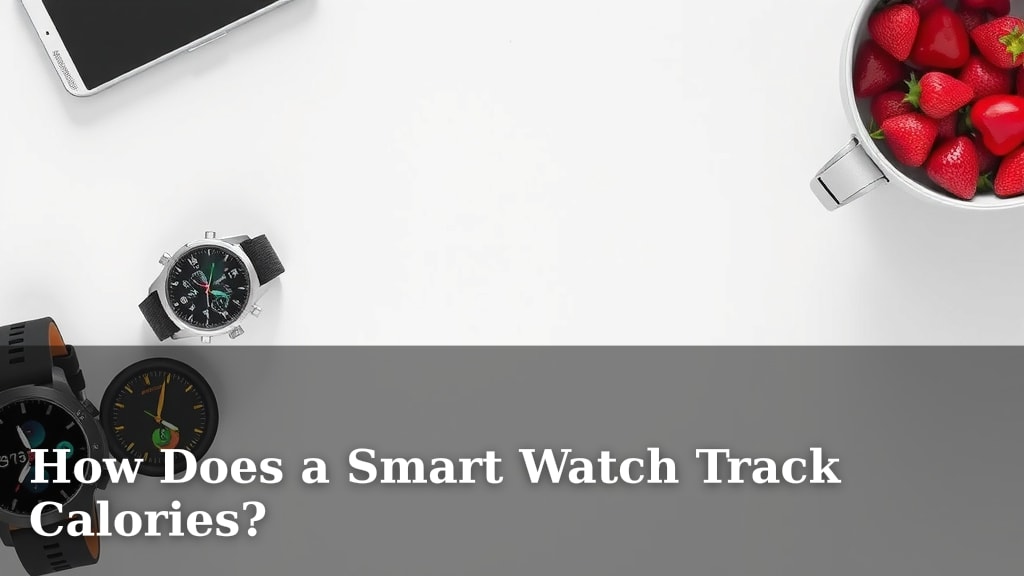
How Does a Smart Watch Track Calories?
Your smartwatch tracks calories by using a combination of sensors and educated guesswork. It measures your heart rate and movement, then uses formulas to estimate how many calories you’ve burned. Think of it as a very smart fitness assistant on your wrist, constantly observing your activity.
These devices rely on data from your personal profile, like your age, weight, and gender. Then, they combine this with real-time measurements to create a fairly accurate calorie count. It’s not magic, but a clever blend of technology and personal details to give you a good idea of your energy expenditure.
- Smartwatches use sensors to track activity.
- Heart rate and movement are key data points.
- Your personal profile helps refine calorie estimates.
- It’s an educated guess, not a perfect measurement.
Ready to dive deeper into how your watch does its calorie-counting magic? Let’s break down the technology and the science behind it.
Understanding Your Smartwatch’s Calorie Counting Power
So, how exactly does that little device on your wrist estimate the calories you burn throughout the day? It’s a clever blend of sensor data and algorithms. Your smartwatch doesn’t have a magic calorie meter, but it uses sophisticated technology to give you a really good approximation.
The Sensors at Work
Your smartwatch is packed with tiny sensors. These are the same kinds of sensors you find in your smartphone. They work together to collect information about your body and your movements. This data is the foundation for all its tracking capabilities.
Heart Rate Monitoring
One of the most important sensors is the heart rate monitor. It typically uses optical sensors that shine light into your skin. The light bounces off your blood vessels. As your heart pumps blood, the color of your skin changes slightly. The sensor picks up on these tiny changes. This tells the watch how fast your heart is beating. A higher heart rate generally means you’re burning more calories. Research from the American Heart Association confirms that heart rate is a strong indicator of exercise intensity.
Motion and Accelerometers
Your watch also has accelerometers and gyroscopes. These are motion sensors. Accelerometers measure acceleration in three directions: up/down, forward/backward, and side-to-side. Gyroscopes track your orientation and rotation. Together, they detect every step you take, every arm swing, and even subtle movements. This helps the watch differentiate between just sitting around and being active.
GPS for Outdoor Activity
If you use your smartwatch for outdoor activities like running or cycling, GPS plays a role. The Global Positioning System tracks your location and speed. This allows the watch to calculate distance covered. Knowing the distance and your pace helps refine the calorie burn estimate for aerobic activities.
The Calorie Calculation Formula
Once the watch collects data from its sensors, it needs to make sense of it. This is where algorithms and formulas come in. Your personal information is a key part of this calculation.
Your Personal Profile Matters
When you set up your smartwatch, you likely entered details like your age, gender, height, and weight. These aren’t just for show! They are essential inputs for calorie calculations. For example, a heavier person will generally burn more calories doing the same activity as a lighter person. Similarly, metabolism can vary based on age and gender.
Putting it All Together
The watch combines your personal profile data with your real-time heart rate and movement data. It then uses established formulas to estimate your Basal Metabolic Rate (BMR) and your Total Daily Energy Expenditure (TDEE). BMR is the number of calories your body burns at rest. TDEE is the total calories you burn in a day, including activity. The formulas are based on extensive physiological research. They’ve been refined over time to provide more accurate results.
Think of it like this: your BMR is the baseline fuel your body needs just to exist. Your activity then adds to that fuel burn. The smartwatch is constantly tallying up this added burn based on how hard your heart is working and how much you’re moving.
Different Activities, Different Calculations
Not all calories burned are equal. Your smartwatch knows this. It tries to adjust its calculations based on the type of activity you’re doing.
Estimating Aerobic Exercise
For activities like running, swimming, or cycling, the watch heavily relies on heart rate and GPS data. If your heart rate is high and you’re covering distance quickly, it assumes you’re burning a lot of calories. Many studies show a strong correlation between heart rate and oxygen consumption, which directly relates to calorie burn.
Estimating Non-Exercise Activity (NEAT)
What about those calories burned doing everyday things? This is often called Non-Exercise Activity Thermogenesis (NEAT). It includes fidgeting, walking to your car, or standing up. Your smartwatch uses its motion sensors to detect these smaller movements. While less precise than tracking a dedicated workout, it contributes to your overall daily calorie expenditure.
Strength Training Challenges
Tracking strength training can be a bit trickier for smartwatches. While they can detect the movement and elevated heart rate, they can’t directly measure muscle engagement. Some newer watches are getting better at recognizing specific exercises. However, calorie estimates for weightlifting are often less precise than for cardio.
Accuracy and Limitations
It’s important to remember that calorie tracking is an estimation. No device can perfectly measure calorie burn. Factors like individual metabolism, genetics, and even environmental conditions can affect how many calories you actually burn. However, for most people, smartwatches provide a useful tool for understanding their activity levels.
What the Experts Say
Many health organizations, like the Mayo Clinic, acknowledge that wearable technology can be motivating. They suggest using the data as a guide rather than an absolute measure. The goal is to get a general sense of your energy balance.
Tips for Better Accuracy
To get the most out of your smartwatch’s calorie tracking, ensure your personal profile is always up-to-date. Wear the watch snugly on your wrist, especially during workouts. And try to log workouts manually if your watch has that option, especially for activities it might not automatically recognize well. This helps the algorithms learn your patterns.
A Quick Checklist for Smart Calorie Tracking:
- Keep your personal profile (age, weight, height) updated.
- Ensure your watch fits snugly for accurate heart rate readings.
- Wear your watch consistently throughout the day and night.
- Sync your watch regularly with its companion app.
- Manually log specific workouts your watch may not detect automatically.
- Use the calorie data as a guide, not an exact science.
Conclusion
Your smartwatch is a powerful tool for understanding your calorie burn. It cleverly combines your personal details with real-time heart rate and movement data. This gives you a reliable estimate of your daily energy expenditure. While not perfectly precise, it’s a fantastic guide for staying mindful of your activity. Use this information to make informed choices about your fitness and health goals. Start by checking your daily summary today!
Frequently Asked Questions
Can I trust my smartwatch’s calorie count?
Your smartwatch provides a good estimation of calorie burn, not an exact science. It uses sophisticated sensors and formulas but can’t account for every individual metabolic factor. Think of it as a helpful guide for understanding your activity levels.
Why does my smartwatch need my age and weight?
Your personal profile information, like age and weight, is essential for calorie calculations. A heavier person burns more calories than a lighter person doing the same activity. Age and gender also influence your metabolism, so this data helps create a more personalized estimate.
How accurate is calorie tracking for different exercises?
Smartwatches are generally more accurate for aerobic exercises like running or cycling, which heavily rely on heart rate and GPS. Calorie tracking for activities like strength training can be less precise as the watch can’t directly measure muscle engagement.
What is NEAT and how does my watch track it?
NEAT stands for Non-Exercise Activity Thermogenesis. It includes calories burned from everyday movements like fidgeting or walking. Your smartwatch uses its motion sensors to detect these smaller, non-workout activities and includes them in your total daily burn.
How can I improve the accuracy of my smartwatch’s calorie tracking?
To get the most accurate readings, ensure your personal profile is always up-to-date. Wear your watch snugly on your wrist for reliable heart rate monitoring. Manually logging workouts can also help, especially for activities your watch might not automatically recognize.

![7 Best Smart Watch Sale [2026]](https://smartwatchbest.com/wp-content/uploads/2026/10/7-best-smart-watch-sale-2026-featured-768x432.jpg)