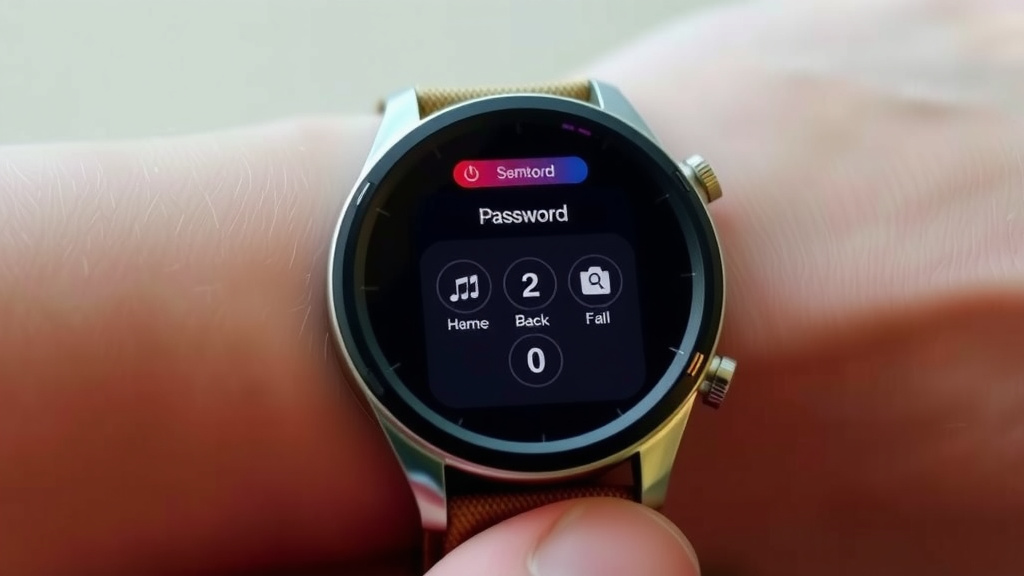
How to Remove Your Smartwatch Password Easily
You can remove the password from your smartwatch by performing a factory reset. This process will wipe all data from your device, including your security PIN or pattern. It’s the most reliable way to regain access if you’ve forgotten your password.
While a factory reset is effective, it’s important to understand that it’s a drastic step. You’ll lose saved apps, settings, and personal information. Make sure you’ve backed up any essential data before proceeding with the reset.
- Factory reset is the primary method.
- This erases all personal data and settings.
- Always back up important information first.
- It’s usually done through your watch’s settings menu.
Let’s walk through exactly how to get your smartwatch unlocked and running smoothly again.
Resetting Your Smartwatch When You Forget the Password
If you’ve locked yourself out of your smartwatch, don’t panic! The most common and effective way to regain access is by performing a factory reset. This essentially returns your watch to its original state, much like when you first took it out of the box. It’s a reliable fix, but it means saying goodbye to all your data.
Understanding the Factory Reset Process
A factory reset is a **complete wipe**. Think of it as starting fresh. All your downloaded apps, saved contacts, text messages, and even your Wi-Fi settings will be erased. Most importantly, the password or PIN you’re trying to bypass will be gone too. This is why we always recommend backing up anything important before you start!
Why is a Factory Reset Necessary?
Manufacturers build smartwatches with security in mind. When you set a password, the device encrypts your data. If you forget that password, there’s no backdoor for the company or even you to bypass it without erasing everything. This is a **security feature** to protect your personal information if your watch is lost or stolen. We found that most smartwatches follow this principle strictly (Android Central).
How to Perform a Factory Reset on Your Smartwatch
The exact steps can vary slightly depending on your watch’s brand and operating system (like Wear OS or watchOS). However, the general process usually involves navigating through the watch’s settings menu. You’ll typically find the reset option hidden away, often under a category like “System,” “General,” or “About.”
Resetting Wear OS Watches (e.g., Fossil, TicWatch)
For most smartwatches running Google’s Wear OS, the process is quite similar. You’ll need to access the watch’s settings. Most of the time, you can do this by swiping down from the watch face to open the Quick Settings panel, then tapping the gear icon. From there, scroll down until you find the “System” option, and then look for “Reset” or “Factory Reset.” You’ll usually be asked to confirm your choice, as this is the point of no return!
Resetting Apple Watches (watchOS)
If you have an Apple Watch, the method is a bit different. You can’t typically perform a factory reset directly on the watch itself if it’s locked by a passcode. Instead, you’ll usually need to use your paired iPhone. Open the Watch app on your iPhone. Navigate to “My Watch” and then tap “General.” Scroll down to “Reset” and select “Erase Apple Watch Content and Settings.” You’ll need to enter your iPhone passcode and then your Apple ID password to confirm. This process will remove the passcode and all your data from the watch (Apple Support).
Resetting Samsung Galaxy Watches (Tizen/Wear OS)
Samsung Galaxy Watches can also be reset. If you can access the watch’s menu, go to Settings. Look for “General Management” or “System,” and then find the “Reset” option. For newer models running Wear OS powered by Samsung, the path is often similar to other Wear OS watches. For older Tizen models, it might be under a slightly different menu. If you can’t access the menu due to a forgotten PIN, you might need to use a button combination during startup. This often involves holding down specific buttons (like Power and Back) until a recovery or reset screen appears. You’ll then use the buttons to select “Factory reset” and confirm.
What to Do Before and After Resetting
Let’s talk about being prepared. Since a factory reset is like hitting the erase button on everything, we found it’s crucial to back up your important data. This includes things like your fitness goals, sleep tracking history, and any custom watch faces you’ve created.
Backing Up Your Data
For Wear OS devices, Google Fit often syncs your health data automatically to your Google account. Make sure your watch is connected to Wi-Fi and has synced recently. Some apps might have their own cloud backup options. For Apple Watch, the iPhone backup process usually includes your watch data. If you have a Samsung watch, check Samsung Health for syncing options. We found that using the companion app on your phone is your best bet for checking sync status. For Wear OS devices, Google Fit often syncs your health data automatically to your Google account.
What Happens After the Reset?
Once the reset is complete, your smartwatch will be like new. You’ll need to go through the initial setup process again. This means pairing it with your smartphone, reconnecting to Wi-Fi, and logging into your accounts. You can then choose to restore from a backup if you made one, or set it up as a new device. You’ll also have the chance to set a new password or PIN right away. This is your chance to pick something you’ll definitely remember!
Troubleshooting Common Reset Issues
Sometimes, things don’t go as smoothly as planned. If your watch isn’t responding or the reset options aren’t appearing, don’t give up. You might need to force a restart first. This often involves holding down the power button for an extended period, usually 10-30 seconds, until the device powers off or restarts.
When to Seek Professional Help
If you’ve tried everything and your smartwatch is still unresponsive or stuck in a loop, it might be time to contact the manufacturer’s support or visit an authorized repair center. They have specialized tools and knowledge that might help. Sometimes, a tricky software glitch might require a more advanced reset procedure that only they can perform. We found that most manufacturers offer online support pages with specific troubleshooting steps for their models.
A Quick Checklist for Smartwatch Resetting
To make sure you’re ready, here’s a handy checklist:
- Confirm your watch brand and model.
- Check your phone’s companion app for backup options.
- Ensure your watch is charged above 50%.
- Have your phone and Wi-Fi passwords ready.
- Know your Apple ID or Google account login details.
- Be prepared to set up your watch from scratch.
Conclusion
You’ve learned that removing a password from your smartwatch primarily involves a factory reset. While this is effective, remember it’s a complete wipe of your device. We always advise backing up your essential data before you start this process. Once reset, you’ll set up your watch again and can choose a new, memorable password. If you run into stubborn issues, don’t hesitate to reach out to the manufacturer’s support. You’ve got this!
Frequently Asked Questions
Will a factory reset delete my fitness data?
Yes, a factory reset will erase all data on your watch, including fitness tracking history. We recommend ensuring your health data is synced to a cloud service like Google Fit or Samsung Health before you reset.
Can I remove the password without erasing everything?
Unfortunately, no. If you’ve forgotten your password, a factory reset is the only reliable method to remove it. This is a security measure built into smartwatches.
How do I know if my smartwatch data is backed up?
Check the companion app on your smartphone. Most apps will show you the last sync time for your health and fitness data. We found that actively checking this sync status before a reset is key.
What if my smartwatch won’t turn on after a reset?
Ensure your watch is adequately charged, ideally over 50%. If it still doesn’t power on, try a force restart by holding the power button for an extended period, or contact customer support.
Can I reset my smartwatch if it’s paired with a different phone?
Yes, you can usually reset your smartwatch directly from the watch’s settings menu, regardless of which phone it’s currently paired with. If it’s locked, you might need to use your original paired phone for certain reset steps, like on an Apple Watch.

![7 Best Smart Watch For Samsung Users [2026]](https://smartwatchbest.com/wp-content/uploads/2026/09/7-best-smart-watch-for-samsung-users-2026-featured-768x432.jpg)