
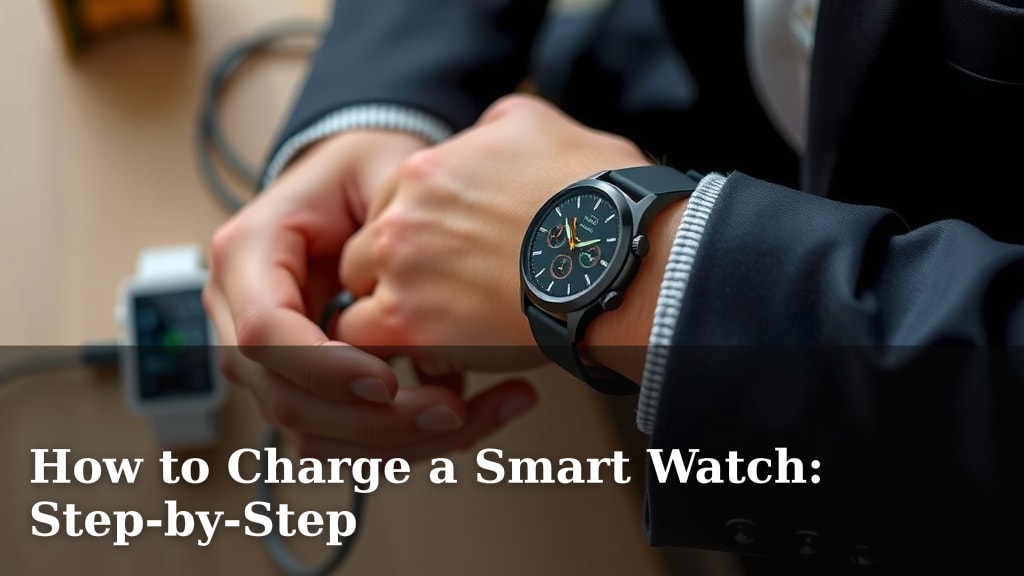
How to Charge a Smart Watch: Step-by-Step
Charging your smartwatch is usually a straightforward process. You’ll typically connect a charging cable to the watch and then plug the other end into a power source. Most smartwatches come with their own specific charger, so using that is the best way to ensure a safe and efficient charge.
We’ve found that understanding your watch’s charging method can prevent frustration. Different models might use magnetic chargers, cradles, or even wireless charging pads. Knowing what’s included with your device is key to keeping it powered up and ready for your day.
- Identify your smartwatch’s charging port or method.
- Use the charger that came with your watch.
- Connect to a reliable power source.
- Ensure a secure connection for charging.
Let’s walk through the simple steps to get your smartwatch charged up and running smoothly.
Getting Your Smartwatch Charged Up and Ready
So, you’ve got a fancy smartwatch, and it’s running low on juice. Don’t worry, it’s usually pretty simple to get it back to 100%. We’ve found that the most common way to charge is by using the special charger that came with your watch. This ensures it’s getting the right kind of power.
Understanding Your Watch’s Charging Connection
First things first, let’s make sure you know how your specific smartwatch likes to get its energy. Different brands and models have different ways of hooking up. Knowing this will save you a lot of searching and fiddling.
Finding the Charging Port or Contacts
Most smartwatches have a designated spot for charging. You might see a small port, often on the back of the watch. Sometimes, it’s not a port at all, but rather metal contact points on the back. These are designed to connect with the pins on its charger.
The Role of Magnetic Chargers
Many smartwatches use a magnetic charger. You’ll notice the charger has a small, often round, end. When you bring it close to the back of your watch, it snaps right into place. This is super convenient because it ensures you’re lining up the connections perfectly. No more guessing!
Cradle and Dock Chargers
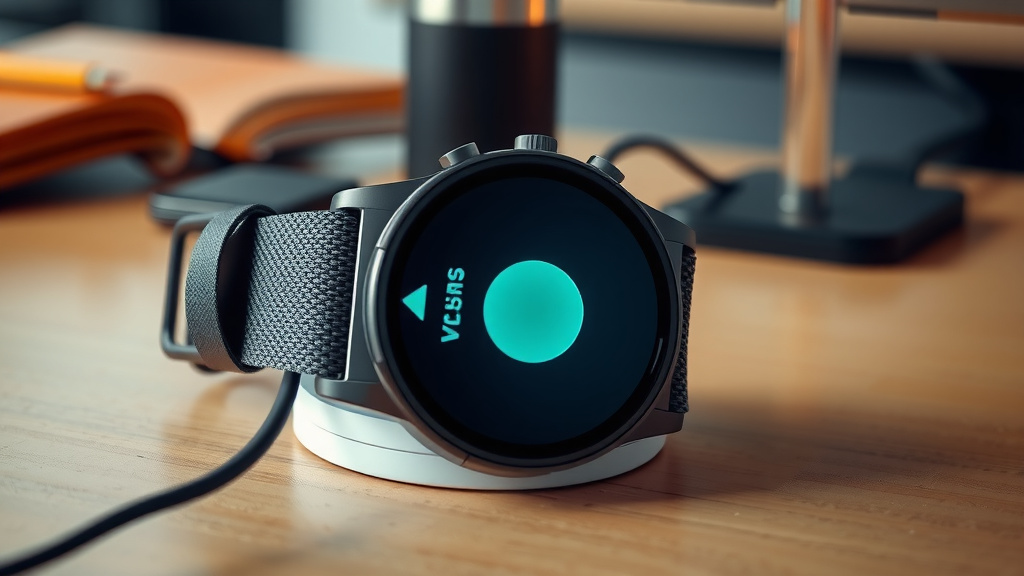
Other watches come with a cradle or a dock. You simply place your watch into this stand. It’s like giving your watch a little bed to sleep in while it powers up. These are great because they keep your watch stable and upright while charging. Just make sure it’s seated correctly.
Exploring Wireless Charging
A growing number of smartwatches support wireless charging. This is the ultimate in convenience! You’ll likely have a charging pad. You just place your watch on the pad, and it starts charging automatically. No cables to connect to the watch itself. It’s like magic, but it’s just technology!
Using the Right Charging Equipment
This is a really important step. Using the correct charger is key to keeping your smartwatch healthy and working well for a long time.
Always Use the Included Charger
We can’t stress this enough: use the charger that came in the box with your smartwatch. Manufacturers design these chargers specifically for their devices. Using a different charger, even if it looks similar, could potentially damage your watch or charge it very slowly. It’s like trying to fit a square peg in a round hole – it just doesn’t work well.
What If I Lost My Charger?
Mistakes happen, and chargers get lost! If you can’t find yours, your best bet is to contact the manufacturer or visit their official website. They will sell replacement chargers that are guaranteed to be compatible. While third-party chargers might exist, sticking with the official one is the safest bet for your device’s longevity.
Connecting to a Power Source
Once your watch is ready to receive power, you need to plug it in somewhere. There are a few options for this.
Wall Adapters for Quick Charging
Plugging your charger into a wall adapter is usually the fastest way to charge your smartwatch. Most chargers come with a USB cable, and you’ll plug that into a USB wall adapter. Just make sure the adapter is from a reputable brand. We found that using a high-quality adapter can make a difference in charging speed.
Powering Up Via Your Computer
You can also plug the USB cable into a USB port on your computer. This is a convenient option if you’re already working at your desk. Keep in mind that charging from a computer might be a bit slower than using a wall adapter, but it’s perfectly safe for your watch.
Portable Power Banks and Car Chargers
For charging on the go, a power bank is a lifesaver. Just plug your watch charger into the power bank, and you can charge your watch anywhere. Many car chargers also have USB ports, allowing you to power up while you drive. It’s handy for road trips!
Ensuring a Secure and Efficient Charge
Now that everything is connected, let’s make sure the charge is going smoothly and efficiently.
Check for a Solid Connection
Once connected, double-check that your watch is firmly attached to its charger. If it’s a magnetic charger, ensure it has clicked into place. For cradles, make sure the watch is seated properly. A loose connection means no charging will happen. You might see an icon on your watch screen indicating it’s charging.
Allow Sufficient Charging Time
Don’t unplug your watch too soon! Most smartwatches take one to two hours to charge fully. Check your watch’s manual for specific times. It’s best to let it reach 100% to ensure the battery gets a good, full charge. For instance, many smartwatch manuals suggest completing the charge cycle (Mayo Clinic).
Keeping an Eye on Temperature
While it’s charging, your watch might get a little warm. That’s usually normal. However, if it feels uncomfortably hot, unplug it immediately. Overheating can damage the battery. Avoid charging your watch in direct sunlight or on hot surfaces, like a sunny windowsill or on top of another electronic device that’s in use.
Charging Best Practices for Battery Health
To keep your battery healthy long-term, try not to let it die completely too often. Experts often suggest keeping your battery level between 20% and 80% for optimal battery lifespan (NIH). This doesn’t mean you can’t charge it to 100%, but avoiding frequent deep discharges is good practice.
A Quick Charging Checklist:
- Verify your smartwatch model and its charging method.
- Use only the original charger provided by the manufacturer.
- Connect your charger to a stable power source (wall adapter, computer, power bank).
- Ensure a secure and snug connection between the watch and charger.
- Allow enough time for your watch to reach a full charge.
- Monitor for any signs of overheating during the charging process.
Conclusion
Charging your smartwatch doesn’t have to be a puzzle. By understanding your watch’s specific charging method, always using the correct equipment, and connecting to a reliable power source, you can easily keep your device powered up. We’ve found that paying attention to connection security and charging time also contributes to better battery health. Your next step is simple: make sure your smartwatch is always ready for your day by following these straightforward steps every time you need a charge. Keep it connected and stay powered!
Frequently Asked Questions
How do I know if my smartwatch is charging?
Most smartwatches will display a charging icon on their screen when properly connected and charging. You might also feel a slight warmth from the watch. Double-check that the charging cable is securely attached to both the watch and the power source.
Can I use a generic USB charger for my smartwatch?
While some generic USB chargers might work, it’s always best to use the original charger that came with your smartwatch. Manufacturers design these chargers specifically for your device to ensure optimal performance and prevent potential damage. Using an incompatible charger could lead to slow charging or harm your watch’s battery.
What’s the best way to charge my smartwatch overnight?
Charging your smartwatch overnight is generally fine, but avoid doing it too often if possible. Experts suggest keeping your battery between 20% and 80% for the longest lifespan. If you do charge overnight, ensure the watch is not covered, as this can trap heat and affect battery health.
My smartwatch is getting hot while charging, what should I do?
A little warmth is normal, but if your smartwatch feels uncomfortably hot to the touch, unplug it immediately. This could indicate a problem with the charger, power source, or the watch itself. Avoid charging in direct sunlight or on very warm surfaces.
How long should I expect my smartwatch to take to charge?
Most smartwatches typically take one to two hours to charge fully from empty. However, this can vary depending on the model and the power source. Always refer to your watch’s manual for specific charging time estimates.

![7 Best Beginner Smart Watch [2026]](https://smartwatchbest.com/wp-content/uploads/2026/07/7-best-beginner-smart-watch-2026-featured-768x432.jpg)