How to Add Apps to Your Smartwatch: A Simple Guide
Adding new apps to your smartwatch is a fantastic way to boost its functionality. You can typically add apps directly through your smartwatch’s own app store or via a companion app on your smartphone. It’s a pretty straightforward process for most popular smartwatches, including those from Apple, Samsung, and Google.
Think of your smartwatch as a mini-computer on your wrist. Just like your phone, it can run specialized software, called apps, to help you do all sorts of things. From tracking your workouts to checking the weather, a well-stocked app library makes your watch even more useful and personalized.
- Your smartwatch has its own app store.
- You can also use your phone’s app to manage watch apps.
- Look for the “Apps” or “App Store” section on your watch.
- Or, check the companion app on your smartphone.
- Search for apps and tap “Install” or “Get”.
Ready to jazz up your wrist gadget? Let’s walk through exactly how this works step by step so you can get your favorite apps installed in no time.
Adding new apps to your smartwatch is a fantastic way to boost its functionality. You can typically add apps directly through your smartwatch’s own app store or via a companion app on your smartphone. It’s a pretty straightforward process for most popular smartwatches, including those from Apple, Samsung, and Google.
Think of your smartwatch as a mini-computer on your wrist. Just like your phone, it can run specialized software, called apps, to help you do all sorts of things. From tracking your workouts to checking the weather, a well-stocked app library makes your watch even more useful and personalized.
- Your smartwatch has its own app store.
- You can also use your phone’s app to manage watch apps.
- Look for the “Apps” or “App Store” section on your watch.
- Or, check the companion app on your smartphone.
- Search for apps and tap “Install” or “Get”.
Ready to jazz up your wrist gadget? Let’s walk through exactly how this works step by step so you can get your favorite apps installed in no time.
Getting Apps Onto Your Wrist Device
Putting new apps on your smartwatch is simpler than you might think. Most smartwatches let you do this in one of two main ways. You can use the app store built right into the watch itself. Or, you can use an app on your paired smartphone that manages your watch’s functions. Let’s break down both of these methods.
Method 1: Using Your Smartwatch’s Built-In App Store
This is often the most direct way to add apps. Your watch has its own marketplace, much like your phone. You’ll navigate this using the watch’s touchscreen and buttons.
Accessing the Watch App Store
First, you need to find the app store on your watch. This is usually labeled as “App Store,” “Apps,” or sometimes a similar term. You can typically access it by swiping through your watch’s main menu or by pressing a specific button. For example, on an Apple Watch, you’d go to the App Store icon on your home screen.
Browsing and Searching for Apps
Once you’re in the app store, you can browse different categories or use the search function. You might look for “fitness,” “music,” or “productivity” to find apps related to your interests. Searching allows you to find specific apps you already know about. You’ll see descriptions, reviews, and screenshots to help you decide.
Installing an App on Your Watch
When you find an app you want, tap on it. You’ll usually see a button that says “Get,” “Install,” or a price if it’s a paid app. Tap this button. Your watch might ask for confirmation or your passcode. Then, the app will download and install directly onto your watch. You’ll often see a progress indicator. It’s a quick process for most apps.
Method 2: Using Your Smartphone’s Companion App
Many smartwatches connect to a dedicated app on your smartphone. This app often mirrors the watch’s app store and offers more screen real estate for browsing. This can be easier if you find the small watch screen a bit fiddly.
Finding the Companion App
If you have a Samsung smartwatch, you’ll likely use the Galaxy Wearable app. For Wear OS watches (like some from Google or Fossil), the Google Play Store app on your phone can manage watch apps. Apple Watch users will manage their apps through the Watch app on their iPhone. You need to have this app installed and your watch paired with your phone.
Navigating the App Management Section
Open the companion app on your phone. Look for a section related to “Apps,” “App Store,” or “Manage Apps.” This is where you’ll see apps that are already installed on your watch, as well as options to add new ones. It’s similar to managing apps on your phone itself.
Searching and Installing from Your Phone
Within the companion app, you can search for new apps. The interface is usually more familiar, making it easier to read descriptions and compare options. When you find an app you like, tap “Install” or “Get.” The companion app will then send the installation command to your smartwatch. This often happens quickly, especially if your watch is connected to Wi-Fi.
Platform-Specific Tips for App Installation
While the general steps are similar, each smartwatch brand has its own nuances. Knowing these can save you time and frustration.
Apple Watch Users
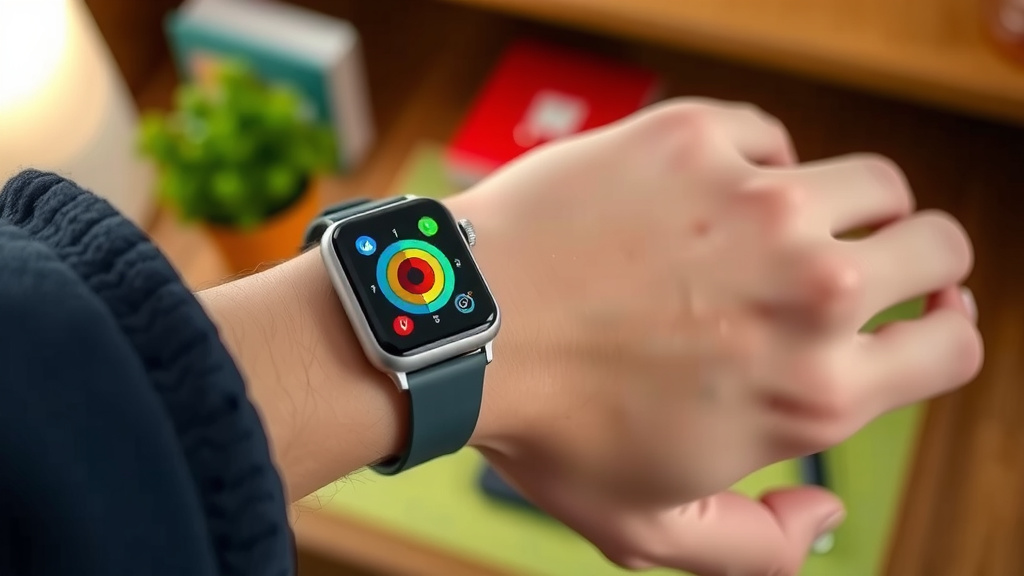
For Apple Watch, you can download apps directly from the App Store on your watch. You can also use the Watch app on your iPhone. Go to the “App Store” tab within the Watch app. Here, you can discover new apps and tap “Install” next to any app you want. Some apps may require a subscription or one-time purchase.
Samsung Galaxy Watch Users
Samsung Galaxy Watches typically use the Google Play Store for apps, accessible through the Galaxy Wearable app on your phone. Open the Galaxy Wearable app, navigate to “Watch settings,” then “Apps.” You can also directly access the Play Store on the watch itself. Search for apps and tap “Install.”
Wear OS by Google Users
If your smartwatch runs Wear OS, you’ll use the Google Play Store. You can access this either directly on your watch or through the Google Play Store app on your paired Android phone. When using your phone, ensure your watch is selected as the target device for the installation.
Tips for a Smarter Watch Experience
Once you know how to add apps, you can really customize your smartwatch. Think about what you use your watch for most. Are you a fitness enthusiast? A busy professional? Someone who likes to stay connected? Tailor your app selection to your needs.
- Curate your apps: Don’t install too many. This can slow down your watch.
- Check reviews: See what other users say before you download.
- Look for optimizations: Some apps are designed specifically for watch screens.
- Manage storage: If your watch has limited space, uninstall apps you don’t use.
- Stay updated: Keep your watch’s operating system and apps updated for best performance.
Conclusion
You’ve learned that adding apps to your smartwatch is an easy way to personalize your device. You can install new apps directly from your watch’s app store or by using the companion app on your smartphone. Remember to curate your app library to keep your watch running smoothly. By following these steps, you can easily enhance your smartwatch’s capabilities. Your next step is to open your watch’s app store and find that first new app to install!
Frequently Asked Questions
Can I add apps to my smartwatch without a smartphone?
Yes, many smartwatches allow you to add apps directly from their own built-in app store. You can usually browse, search, and install apps right from your wrist. This means you don’t always need your phone nearby to expand your watch’s functionality.
Will installing too many apps slow down my smartwatch?
Installing a large number of apps can potentially slow down your smartwatch. It uses up storage space and processing power. We recommend curating your apps and uninstalling ones you don’t frequently use to maintain optimal performance.
Are there free apps available for smartwatches?
Yes, there are many free apps available for smartwatches. Most app stores categorize apps, so you can often filter or search for “free” options. Keep in mind that some apps may offer in-app purchases or subscriptions for premium features.
How do I update apps on my smartwatch?
App updates are usually managed through your smartwatch’s app store or its companion smartphone app. You might get notifications when updates are available, or you can manually check for them in the app management section. Keeping your apps updated ensures you have the latest features and security improvements.
What if an app I want isn’t available for my smartwatch?
If a specific app isn’t available, it likely hasn’t been developed for your watch’s operating system yet. You can check the app developer’s website or the watch’s app store for announcements. Sometimes, developers release new app versions that include smartwatch support later on.
![7 Best Smart Watch For Sleep And Stress Tracking [2026]](https://smartwatchbest.com/wp-content/uploads/2026/09/7-best-smart-watch-for-sleep-and-stress-tracking-2026-featured-768x432.jpg)