Fitbit Smart Watch vs Apple Watch: Which One Should You Buy in 2024?
When you’re standing in front of your computer screen, scrolling through endless smartwatch options, you might find yourself asking: should I go with Fitbit or Apple Watch? It’s a question that thousands of people ask themselves every single day, and honestly, there’s no one-size-fits-all answer. But don’t worry—I’m here to help you navigate through this decision with clarity and confidence.
Think of choosing a smartwatch like picking a car. Sure, they all get you from point A to point B, but the journey, features, and overall experience can be vastly different. In this comprehensive guide, we’ll break down everything you need to know about Fitbit smartwatches and Apple Watches so you can make an informed decision that actually works for your lifestyle.
Understanding the Basics: What Makes These Smartwatches Different?
Before we dive into the nitty-gritty comparisons, let’s establish what we’re actually comparing. Both Fitbit and Apple Watch are industry leaders, but they came from different backgrounds and philosophies. Apple Watch is the brainchild of tech giant Apple, while Fitbit started as a dedicated fitness tracker company before being acquired by Google in 2021. This history shapes everything about how these devices work and what they prioritize.
The Apple Watch Ecosystem
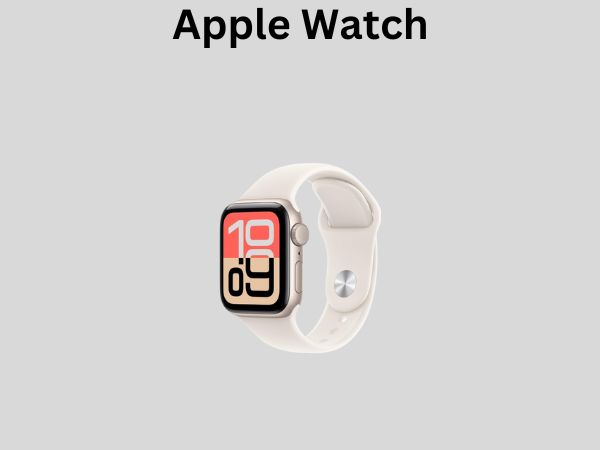
The Apple Watch is deeply integrated into Apple’s ecosystem. If you’re already committed to iPhones, iPads, and MacBooks, the Apple Watch feels like a natural extension of your digital life. It’s like adding another room to a house you’ve already built—everything connects seamlessly.
The Fitbit Philosophy
Fitbit, on the other hand, has always positioned itself as the everyday fitness companion. It’s all about health metrics, step counting, sleep tracking, and keeping you motivated to move more. Even though Google owns it now, Fitbit maintains its independent identity and works across both Android and Apple devices.
Design and Build Quality: How Do They Look and Feel?
Let’s be honest—you’re going to be wearing this device on your wrist every single day. So aesthetics matter, even if you don’t want to admit it.
Apple Watch Design Philosophy
Apple Watches come in various sizes and materials. You’ve got the standard aluminum models, stainless steel options, and even premium titanium versions. The watch faces are sharp, the screens are incredibly vibrant, and the overall design screams premium. Apple offers both 41mm and 45mm sizes, so whether you have a petite wrist or a robust one, there’s something for you. The digital crown on the side gives you a physical way to navigate the interface, which some people love and others find unnecessary.
Fitbit Design Approach
Fitbit smartwatches tend to have a more utilitarian appearance. They’re designed to look less like jewelry and more like actual fitness trackers, though they’ve certainly evolved to look more stylish over the years. Fitbit offers different bands and watch faces, but they maintain a more casual, approachable aesthetic. If you’re someone who wants to blend fitness tracking with everyday wear, Fitbit does this reasonably well.
- Apple Watch materials: Aluminum, stainless steel, titanium
- Fitbit materials: Plastic and metal combination, typically lighter weight
- Apple Watch sizes: 41mm, 45mm
- Fitbit sizes: Varies by model, generally more compact
Health and Fitness Tracking: The Core Functionality
This is where things get really interesting. After all, the primary reason most people buy smartwatches is to track their health and fitness metrics. So which one actually does this better?
Fitbit’s Fitness Tracking Capabilities
Fitbit is genuinely excellent at what it was designed to do: track your movement and health. You get detailed step counting, heart rate monitoring, SpO2 tracking, and comprehensive sleep analysis. The company has spent over a decade perfecting these algorithms, and it really shows. When you look at your sleep data on Fitbit, you get breakdowns of light sleep, deep sleep, and REM sleep—information that actually means something to health-conscious users.
Fitbit’s exercise tracking is robust too. You can log workouts manually or let the device automatically detect when you’ve started exercising. The metrics are granular and the data presentation is intuitive. Plus, if you’re someone who loves getting badges and achievements for your fitness goals, Fitbit delivers that gamification experience beautifully.
Apple Watch’s Health Tracking Features
Apple Watch has been catching up significantly in the health tracking department. The latest models include ECG functionality, blood oxygen monitoring, temperature sensing, and crash detection. Apple has also introduced advanced metrics like training load and cardio recovery, which are excellent if you’re a serious athlete.
However, here’s the thing: while Apple Watch excels at serious health features like ECG and FDA-approved health functions, Fitbit still edges it out in day-to-day fitness tracking accuracy and detailed analysis. It’s like comparing a general practitioner with a fitness specialist—both are good at health, but one specializes in different areas.
Sleep Tracking Comparison
This is where Fitbit genuinely shines. Fitbit’s sleep tracking is incredibly detailed. You get information about your sleep stages, sleep score, and personalized insights. Apple Watch tracks sleep too, but it’s more basic. If sleep optimization is important to you, Fitbit is the clear winner here.
Heart Rate Monitoring
Both devices track heart rate continuously, but Apple Watch provides more advanced cardiac features like ECG and irregular rhythm notifications. Fitbit focuses more on providing useful heart rate data for fitness purposes. Again, it depends on what matters most to you.
Operating System and User Interface: How Easy Are They to Use?
Here’s something that often gets overlooked in comparisons: how intuitive and enjoyable is the actual experience of using these devices?
watchOS on Apple Watch
The Apple Watch runs watchOS, which is specifically designed for the wrist. The interface is slick, responsive, and intuitive if you’re already familiar with iOS. You navigate through apps, access notifications, and use Siri voice commands. The experience is premium and polished, though some people find it overcomplicated for something that should be simple to use on your wrist.
Fitbit OS
Fitbit has its own operating system that’s much simpler and more straightforward. The focus is on simplicity rather than complexity. You swipe through cards to see different information, and that’s pretty much it. For many users, this simplicity is exactly what they want. You’re not overwhelmed with options; you just get the information you need.
- Apple Watch: Complex, feature-rich, iOS-like experience
- Fitbit: Simple, focused, health-centric experience
App Ecosystem and Customization: What Can You Actually Do With These?
This is where Apple Watch has a massive advantage. The App Store for Apple Watch is loaded with thousands of applications. You can install productivity apps, entertainment apps, payment solutions, and virtually anything else you can imagine. It’s a real miniature computer on your wrist.
Fitbit, meanwhile, has a much more limited app ecosystem. The company focuses on fitness and health, so the available apps reflect that. If you want to use your smartwatch as a full-featured extension of your smartphone, Apple Watch is definitely the way to go.
Customization Options
Apple Watch allows extensive watch face customization. You can choose from hundreds of faces and customize complications to display the information you want. Fitbit offers watch face options too, but they’re less extensive. If you’re someone who changes watch faces based on your mood or the time of day, Apple Watch gives you more flexibility.
Battery Life: How Long Can They Actually Last?
Let’s talk about something that genuinely frustrates smartwatch users everywhere: battery life.
Apple Watch typically lasts about 18 hours on a single charge. This means you’re charging it every single night, similar to charging your iPhone. For many users, this is acceptable—it’s just part of their routine. But it’s worth noting that if you forget to charge it overnight, you won’t have a working smartwatch during the day.
Fitbit smartwatches generally last much longer. Most models will give you 5 to 7 days of battery life, with some lasting even longer. This is a significant advantage if you hate charging devices frequently or if you travel often and might forget your charger.
Think about your lifestyle: are you someone who religiously charges devices, or do you find it annoying? Your answer here might be a deciding factor.
Compatibility: Will It Work With Your Phone?
This is a crucial consideration that sometimes gets overlooked.
Apple Watch and iPhone Compatibility
Here’s the straightforward truth: Apple Watch is designed for iPhones. While you can technically pair it with Android devices, the experience is severely limited. If you own an iPhone, Apple Watch is the natural choice. If you own an Android phone, you should probably look elsewhere.
Fitbit and Cross-Platform Compatibility
Fitbit works beautifully with both Android and iOS devices. Whether you have a Samsung phone, Google Pixel, iPhone, or anything else, Fitbit will work seamlessly. This makes Fitbit the more versatile choice if you’re not committed to Apple’s ecosystem or if you might switch phones in the future.
Price Comparison: What Are You Actually Paying For?
Let’s discuss the elephant in the room: money.
Apple Watch Series 9 starts at around $399 for the base aluminum model and goes up significantly from there. If you want cellular connectivity, premium materials, or larger sizes, you’re looking at $500 or more. This is a significant investment.
Fitbit smartwatches are generally more affordable. Most models fall in the $200 to $300 range, with some premium options going higher. You’re getting comparable health tracking features for less money, which is why price-conscious consumers often gravitate toward Fitbit.
However, remember that Apple Watch offers more than just fitness tracking. You’re paying for an entire smart device ecosystem. If you’ll use the additional features, the price might be justified.
Long-Term Cost Consideration
Consider the longevity of these devices. Apple Watch tends to receive software updates for longer, which extends its useful life. Fitbit has improved in this regard since Google’s acquisition, but Apple still has the edge here. Over several years, this might make Apple Watch a better investment despite the higher upfront cost.
Notifications and Communication: Staying Connected
One of the perks of smartwatches is staying connected without constantly pulling out your phone.
Apple Watch Communication Features
Apple Watch lets you receive and respond to notifications, texts, and calls. You can send quick replies, use voice-to-text, or even make calls from your wrist if your watch has cellular connectivity. It’s incredibly convenient if you’re someone who wants full smartphone functionality on your wrist.
Fitbit Notification Handling
Fitbit can display notifications from your phone, including texts and calls, but you can’t respond directly from the watch in most cases. You’ll see the notification and might be able to dismiss it, but meaningful interaction requires pulling out your phone. This is a limitation if you value the ability to respond to messages without using your hands.
Water Resistance: Will It Survive the Pool?
Both devices offer water resistance, which is great if you swim or do water sports.
Apple Watch Series 9 has 50m water resistance, which is suitable for swimming in pools or shallow water. Fitbit smartwatches similarly offer water resistance suitable for swimming. Neither is designed for deep diving, but both are fine for everyday water activities.
Performance and Speed: Does It Feel Responsive?
Nobody wants a sluggish smartwatch. The experience should feel snappy and responsive.
Apple Watch, powered by Apple’s proprietary chips, is incredibly fast. Apps launch quickly, transitions are smooth, and everything feels polished. It’s genuinely a pleasure to use from a performance standpoint.
Fitbit has improved its performance over the years, but it’s generally a step behind Apple Watch. Apps aren’t as responsive, and the overall experience feels slightly slower. If you value snappy performance and smooth animations, Apple Watch is the winner here.
Software Updates and Long-Term Support: Future-Proofing Your Investment
When you buy a smartwatch, you’re hoping it’ll work well for several years, not just a few months.
Apple has an excellent track record of supporting older Apple Watch models with software updates. A device you buy today will likely receive updates for at least five to six years. This is fantastic for long-term viability.
Fitbit has been improving its update schedule since Google acquired the company, but historically, it hasn’t been quite as generous with long-term support. However, this is improving, and newer Fitbit models are getting better update coverage.
The Verdict: Which One Should You Actually Buy?
Okay, so after all this comparison, which one should you choose?
Choose the Apple Watch if you:
- Own an iPhone and want full ecosystem integration
- Value having hundreds of third-party apps available
- Want advanced health features like ECG and irregular rhythm detection
- Don’t mind charging your watch daily
- Prioritize performance and smooth user experience
- Want to use your smartwatch as a mini computer on your wrist
Choose Fitbit if you:
- Prioritize detailed fitness and sleep tracking
- Own an Android phone or want cross-platform compatibility
- Prefer longer battery life and less frequent charging
- Want a simpler, more straightforward user experience
- Are budget-conscious and want good value for money
- Focus primarily on health and fitness metrics
Conclusion
There’s no objectively “best” smartwatch between Fitbit and Apple Watch. They’re both excellent devices that excel in different areas and serve different needs. Apple Watch is the premium, feature-rich choice that works best within the Apple ecosystem. Fitbit is the focused, affordable health tracker that offers better battery life and cross-platform compatibility.
The right choice depends entirely on your lifestyle, budget, phone ecosystem, and priorities. If you’re deeply committed to Apple products and want a smartwatch that does everything, go with Apple Watch. If you care mostly about fitness tracking, want to save money, or use Android, Fitbit is your answer. Both will improve your health awareness and keep you connected. You really can’t go wrong with either choice—it’s just a matter of finding the better fit for you personally.
Frequently Asked Questions About Fitbit and Apple Watch
Can I use Apple Watch with Android phones?
Technically yes, but the experience is severely limited. Apple Watch is optimized for iPhones and works best with iOS. Most features require an iPhone to function properly. If you use an Android phone, Fitbit is a much better choice as it’s designed to work seamlessly with Android devices.
Is Fitbit as accurate as Apple Watch for fitness tracking?
Fitbit is generally considered more accurate for everyday fitness tracking and sleep monitoring. While Apple Watch has
![7 Best Smart Watch Blood Pressure Monitor [2026]](https://smartwatchbest.com/wp-content/uploads/2026/08/7-best-smart-watch-blood-pressure-monitor-2026-featured-768x432.jpg)
![7 Best Smart Watch For Ladies [2026]](https://smartwatchbest.com/wp-content/uploads/2026/09/7-best-smart-watch-for-ladies-2026-featured-768x432.jpg)