How to Charge a Smart Watch: Complete Guide
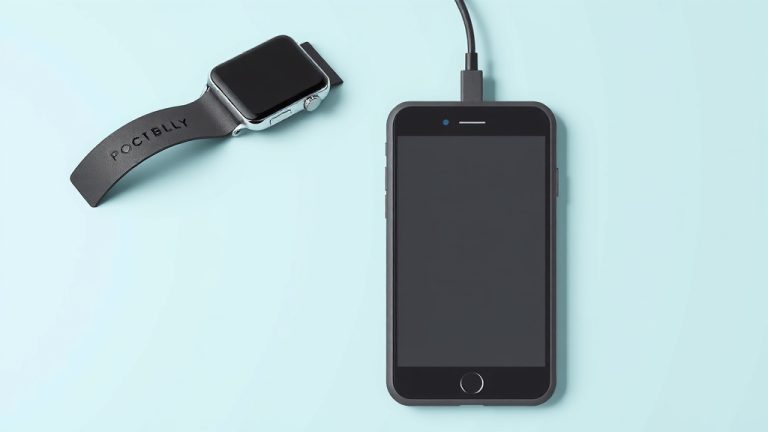
Charging your smartwatch is usually pretty straightforward. Most smartwatches charge wirelessly using a special charging puck or cable that comes with them. You simply place your watch on the charger, and it begins powering up, typically showing a charging icon on its screen.
Understanding how to charge your device correctly ensures it stays powered for your daily activities. Different brands might have slightly different charging methods, but the goal is always the same: getting your watch ready to go. We found that a full charge often takes between one to two hours, depending on the model.
- Most smartwatches use a wireless charging puck or cable.
- Place your watch on the charger to begin.
- Look for a charging indicator on the screen.
- A full charge usually takes 1-2 hours.
- Consult your watch’s manual for specific instructions.
Let’s walk through exactly how to charge your specific smartwatch model so you can get back to tracking your steps and notifications without worry.
Keeping Your Smartwatch Powered Up: A Simple Guide
Charging your smartwatch might seem as simple as plugging it in, but there are a few tips that can help you do it right. Getting a full charge ensures your watch is ready for workouts, calls, and all those handy notifications. We’ve found that understanding your specific model’s charging needs is key to keeping it running smoothly.
Understanding Your Smartwatch Charger
Most smartwatches today use a proprietary charging method. This means they typically come with a specific charging cable or a magnetic puck. You can’t just use any USB-C cable you have lying around. It needs to be the one designed for your watch model.
Types of Smartwatch Chargers
There are a few common ways smartwatches get their power:
- Magnetic Charging Pucks: These are very common. The puck has a USB connector on one end and a magnetic surface on the other. You simply align the back of your watch with the magnetic surface, and it snaps into place, starting the charge.
- Clips or Docks: Some watches come with a cradle or clip. You might need to position the watch precisely within the dock, or the clip might secure onto the watch band.
- Wireless Charging (Qi-compatible): A smaller number of smartwatches can charge on any standard Qi wireless charging pad. Check your watch’s specifications to see if yours supports this.
What to Do If Your Charger is Lost or Damaged
It happens! If you’ve misplaced your original charger or it’s stopped working, don’t panic. Your first step should be to check your smartwatch’s manual or the manufacturer’s website. They will tell you the exact model of charger you need. Buying a replacement from the official manufacturer is usually the safest bet to ensure compatibility and avoid damaging your device.
The Charging Process: Step-by-Step
Let’s get that battery topped up! It’s usually a quick process once you know the drill.
Connecting the Charger
First, plug the USB end of your charging cable or puck into a power source. This could be a wall adapter (like your phone charger), a USB port on your computer, or even a portable power bank. Then, attach the other end to your smartwatch, following the specific method for your model (magnetic alignment, clip, etc.).
Confirming the Charge
Once connected, your smartwatch screen should display a charging indicator. This might be a battery icon with a lightning bolt, a percentage count, or a dedicated charging animation. If you don’t see anything, try reconnecting the charger. Make sure the connection is secure.
Understanding Charging Times
How long does it take? We’ve found that a full charge typically takes anywhere from one to two hours. This can vary based on your watch model and how low the battery is. Some fast-charging models might get you a significant boost in just 15-20 minutes.
Checking Battery Health
As your smartwatch ages, the battery might not hold a charge as long as it used to. Most smartwatch operating systems have a setting where you can check your battery’s health or its maximum capacity. If you notice a significant drop, it might be time to consider a battery replacement, though this is often not user-serviceable.
Tips for Optimal Smartwatch Charging
Want to keep your smartwatch battery in good shape for as long as possible? A few simple practices can make a difference.
Use the Right Power Source
While most USB ports will work, using a high-quality wall adapter that matches your watch’s charging specifications can often provide a more stable and efficient charge. Some experts suggest avoiding charging directly from older, low-power computer USB ports if possible, as they can sometimes charge slower.
Avoid Extreme Temperatures
Charging your smartwatch in very hot or very cold conditions can be bad for the battery. Try to charge it at room temperature, around 50°F to 85°F (10°C to 30°C). Extreme heat, in particular, can degrade battery life over time (Cleveland Clinic).
Charging Overnight vs. Quick Charges
Is it okay to leave your smartwatch on the charger all night? Most modern smartwatches have circuitry to prevent overcharging, so leaving them on the charger overnight is generally safe. However, charging it to 100% and then letting it sit fully charged for hours might put a little extra stress on the battery. A quick top-up during the day can also be a good strategy if you need a power boost.
When to Unplug
We found that the sweet spot for battery longevity is often keeping the charge between 20% and 80%. While it’s not always practical to constantly monitor this, if you’re around your watch when it hits 100%, unplugging it then is a good habit. But again, don’t stress too much; modern technology makes it pretty forgiving!
Troubleshooting Common Charging Issues
What if your watch just isn’t charging? Don’t let a dead battery ruin your day. Here are some common fixes.
Check Connections
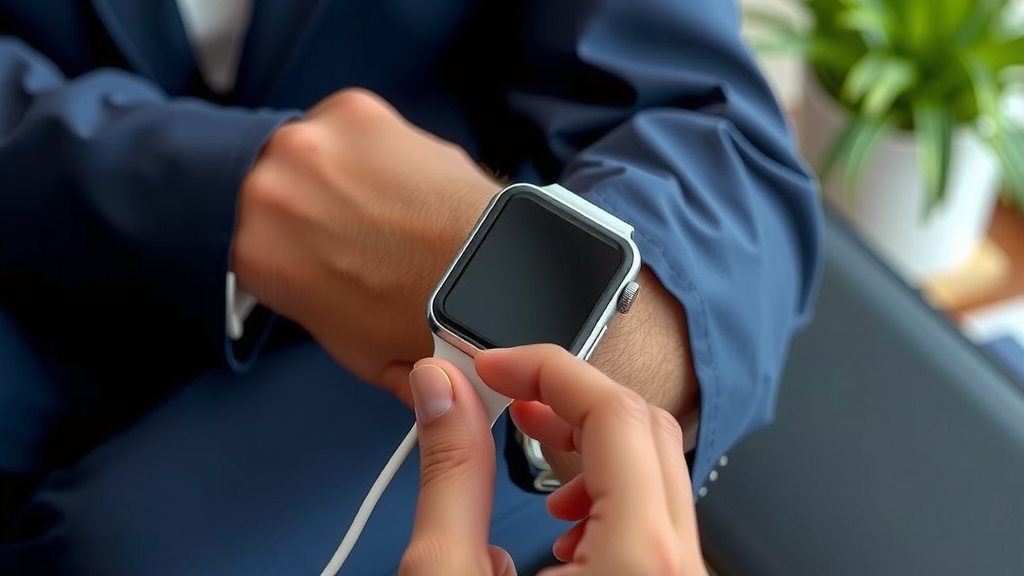
This sounds obvious, but double-check that the charging cable is firmly plugged into both the power source and your watch. Sometimes a slight jiggle or reseating the connection can fix it. Ensure there’s no debris in the watch’s charging port or on the charger itself.
Clean the Charging Contacts
Over time, the charging contacts on your watch or charger can accumulate dust, sweat, or lotion. This can interfere with the electrical connection. Try cleaning them gently with a dry, soft cloth or a cotton swab lightly dampened with isopropyl alcohol. Make sure everything is completely dry before trying to charge again.
Restart Your Smartwatch
Sometimes, a simple restart can resolve software glitches that might be preventing charging. Try turning your watch off completely, waiting a minute, and then turning it back on. Then, reconnect the charger.
Try a Different Power Source
If you’re charging from a computer USB port, try a wall adapter. If you’re using a wall adapter, try a different one or a different outlet. This helps rule out issues with the power source itself.
Smartwatch Charging Checklist
Follow these quick steps to ensure a successful charge:
- Confirm you have the correct charger for your specific smartwatch model.
- Plug the charger into a reliable power source (wall adapter recommended).
- Align or connect the charger securely to your smartwatch.
- Verify the charging indicator appears on your watch screen.
- Keep the watch in a temperate environment while charging.
- Disconnect once fully charged or after a few hours overnight.
Conclusion
You’ve now got the rundown on keeping your smartwatch charged and ready for action. Remember, most models use a specific charging puck or cable, so using the right one is key. We’ve seen that understanding your charger type and the basic charging process can save you time and prevent battery headaches. Don’t forget simple tips like avoiding extreme temperatures and cleaning your contacts. Your next step? Double-check that your charger is clean and securely connected for a quick, efficient power-up. Happy charging!
Frequently Asked Questions
How do I know if my smartwatch is charging?
When your smartwatch is charging, you should see a charging indicator on its screen. This often looks like a battery icon with a lightning bolt or a percentage displaying the current charge level. If you don’t see this, try reseating the charger.
Can I charge my smartwatch with a phone charger?
Generally, you can use the USB end of your phone’s wall adapter to power your smartwatch charger. However, you still need to use the specific charging cable or puck that came with your watch. Don’t try to connect your phone’s charging cable directly to your watch.
Is it bad to leave my smartwatch charging overnight?
For most modern smartwatches, leaving them on the charger overnight is safe. They have built-in technology to prevent overcharging. However, continuously keeping the battery at 100% for extended periods might slightly reduce its long-term lifespan.
What should I do if my smartwatch won’t charge at all?
First, ensure all connections are secure and clean the charging contacts on both the watch and the charger. Try a different power source, like a wall outlet instead of a computer USB. A simple restart of your smartwatch can also sometimes resolve charging issues.
How often should I fully charge my smartwatch?
You don’t need to wait for your smartwatch battery to be completely dead before charging. Many experts suggest keeping the charge between 20% and 80% for optimal battery health, but don’t stress too much. Charging it whenever it’s convenient, even for a quick top-up, is perfectly fine for most users.
![7 Best Smart Watch For Blood Pressure And Ecg [2026]](https://smartwatchbest.com/wp-content/uploads/2026/08/7-best-smart-watch-for-blood-pressure-and-ecg-2026-featured-768x432.jpg)