
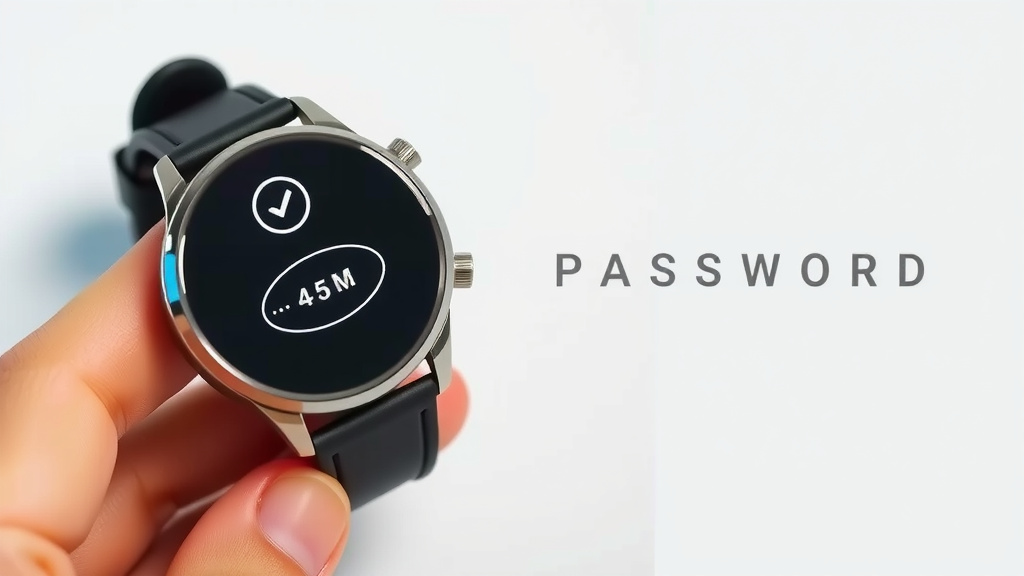
How to Reset Your Smartwatch Password
Forgot your smartwatch password? Don’t worry! The quickest way to reset your password on a smartwatch usually involves using its companion app on your smartphone. You’ll typically need to access the device settings within the app and look for a “forgot password” or “reset” option. This process can often be completed in just a few simple steps.
When your smartwatch locks you out, it can feel like a real bummer. Many models, like Apple Watches and Samsung Galaxy Watches, have built-in security features to protect your personal data. Resetting the password ensures only you can access your fitness stats and notifications. We found that the exact method can vary slightly by brand and model, but the app-based approach is the most common.
- Most smartwatches use a companion app for password resets.
- Look for “forgot password” or “reset security” in the app’s settings.
- You might need your phone’s password or email verification.
- Some watches allow direct reset from the device itself if you know the old PIN.
- Always have your phone nearby for the reset process.
Let’s walk through the general steps and some common scenarios to get your smartwatch unlocked again.
Getting Your Smartwatch Password Reset
It happens to the best of us: you tap your wrist, ready to check the time or a notification, and BAM! Your smartwatch is asking for a password. Don’t panic! We’ve found that most smartwatch password resets aren’t as complicated as they might seem. The main goal is to regain access to your device safely.
Understanding Why Your Watch Asks for a Password
Your smartwatch is a tiny computer on your wrist. It holds a lot of personal information. Think about your fitness data, messages, and even payment details. Because of this, most smartwatches have a security feature. This is usually a PIN or password. It stops unauthorized people from seeing your data if your watch is lost or stolen. Keeping this password secure is important. But forgetting it is also quite common!
The Companion App: Your Primary Reset Tool
The most common and usually the easiest way to reset a forgotten smartwatch password is through its companion app on your smartphone. We’ve seen this across many brands. Your phone and watch work together closely. The app often acts as a control center for your watch’s settings. This is where you’ll typically find the option to reset security features. The most common and usually the easiest way to reset a forgotten smartwatch password is through its companion app on your smartphone.
Steps to Reset via the Companion App
Here’s a general rundown of what you’ll likely do. Keep in mind that the exact wording and location of options might differ slightly between brands like Apple, Samsung, Fitbit, or Garmin.
- Open the Companion App: Find and launch the specific app for your smartwatch on your phone.
- Navigate to Device Settings: Look for a section labeled “My Device,” “Watch Settings,” or something similar.
- Find Security or Lock Options: Within the device settings, search for “Security,” “Screen Lock,” “Passcode,” or “Privacy.”
- Locate the Reset Option: You should see an option like “Forgot Password,” “Reset Passcode,” or “Change PIN.”
- Follow On-Screen Prompts: The app will guide you through the rest. This might involve verifying your identity.
Identity Verification Steps
To make sure it’s really you, the app might ask for a few things. You may need to enter your phone’s unlock PIN or password. Sometimes, you might need to enter your associated email account password. Other times, a verification code sent to your phone or email is required. We found this verification step is key to keeping your data safe.
Resetting Different Smartwatch Brands
While the app method is common, let’s touch on a couple of popular examples. This can give you a clearer picture.
Apple Watch Reset
For an Apple Watch, the process is often linked to your iPhone. If you’ve forgotten your passcode, you can erase and unpair your Apple Watch. Then, you can re-pair it. This is done through the Watch app on your iPhone. You’ll go to “My Watch,” then “General,” and find the “Erase Apple Watch” option. This wipes all settings and data, including the passcode. You can then set it up as a new watch or restore from a backup (Apple Support).
Samsung Galaxy Watch Reset
Samsung Galaxy Watches typically use the Samsung Wearable app. If you’re locked out, open the Wearable app on your connected phone. Go to “Settings,” then “Watch settings.” You should find an option to reset the watch there. Similar to Apple, this will erase all data and the passcode. You’ll then need to re-pair the watch to your phone.
Fitbit and Garmin Resets
Fitbit and Garmin devices also rely on their respective mobile apps (Fitbit app, Garmin Connect app). Within these apps, you’ll navigate to your device’s settings. Look for security or device management options. You’ll usually find a way to reset the device or its passcode directly from the app. These resets also typically erase your watch.
Direct Reset Options on the Watch Itself
In some cases, you might be able to reset the password directly from the smartwatch. This is less common for forgotten passwords but is sometimes an option if you just want to change it and know the current PIN. Usually, this requires you to know your current passcode to access the settings menu on the watch itself. You’d go to Settings > Security > Passcode > Change Passcode. If you don’t know the current one, this method won’t work for a forgotten password.
What if the App Doesn’t Work?
Sometimes, technology throws us a curveball. If you’re having trouble with the companion app, there are a few other things to try. First, ensure your phone and watch are still connected via Bluetooth. A stable connection is vital for the app to communicate with your watch. Make sure your phone’s operating system and the smartwatch app are both updated to the latest versions. Old software can sometimes cause glitches.
Restart Both Devices
A simple restart can often fix many minor issues. Try turning off both your smartwatch and your smartphone. Wait about 30 seconds, then turn them back on. Once both are powered up and reconnected, try the reset process in the app again. We found this basic troubleshooting step can surprisingly solve a lot of problems.
Contacting Manufacturer Support
If all else fails, don’t hesitate to reach out to the manufacturer’s customer support. They have the most specific knowledge about their devices. They can guide you through more advanced troubleshooting steps. They might even be able to assist with a manual reset if there’s a known issue. Having your watch’s model number and serial number handy will speed up the process. Many support pages also offer detailed guides and FAQs that might have the answer you need.
A Quick Checklist for Smartwatch Password Resets
To make sure you’re prepared, here’s a handy checklist:
- Have your smartphone nearby.
- Ensure Bluetooth is turned ON for your phone.
- Know the login details for your smartwatch’s companion app.
- Be ready to verify your identity if prompted.
- Check for app and phone software updates.
- If needed, have manufacturer support contact information ready.
Conclusion
Resetting your smartwatch password doesn’t have to be a headache. We’ve found that using your phone’s companion app is your most reliable tool. Remember to check your app settings for options like “Forgot Password” or “Reset Security.” For most brands, this process will guide you through identity verification to keep your data safe. If you run into trouble, a quick restart of both devices or reaching out to the manufacturer’s support can help. You’ve got this – your smartwatch will be back up and running before you know it!
Frequently Asked Questions
What if I don’t have the companion app installed anymore?
If you’ve uninstalled the companion app, you’ll need to reinstall it from your phone’s app store. Once installed, open the app and log in with your existing smartwatch account credentials. You should then be able to access your device settings to reset the password.
Can I reset my smartwatch password if my phone is lost or broken?
This can be tricky. Ideally, you’d use the companion app on a working phone. Some manufacturers might offer a web portal where you can manage your device settings. Check your smartwatch brand’s website for online account management options, but a direct reset without a paired phone might not be possible.
Will resetting my password delete my data and apps on the watch?
Yes, in most cases, a password reset process involves erasing your smartwatch. This is a security measure to ensure the old passcode is completely removed. You’ll typically be able to restore your watch from a backup during the re-pairing process, or set it up as a new device.
How often should I change my smartwatch password?
There’s no strict rule for changing your smartwatch password, but it’s good practice to update it periodically. Consider changing it if you’ve shared your watch with someone or if you suspect your account might have been compromised. Treat it like your phone’s password – update it for peace of mind.
What’s the difference between resetting a password and unpairing a watch?
Resetting a password usually refers to regaining access to your watch by changing or removing the forgotten passcode. Unpairing, on the other hand, disconnects the watch from your phone and typically erases all data from the watch. You often unpair before selling or giving away your watch, but a password reset might also involve unpairing as part of the process.

![7 Best Battery Smart Watches [2026]](https://smartwatchbest.com/wp-content/uploads/2026/07/7-best-battery-smart-watches-2026-featured-768x432.jpg)

![7 Best Smart Watches [2026]](https://smartwatchbest.com/wp-content/uploads/2026/06/7-best-smart-watches-2026-featured-768x432.jpg)