
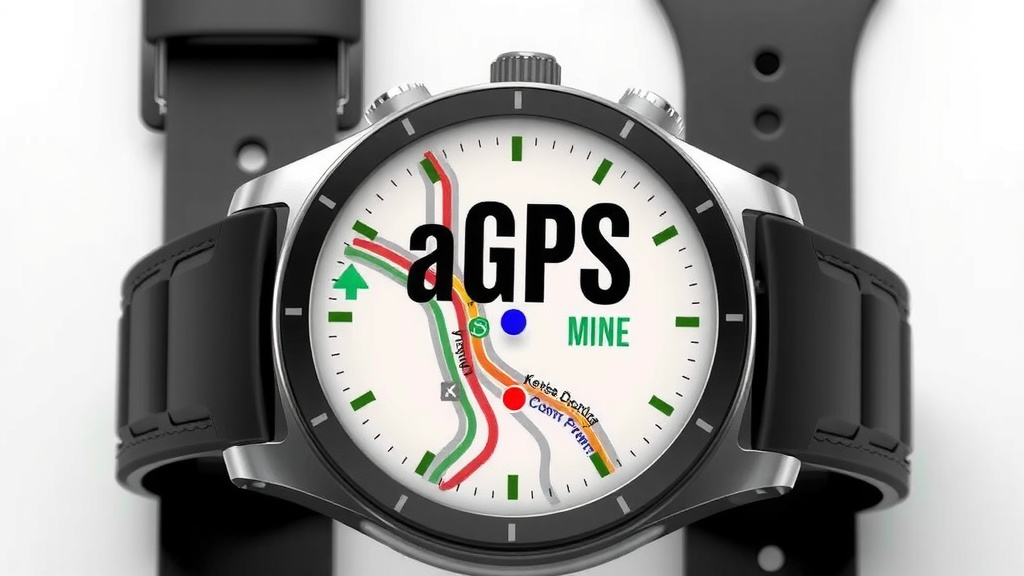
What is aGPS in Smartwatches Explained Simply
AGPS on your smartwatch is a clever system that uses both satellite signals and your phone’s data to get a faster and more accurate location. Think of it as GPS getting a helpful boost from your phone’s cellular connection. This means quicker location fixes for your runs or hikes without draining your watch battery quite as much.
Many smartwatches today rely on AGPS, or Assisted GPS, to pinpoint your whereabouts. It’s designed to work alongside the traditional GPS you might already know. This assisted approach helps your device get moving faster, especially when you first turn on location services. It’s all about giving you a smoother experience when you’re out and about.
- AGPS helps your smartwatch find your location quickly.
- It uses satellite signals plus your phone’s data.
- This leads to faster and more accurate positioning.
- It can also help save your watch’s battery life.
We found that understanding how AGPS works can really improve your smartwatch experience. Let’s dive into the details and see exactly how this technology benefits you.
How Your Smartwatch Gets Its Location with AGPS
AGPS, or Assisted GPS, is a smart system that helps your smartwatch figure out where you are much faster and more accurately than traditional GPS alone. It works by combining signals from satellites with data from your smartphone. Think of it as giving your watch’s GPS a little extra help from your phone’s internet connection. This means you get a quick location fix, whether you’re starting a run or exploring a new trail.
Understanding the AGPS Process
So, how does this “assistance” actually happen? When you turn on location services on your smartwatch, it needs to talk to satellites to pinpoint your position. This can sometimes take a while, especially if you’re in a spot with a weak signal or if your watch hasn’t acquired a fix recently.
The Role of Satellite Signals
Traditional GPS relies on your device receiving signals from multiple satellites orbiting Earth. Your smartwatch has a GPS receiver that listens for these signals. By calculating the time it takes for signals from at least four different satellites to arrive, it can triangulate your precise location. This is pretty amazing technology, but it can be slow to get started.
How Your Phone “Assists”
This is where AGPS shines. Instead of waiting for your smartwatch to slowly lock onto satellite signals, AGPS uses your smartphone to speed things up. Your phone has a much better connection to cellular networks and Wi-Fi. It can quickly download “almanac” and “ephemeris” data, which are like digital maps and schedules for the satellites. This data tells your watch where the satellites are supposed to be at any given moment.
When your watch uses AGPS, it asks your phone for this satellite information. Your phone gets it from its cellular or Wi-Fi connection. Then, it sends this helpful data to your watch. This means your watch doesn’t have to “hunt” for satellite signals from scratch. It already knows where to look, which dramatically cuts down the time it takes to get a location lock. We found this makes a big difference for quick activities.
Faster Time to First Fix (TTFF)
The main benefit of AGPS is its ability to significantly reduce the Time to First Fix (TTFF). This is the time it takes for your device to get its very first location reading after being turned on or losing signal. Traditional GPS can sometimes take minutes, especially in challenging environments. AGPS, by providing that initial satellite data, can get you a fix in a matter of seconds. Many studies have shown AGPS can improve TTFF by as much as 70-80% in some cases.
AGPS vs. Traditional GPS: What’s the Difference for You?
You might be wondering if your smartwatch has AGPS or just regular GPS. Most modern smartwatches, especially those designed for fitness tracking or outdoor activities, use AGPS. It’s often a built-in feature designed to enhance your experience.
Accuracy and Reliability
While AGPS helps with speed, it also contributes to accuracy. By knowing the exact position of the satellites, your watch can make more precise calculations. This is especially true in areas where satellite signals might be weak or obstructed, like in urban canyons (between tall buildings) or under a dense forest canopy. Your phone’s connection can help fill in the gaps.
Power Consumption and Battery Life
One common concern with GPS on wearables is battery drain. Constantly searching for and communicating with satellites uses a lot of power. Because AGPS reduces the amount of time your watch’s GPS receiver needs to actively search for signals, it can help conserve battery life. Your phone does a lot of the heavy lifting in acquiring the initial data. We found that watches using AGPS often report better battery performance during GPS-tracked activities compared to older GPS-only devices.
Think of it like this: Traditional GPS is like trying to find a specific house on a huge map without any street names. You have to search and search. AGPS is like having that map with all the street names and house numbers already provided. Your watch just needs to find the street and then the house number. It’s much quicker and less effort.
When Does AGPS Help You the Most?
You’ll notice the benefits of AGPS in several common scenarios:
- Starting an Activity: When you press “start” on your running app, AGPS ensures you get a location lock almost instantly. No more waiting around.
- Urban Environments: Tall buildings can block satellite signals. AGPS helps your watch maintain a connection even in “urban canyons.”
- Indoor/Outdoor Transitions: If you move from a covered area to an open space, AGPS helps your watch re-establish its position quickly.
- Hiking and Trail Running: Even under tree cover, the assisted data can help keep your track accurate and your device responsive.
Does AGPS Need a Phone Connection?
This is a common question, and the answer is a little nuanced. AGPS works best when your smartwatch AGPS works best when your smartwatch can connect to your phone wirelessly, typically via Bluetooth, but this guide explores alternatives.can connect to your phone wirelessly, typically via Bluetooth. Your phone then uses its cellular or Wi-Fi connection to fetch the satellite data. If your watch is designed to be completely independent, it might have its own cellular or Wi-Fi chip to download this data directly, but this is less common.
What if Your Phone Isn’t Nearby?
If your smartwatch has built-in cellular (like an LTE model) or Wi-Fi, it might be able to download AGPS data on its own, without your phone. However, if it relies solely on Bluetooth to communicate with your phone, and your phone isn’t connected or nearby, your smartwatch will likely fall back to using its traditional GPS receiver. In this situation, the “assisted” part is lost, and you might experience longer wait times for a location fix.
AGPS Data and Its Lifespan
The satellite data that AGPS uses is not static. Satellites move, and their orbital paths are constantly tracked. This means the assistance data your watch receives is only valid for a certain period, usually a few days up to a couple of weeks. This is why it’s recommended to sync your watch with your phone occasionally, especially if you haven’t used location services in a while. This ensures your watch gets the most up-to-date satellite information.
Experts often advise that if you go more than 14 days without updating this AGPS data, your watch might struggle to get a quick lock, and you could see longer GPS acquisition times. It’s a good habit to keep your devices synced.
Smartwatch AGPS Checklist
To ensure you’re getting the most out of your smartwatch’s location features:
- Keep your smartwatch firmware updated.
- Sync your smartwatch with your phone regularly via Bluetooth.
- Ensure your phone has an active internet connection (Wi-Fi or cellular) for syncing.
- Check your smartwatch settings to confirm location services are enabled.
- Understand that AGPS works best when your phone is within Bluetooth range.
- Be aware that older AGPS data can impact your GPS acquisition speed.
Conclusion
So, you’ve learned how AGPS gives your smartwatch a smart boost for faster, more accurate location tracking. It cleverly uses your phone’s connection to help your watch find satellites quicker. This means less waiting and better battery life on your adventures. To make sure you’re getting the best from your device, remember to sync your watch with your phone regularly. This keeps that helpful satellite data fresh. Your next workout or hike will feel that much smoother!
Frequently Asked Questions
Will my smartwatch’s GPS still work if my phone isn’t nearby?
It depends on your smartwatch model. If your watch has its own cellular or Wi-Fi capabilities, it might download AGPS data independently. However, many watches rely on a Bluetooth connection to your phone for this data. Without your phone, your watch will likely fall back to traditional GPS, which can be slower to get a location fix.
How often do I need to update the AGPS data on my watch?
The AGPS data is only good for a limited time, usually a couple of weeks. For the best performance, try to sync your watch with your phone at least once every 14 days. This ensures your watch has the most current satellite information.
Can AGPS improve the accuracy of my smartwatch’s GPS?
Yes, AGPS can help with accuracy, especially in areas where satellite signals are weak or blocked. By getting accurate satellite position data from your phone, your watch can make more precise calculations, filling in gaps where traditional GPS might struggle.
Does AGPS use more data on my phone plan?
The amount of data used for AGPS is typically very small. It’s just for downloading small packets of satellite almanac and ephemeris data. This process usually takes only a few seconds during a sync. You likely won’t notice any significant impact on your monthly data usage.
Is AGPS the same as Wi-Fi positioning?
No, they are different. AGPS specifically uses cellular networks and Wi-Fi on your phone to get satellite information for your watch’s GPS. Wi-Fi positioning, on the other hand, uses your phone’s or watch’s Wi-Fi connection to estimate your location by identifying nearby Wi-Fi networks.
![7 Best Smart Watch 2025 For Health [2026]](https://smartwatchbest.com/wp-content/uploads/2026/08/7-best-smart-watch-2025-for-health-2026-featured-768x432.jpg)
![7 Best Smart Watch Blood Pressure Monitor [2026]](https://smartwatchbest.com/wp-content/uploads/2026/08/7-best-smart-watch-blood-pressure-monitor-2026-featured-768x432.jpg)

![7 Best Army Smart Watch [2026]](https://smartwatchbest.com/wp-content/uploads/2026/06/7-best-army-smart-watch-2026-featured-768x432.jpg)