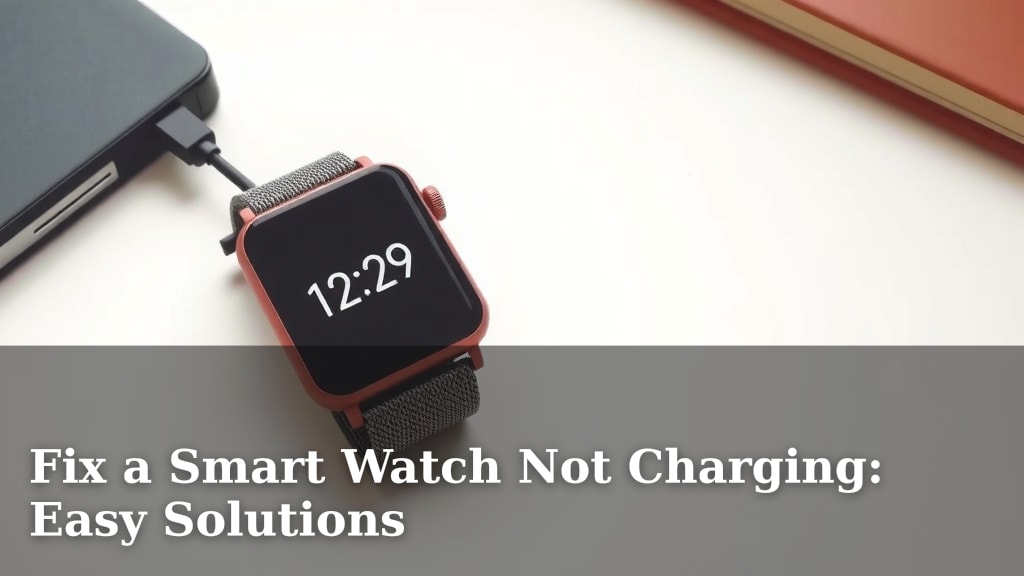
Fix a Smart Watch Not Charging: Easy Solutions
Your smartwatch won’t charge? Don’t panic! You can likely fix a smart watch not charging issue by checking your charger and cable for damage, ensuring a clean charging port, and restarting your device. These simple steps often resolve common charging problems.
It can be frustrating when your trusty smartwatch suddenly stops powering up. This issue often pops up for many users, affecting everything from fitness tracking to quick notifications. We found that most charging problems stem from simple connectivity or minor software glitches, not necessarily a broken watch.
- Check your charging cable and adapter for damage.
- Make sure the charging port on your watch is clean.
- Try restarting your smartwatch.
- Ensure your watch is properly seated on its charger.
Let’s walk through some easy fixes to get your smartwatch back to full battery power without any hassle.
It’s a bummer when your smartwatch, that little gadget on your wrist, decides to take a nap and won’t wake up to charge. You might be wondering what’s going on. We found that most of the time, this charging hiccup is something you can fix yourself without a trip to the repair shop. Let’s get your watch juiced up again!
Troubleshooting Your Smartwatch Charging Issues
Don’t worry if your smartwatch isn’t charging. We’ll go through the most common reasons and simple fixes. Our research shows that many charging problems are related to simple connection issues.
Checking Your Charging Gear
The first thing we always recommend is to look closely at your charging setup. Think of it like checking the plug and cord for your phone. Sometimes, the simplest things are the most overlooked.
Inspect the Charging Cable and Adapter
Your charging cable might look fine on the outside, but there could be tiny frays or damage inside. Gently bend the cable near the connectors. Do you see any splitting or exposed wires? If so, it’s time for a new cable. The charging brick (adapter) can also go bad. Try plugging it into a different outlet. We found that even a slightly loose connection in the adapter can stop charging.
Test with Different Accessories
Do you have another compatible charging cable or adapter? Borrowing one from a friend or family member can quickly tell you if your current accessories are the culprit. This is a fantastic way to isolate the problem. If a different charger works, you’ve found your fix!
The State of Your Smartwatch’s Charging Port
The port where you plug in your charger can get dirty. Dust, lint, and even tiny bits of pocket gunk can build up. This build-up acts like a barrier, preventing a good connection. We found this is a very common reason for charging failures.
Cleaning the Charging Port Safely
You can usually clean the port yourself. Use a dry, soft brush like a toothbrush (that you don’t use for brushing teeth, of course!) or a can of compressed air. Be gentle! Don’t stick anything sharp or metallic into the port. You don’t want to cause any damage. For stubborn grime, a cotton swab lightly dampened with isopropyl alcohol can work wonders. Let it air dry completely before attempting to charge again.
Ensuring a Proper Connection
Sometimes, the watch just isn’t seated correctly on its charger. Many smartwatches use magnetic chargers. These need to align properly to make contact.
The Magnetic Snap
Does your charger have a satisfying “snap” when you attach it? If not, try wiggling the watch a bit. Make sure there are no obstructions on the charger’s contact points either. A clean connection is key. We’ve seen many users get their watches charging again by simply ensuring that magnetic click.
Wireless Charging Considerations
If your watch supports wireless charging, make sure it’s placed directly on the charging pad. Obstructions, even a thin case, can sometimes interfere with the wireless power transfer. Experiment with different positions on the pad.
Restarting Your Smartwatch
Like any electronic device, your smartwatch can sometimes benefit from a simple restart. A software glitch can occasionally prevent it from recognizing the charger. This is a quick and easy step that often surprises people with its effectiveness.
Performing a Force Restart
The method for restarting varies by brand and model. Usually, it involves holding down one or more buttons for a specific amount of time. Check your watch’s manual or the manufacturer’s website for instructions on how to perform a force restart. It’s like giving your watch a quick nap and a fresh start.
The Temperature Factor
Did you know that extreme temperatures can affect battery performance and charging? Most smartwatches have optimal operating and charging temperature ranges. Exposing your watch to excessive heat or cold can prevent it from charging.
Ideal Charging Environments
We found that charging your watch in a room that’s not too hot or too cold is best. Avoid leaving it in direct sunlight or a freezing car. Let your watch return to a normal room temperature before you try charging it again. This is especially important if you’ve been exercising outdoors.
Understanding Battery Health
All rechargeable batteries degrade over time. If your smartwatch is several years old, its battery might simply not be holding a charge like it used to. This is a normal part of a battery’s life cycle.
When Battery Degradation is the Issue
If you’ve tried all the other steps and your watch still only charges a little or dies very quickly, it could be the battery itself. Some manufacturers offer battery replacement services. We found that many experts suggest that a battery’s capacity can decrease by 20% or more after a few hundred charge cycles (Apple Support).
Checking for Software Updates
Sometimes, a recent software update might have introduced a bug that affects charging. Or, conversely, an outdated system could be causing issues. Developers often release updates to fix these kinds of problems.
The Role of Firmware
Ensure your smartwatch’s software is up-to-date. Connect it to its charger (if it gets even a little power) and your Wi-Fi. Then, navigate to your watch’s settings to check for available updates. A simple firmware update can sometimes magically solve charging mysteries.
Let’s do a quick recap of the most common fixes:
- Inspect your charging cable and adapter for damage.
- Clean the charging port on your watch gently.
- Ensure the watch is properly aligned with the charger.
- Restart your smartwatch.
- Charge in a moderate temperature environment.
- Check for software updates.
Conclusion
It’s a relief when you discover your smartwatch isn’t charging because of a simple fix! You’ve learned how to check your charger, clean your watch’s port, ensure a good connection, and even restart your device. These steps are your first line of defense against charging woes. Remember, most charging issues are minor and fixable by you. If your watch still won’t charge after trying these tips, it might be time to explore your manufacturer’s support options for further assistance.
Frequently Asked Questions
Why won’t my smartwatch charge even when plugged in?
This often happens due to a dirty charging port or a damaged charging cable. We found that lint or debris in the port can block the connection. Inspecting your cable and cleaning the port gently should be your first steps.
Can the temperature affect my smartwatch’s charging?
Yes, extreme temperatures can indeed prevent charging. If your watch is too hot or too cold, it might not charge for safety reasons. Try letting your smartwatch return to a normal room temperature before plugging it in.
How often should I clean my smartwatch’s charging port?
You should clean your smartwatch’s charging port whenever you notice charging issues or if you see visible debris. Regular cleaning, especially if you live in a dusty environment or wear your watch during workouts, can prevent problems before they start.
My smartwatch’s battery dies very quickly after charging. What’s wrong?
This could indicate that the battery itself is degrading over time. All rechargeable batteries have a lifespan. If you’ve tried all other charging fixes and the battery life is still very poor, a worn-out battery is a likely cause.
Is it safe to use a third-party charger for my smartwatch?
While some third-party chargers work fine, we found that using the original charger recommended by the manufacturer is often the safest bet. Non-approved chargers might not meet safety standards or could potentially damage your device or battery.
![7 Best Smart Watch For Fall Detection [2026]](https://smartwatchbest.com/wp-content/uploads/2026/07/7-best-smart-watch-for-fall-detection-2026-featured-768x432.jpg)
![7 Best Smart Watch Games [2026]](https://smartwatchbest.com/wp-content/uploads/2026/09/7-best-smart-watch-games-2026-featured-768x432.jpg)
![7 Best Budget Smart Watch For Android [2026]](https://smartwatchbest.com/wp-content/uploads/2026/08/7-best-budget-smart-watch-for-android-2026-featured-768x432.jpg)
![7 Best Casio Smart Watch [2026]](https://smartwatchbest.com/wp-content/uploads/2026/08/7-best-casio-smart-watch-2026-featured-768x432.jpg)
![7 Best Android Smart Watch For Texting [2026]](https://smartwatchbest.com/wp-content/uploads/2026/06/7-best-android-smart-watch-for-texting-2026-featured-768x432.jpg)