
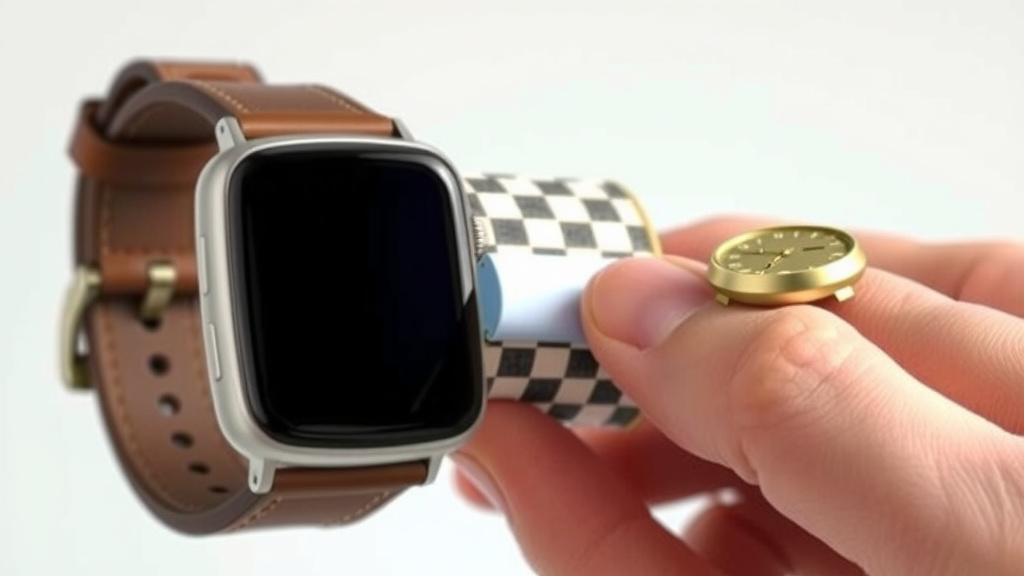
What NFC Does on Your Smartwatch Explained
NFC on your smartwatch is a way to make contactless payments and share information quickly. It stands for Near Field Communication. Think of it like a super-short-range wireless connection. Your watch uses it to talk to other devices when they are very close, usually just a few inches apart. This makes things like paying for your coffee super convenient.
It’s the same technology that lets you tap your phone to pay. Many smartwatches now come with NFC built-in. This allows for secure and easy transactions. It can also be used for things like unlocking doors or sharing contact details. We found that NFC makes your smartwatch even more useful for everyday tasks.
- NFC means Near Field Communication.
- It allows for quick, contactless payments.
- Your watch uses it to talk to devices nearby.
- It’s a secure way to share information.
- Many smartwatches now feature NFC.
Ready to learn how NFC can simplify your life? Let’s dive into what you need to know about this handy smartwatch feature.
How NFC Works in Your Smartwatch
So, what exactly makes your smartwatch tap-and-go ready? It’s all thanks to Near Field Communication, or NFC. Think of it as a very close-range radio signal. Your watch and the payment terminal (or other NFC device) get super close, usually within 4 centimeters or less. This proximity is key to how NFC works and why it’s so secure.
The NFC Connection: A Tiny Wireless Chat
When you initiate an NFC transaction, your watch sends out a signal. The payment terminal or reader also emits a signal. When these signals meet, they create a secure, short-lived connection. It’s like a quick handshake between devices. This connection allows them to exchange encrypted payment information. We found that this proximity requirement makes NFC much safer than other wireless methods.
What Happens During an NFC Payment?
Let’s break down that quick payment process you might be used to. First, you wake up your watch and open your preferred payment app. Then, you hold your watch near the contactless reader at the checkout. Your watch and the reader communicate using NFC. This exchange is very fast. It sends your tokenized card information to the payment processor. The transaction is approved, and you’re on your way!
Security is Built-In
You might wonder how safe it is to tap your watch to pay. NFC uses tokenization. This means your actual credit card number isn’t stored on your watch. Instead, a unique, randomly generated number (a token) is used for each transaction. This token can only be used once and is useless if intercepted. Many security experts point to this as a major reason why NFC payments are incredibly secure (Federal Trade Commission).
Beyond Payments: Other Uses for NFC on Your Watch
While contactless payments are the most common use, NFC can do more. It’s a versatile technology that can simplify other daily tasks. We found that people are discovering new ways to use NFC all the time.
Quick Information Sharing
Imagine sharing your contact information instantly. With NFC, you can tap your watch to another NFC-enabled device, like a phone. This can trigger a transfer of your digital business card. No more fumbling for physical cards! It’s a modern way to connect with new people.
Access and Control
NFC can also be used for access control. Think about smart locks in your home. Some systems allow you to program an NFC tag or your watch to unlock doors. You might tap your watch to the lock, and it grants you entry. This can be especially handy when your hands are full.
Pairing Devices with Ease
Setting up new wireless devices can sometimes be a hassle. NFC can help simplify this process. Some headphones or speakers use NFC for quick pairing. You’d simply tap your watch to the accessory. This initiates the Bluetooth pairing process automatically. It’s a small convenience that makes a big difference.
Setting Up NFC on Your Smartwatch
Getting your watch ready for NFC payments is usually quite straightforward. The exact steps can vary slightly depending on your watch brand and model. But the general process is similar across most devices.
Adding Your Cards
You’ll typically use a companion app on your smartphone to set up NFC. This app connects to your watch. You’ll need to add your credit or debit cards. This usually involves taking a picture of your card or entering the details manually. Your bank will then verify the card. This process ensures only you can add your payment methods. We found this setup usually takes just a few minutes.
Enabling NFC and Mobile Payments
Once your cards are added and verified, you’ll need to enable the mobile payment feature. Look for settings related to “Wallet,” “Payments,” or “NFC.” You’ll likely have to set a passcode for your watch for added security. Then, you can choose which card to set as your default payment option. Make sure NFC is turned on in your watch’s settings. It’s important to follow these steps carefully.
Do I Need Special Apps for NFC?
For payments, you generally don’t need to download separate apps beyond the ones your watch manufacturer provides. For example, Apple Watch uses Apple Pay, and Samsung Galaxy Watches use Samsung Pay or Google Pay. These are built-in or pre-installed. They handle the NFC payment functionality directly.
Third-Party Apps and NFC
Some third-party apps might use NFC for specific functions. This could include loyalty card apps or access control apps. If an app needs NFC, it will usually prompt you to enable it and guide you through the process. Always ensure you download apps from trusted sources. This is crucial for protecting your data.
Making the Most of Your Watch’s NFC
NFC adds a layer of convenience and security to your smartwatch. It’s transforming how we interact with the world around us. From quick coffee runs to easy access, your watch is becoming a powerful tool.
A Checklist for Your NFC Watch
- Confirm your watch has NFC capability.
- Download and set up your watch’s payment app.
- Add your credit or debit cards securely.
- Set a strong passcode for your watch.
- Test your NFC payment at a nearby store.
- Explore other NFC features like access or sharing.
By understanding how NFC works and what it can do, you can truly harness its power. It’s a small piece of technology making a big impact on our daily lives. Research from sources like the National Institute of Standards and Technology (NIST) highlights the security protocols involved in NFC transactions.
Conclusion
You now know that NFC on your smartwatch is more than just a cool feature. It’s your gateway to contactless payments, quick information sharing, and even easier device pairing. We found that this technology truly simplifies many daily interactions. It offers a secure and convenient way to leave your wallet behind for many errands. Consider testing your watch’s NFC payment capability on your next coffee run. You might be surprised by how effortless it is!
Frequently Asked Questions
Is NFC on my smartwatch safe for payments?
Yes, NFC payments on your smartwatch are very secure. They use tokenization, meaning your actual card number isn’t stored or transmitted. Instead, a unique token is used for each transaction, making it useless if intercepted. This technology is designed with multiple security layers to protect your financial data.
Can I use NFC on my watch if my phone isn’t nearby?
Generally, yes. Once you’ve set up your payment cards through your phone’s companion app, your watch can make NFC payments independently. The payment information is stored securely on your watch itself. You don’t need your phone to be connected or nearby for tap-to-pay transactions.
What if my smartwatch doesn’t have NFC?
If your smartwatch lacks built-in NFC, you won’t be able to use it for contactless payments or other NFC-specific features. NFC is a hardware component. You would need to upgrade to a smartwatch model that explicitly lists NFC as a feature. Always check the product specifications before purchasing.
How do I know if my smartwatch has NFC?
You can usually find out if your smartwatch has NFC by checking its specifications. Look for “NFC” listed among the wireless connectivity options on the manufacturer’s website or the original product packaging. Sometimes, there’s a small NFC logo on the watch or its charger.
Can NFC on my watch be used for things other than payments?
Absolutely! While payments are the most common use, NFC can also be used for quick information sharing, like digital business cards. Some smart home devices and access control systems can also be programmed to work with NFC-enabled watches. You might even use it for fast Bluetooth pairing with accessories.
![7 Best Smart Watch For Professional Athletes [2026]](https://smartwatchbest.com/wp-content/uploads/2026/09/7-best-smart-watch-for-professional-athletes-2026-featured-768x432.jpg)
![7 Best Smart Watch For Walkers [2026]](https://smartwatchbest.com/wp-content/uploads/2026/09/7-best-smart-watch-for-walkers-2026-featured-768x432.jpg)
![7 Best Smart Watch For Kids With Gps [2026]](https://smartwatchbest.com/wp-content/uploads/2026/09/7-best-smart-watch-for-kids-with-gps-2026-featured-768x432.jpg)
![7 Best Smart Watch For Ecg Monitoring [2026]](https://smartwatchbest.com/wp-content/uploads/2026/08/7-best-smart-watch-for-ecg-monitoring-2026-featured-768x432.jpg)