Fix Your Smartwatch Screen: A Simple Step-by-Step Guide
Yes, you can often repair a cracked or broken smartwatch screen yourself without professional help. Many DIY kits and online tutorials make it possible to replace the damaged glass or display. This can be a cost-effective solution to get your beloved wearable working again.
While a shattered screen might seem like the end of your smartwatch’s life, it’s usually a fixable problem. We’ve researched common smartwatch screen issues and found that most involve a damaged display or outer glass. Repairing it yourself can save you money compared to a professional service or buying a new device.
- Assess the damage to your smartwatch screen.
- Gather the right tools and replacement parts.
- Follow step-by-step guides carefully.
- Test your repaired smartwatch thoroughly.
Let’s walk through how to approach fixing your smartwatch screen, step by step.
Fixing Your Smartwatch Screen: A DIY Guide
Yes, you can often repair a cracked or broken smartwatch screen yourself without professional help. Many DIY kits and online tutorials make it possible to replace the damaged glass or display. This can be a cost-effective solution to get your beloved wearable working again.
While a shattered screen might seem like the end of your smartwatch’s life, it’s usually a fixable problem. We’ve researched common smartwatch screen issues and found that most involve a damaged display or outer glass. Repairing it yourself can save you money compared to a professional service or buying a new device.
- Assess the damage to your smartwatch screen.
- Gather the right tools and replacement parts.
- Follow step-by-step guides carefully.
- Test your repaired smartwatch thoroughly.
Let’s walk through how to approach fixing your smartwatch screen, step by step.
Assessing the Damage to Your Smartwatch Screen
Before you jump into buying parts, take a good, hard look at your smartwatch. What exactly is wrong with the screen? Is it just the outer glass that’s cracked, or has the display underneath been affected? Sometimes, a hairline crack on the glass might not impact how the screen functions at all. Other times, the cracks can spread, or moisture can get in and cause more damage.
We found that distinguishing between a cracked glass and a damaged display is key to choosing the right repair. If your screen still shows images perfectly fine, and there are no dead spots or strange colors, you likely only need to replace the outer glass. This is generally a simpler and less expensive repair. If the display itself is damaged – meaning you see black splotches, lines, or the touch functionality is gone – you’ll need to replace the entire screen assembly. This is a bit more involved.
Types of Smartwatch Screen Damage
Smartwatch screens can suffer from a few common types of damage. Understanding these will help you identify what you’re dealing with.
Superficial Cracks in the Glass
These are often the most common. You might see spiderweb patterns or distinct lines across the surface. If the touch works and the display looks normal, it’s usually just the glass. These can be a nuisance, catching on clothing or skin, and can worsen over time.
Deep Cracks Affecting Touch Functionality
When cracks are deep, they can interfere with the digitizer, which is what makes touch input work. You might notice that certain areas of your screen no longer respond to your touch, or it might register phantom touches.
Display Bleed or Black Spots
If you see dark patches, colored lines, or areas where the screen doesn’t light up, the actual display panel (LCD or OLED) is likely damaged. This is a more serious issue than just a cracked glass. It often requires replacing the entire front assembly.
Water Damage After a Screen Breach
A cracked screen can compromise your watch’s water resistance. If water gets inside, you might experience flickering, a blank screen, or complete failure. Addressing a cracked screen quickly can help prevent this.
Gathering Your Smartwatch Screen Repair Toolkit
Once you know what you need to fix, the next step is to gather the right tools and parts. This is where being prepared makes all the difference. Trying to force things with the wrong tools can lead to more damage. We’ve seen many DIY attempts go sideways because of inadequate equipment.
The specific tools you’ll need depend heavily on your smartwatch model. However, there are some common items that most repairs require. You can often find specialized repair kits designed for popular smartwatch brands like Apple Watch, Samsung Galaxy Watch, or Garmin. These kits usually bundle the necessary tools and sometimes even the replacement screen itself.
Essential Tools for Screen Replacement
Here’s a rundown of tools that are frequently used in smartwatch screen repairs. You might not need every single one, but it’s good to be aware of them.
- Heat Gun or Hair Dryer: Many smartwatch screens are held in place with strong adhesive. Gentle heat is needed to soften this adhesive, making it easier to pry the screen off without breaking it further. Be careful not to overheat your device, as excessive heat can damage internal components.
- Suction Cup: This helps you lift the screen gently. You place it on the glass and pull to create a small gap, allowing you to insert other tools.
- Plastic Prying Tools (Spudgers): These are essential for separating components without scratching or damaging the casing. Metal tools can easily cause damage, so always opt for plastic when possible.
- Small Phillips Head Screwdrivers: Many smartwatches use tiny Phillips head screws. You’ll need a set with very fine tips.
- Tweezers: For handling tiny screws, cables, and other small parts. Precision tweezers are best.
- Opening Picks or Thin Plastic Cards: These can be slid along the edges to cut through adhesive.
- New Adhesive Strips: After removing the old screen, you’ll need new adhesive to properly seal the new one.
Sourcing the Correct Replacement Screen
Finding the right replacement screen is perhaps the most critical part of the process. You need a screen that is compatible with your exact smartwatch model and series. Ordering the wrong part means you’ll have to start the process over.
Where to find replacement screens:
- Online Retailers: Websites like Amazon, eBay, and specialized electronics parts stores are common sources.
- Repair Kit Suppliers: Many companies that sell repair kits also sell individual replacement screens.
When ordering, double-check the model number and ensure the description clearly states it’s for your specific watch. Some sellers offer screens with or without the frame, or with different levels of included tools. Read the product descriptions carefully to make sure you’re getting exactly what you need.
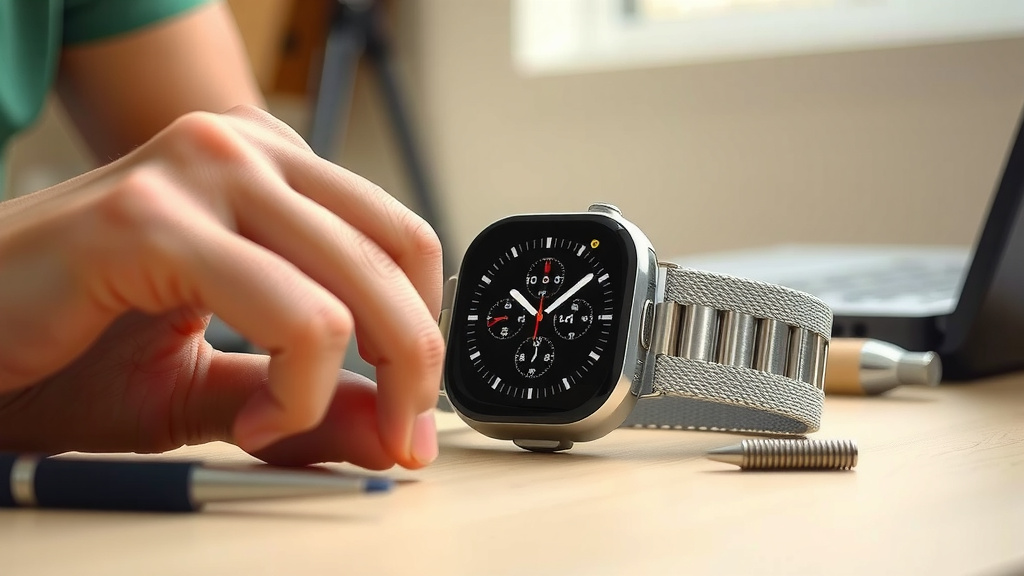
The Step-by-Step Smartwatch Screen Repair Process
Now comes the part where you actually get your hands dirty. It’s important to approach this with patience and follow instructions precisely. We recommend watching a video tutorial specific to your smartwatch model before you begin. Seeing someone else perform the repair can be incredibly helpful.
A common sequence of steps is involved in most smartwatch screen replacements. Here’s a general overview of what you can expect. Remember, the exact procedure can vary significantly between different brands and models.
Preparing Your Workspace and Smartwatch
Find a clean, well-lit area to work. A flat surface is ideal. Make sure you have good lighting so you can see all the small parts. Before you start, power off your smartwatch completely. This is a vital safety step to prevent any electrical shorts.
Applying Heat and Prying Open the Screen
Gently heat the edges of the smartwatch screen with a heat gun or hair dryer on a low setting. The goal is to soften the adhesive, not to melt plastic. Move the heat source constantly to avoid concentrating it in one spot. Once warm, use a suction cup to lift the screen slightly. Insert a plastic opening tool or pick into the gap and carefully slide it around the edges. You might hear a slight tearing sound as the adhesive gives way. Go slowly and avoid forcing anything. If it feels stuck, apply a little more heat.
Disconnecting Cables and Removing the Old Screen
Once the screen is loosened, you’ll need to carefully lift it. Be aware that it’s often still connected by one or more delicate ribbon cables. These cables attach the screen to the smartwatch’s main logic board. Identify these cables and their connectors. You’ll typically need to flip up a tiny locking mechanism with a plastic tool before you can gently pull the cable out. Once all cables are disconnected, you can fully remove the old screen. Keep track of any screws you removed during this process.
Connecting and Testing the New Screen
Before you permanently install the new screen, connect its ribbon cables to the logic board. Power on your smartwatch to test the new screen. Check that the display is working correctly and that the touch functionality is responsive across the entire surface. Look for any dead pixels or unusual behavior. If everything looks good, power the watch off again.
Sealing the New Screen in Place
Clean any old adhesive residue from the watch body. Apply the new adhesive strips precisely along the edges where the screen sits. Carefully align the new screen and press it down firmly to secure it. Reconnect any ribbon cables and reinsert any screws you removed earlier. If your watch has water resistance, be sure the new seal is as tight as possible, though it’s wise to assume it may no longer be fully waterproof after a repair.
Post-Repair Checks and Care
You’ve done it! You’ve successfully replaced your smartwatch screen. But before you go back to your daily routine, a few final checks are in order. It’s important to make sure everything is working as it should.
We found that testing thoroughly after a repair can save you a lot of headaches down the line. A quick once-over can catch issues you might have missed, ensuring your smartwatch is fully functional and ready for action.
Thoroughly Testing Your Smartwatch
Power your smartwatch back on and perform a series of tests. Try out all the functions that involve the screen: scrolling through menus, tapping on apps, typing on the keyboard (if applicable), and using any touch-sensitive gestures. Make sure every part of the screen registers your touch accurately.
Also, test other features that might have been indirectly affected. Does the heart rate sensor work? Is the GPS accurate? Are notifications displaying correctly? Running through a checklist can ensure your smartwatch is performing optimally.
Protecting Your Newly Repaired Screen
Now that your screen is fixed, you’ll want to keep it that way! Investing in a good screen protector is a smart move. These are usually made of tempered glass or plastic and can absorb impacts, saving your new screen from cracks and scratches. Many experts recommend using one, as it adds an extra layer of defense.
Also, be mindful of where you place your watch. Avoid tossing it on hard surfaces or letting it bang against other objects. Being a little more careful can go a long way in preserving the life of your repaired screen.
Checklist for Smartwatch Screen Repair Success:
- Did you power off your watch before starting?
- Did you use gentle heat to soften the adhesive?
- Did you disconnect ribbon cables carefully?
- Did you test the new screen *before* sealing it?
- Is the new screen fully responsive to touch?
- Did you install a screen protector afterward?
Conclusion
You’ve learned that fixing your cracked smartwatch screen is often within your reach. By carefully assessing the damage, gathering the right tools, and following the repair steps methodically, you can save money and revive your device. Remember, patience is key, especially when working with delicate components. Once your screen is replaced, don’t forget to protect your investment with a screen protector and gentle handling. You’ve got this – give your smartwatch a new lease on life!
Frequently Asked Questions
How do I know if I can fix my smartwatch screen myself?
You can likely fix it yourself if the damage is limited to a cracked glass and the display still shows images clearly without lines or dead spots. If touch functionality is also impaired, it’s still often a DIY repair, but it means replacing the entire screen assembly.
What’s the difference between a cracked glass and a damaged display?
Cracked glass is just a cosmetic issue on the surface. A damaged display means the actual screen underneath is affected, showing as black spots, lines, color issues, or a blank screen. This usually requires replacing the whole screen unit.
Can I use a regular hairdryer instead of a heat gun?
Yes, a regular hairdryer on a medium or high setting can often work as a substitute for a heat gun. Just be sure to keep it moving constantly around the edges of the screen to avoid overheating any one spot and damaging internal components.
Is it safe to try and repair my smartwatch if it’s water-resistant?
Repairing a water-resistant smartwatch carries some risk. While you can replace the screen, achieving the original factory seal might be difficult. We recommend assuming your watch may lose some or all of its water resistance after a DIY repair.
Where can I find reliable replacement screens for my smartwatch?
You can typically find replacement screens on popular online marketplaces like Amazon and eBay, as well as from specialized electronics parts suppliers. Always double-check that the part is compatible with your exact smartwatch model and series before purchasing.
![7 Best Smart Watch For Iphone With Long Battery Life [2026]](https://smartwatchbest.com/wp-content/uploads/2026/09/7-best-smart-watch-for-iphone-with-long-battery-life-2026-featured-768x432.jpg)