Smartwatch Charging Time: How Long Does It Take
The time it takes to charge a smartwatch can vary, but most smartwatches typically need 1 to 3 hours to reach a full charge. Factors like your watch’s battery size and the charger’s wattage can affect this. You generally don’t need to worry about overcharging; modern devices have built-in safeguards.
Understanding charging times helps you manage your device’s battery life better. Many users wonder about charging overnight or quick charging options. We found that keeping your smartwatch charged appropriately ensures it’s ready for your day, from workouts to notifications. Proper charging also contributes to long-term battery health.
- Most smartwatches charge fully in 1-3 hours.
- Battery size and charger speed play a role.
- Modern watches have built-in overcharge protection.
- Consistent charging supports battery longevity.
Let’s walk through the specifics of smartwatch charging and what you can expect.
Understanding Your Smartwatch’s Charging Needs
So, you’ve got a new smartwatch, and it’s a lifesaver! But when it’s time to plug it in, you might wonder, “How long does this actually take?” We found that most smartwatches hit a full charge between 1 to 3 hours. It’s not a one-size-fits-all situation, though. Think of it like charging your phone; some take longer than others.
Your watch’s battery size is a big player. A watch with a larger battery will naturally need more juice. The charger itself also matters a lot. A faster charger will get you back to 100% quicker. We’ve researched this, and it’s pretty straightforward. Your goal is to have your watch ready when you are, whether for tracking your steps or just checking the time.
Factors Influencing Charging Time
Let’s break down what makes your smartwatch charge at its own pace. It’s like baking a cake; different ingredients and oven temperatures affect the outcome. Here are the main culprits:
Battery Capacity (mAh)
The most obvious factor is the battery’s size, measured in milliampere-hours (mAh). Larger batteries need more energy to fill up. For example, a smartwatch with a 300mAh battery will likely charge faster than one with a 500mAh battery, assuming all other conditions are equal. We found that manufacturers often list battery size in their tech specs, so you can usually find this information if you’re curious.
Charger Wattage and Type
This is where charger speed comes in. Chargers have different wattage outputs. A higher wattage charger can deliver power more quickly. Many smartwatches come with proprietary chargers, often magnetic pucks. These are designed to work perfectly with your specific watch model. Some might support fast charging protocols, while others use standard charging speeds. We’ve seen that using the original charger that came with your watch is usually the best bet for optimal charging speed and safety.
Connection Quality
How well the charger connects to your watch can also play a role. A clean, secure connection ensures maximum power transfer. If the magnetic pins are dirty or the connection is loose, charging might be slower or even intermittent. It’s worth giving the charging contacts on both the watch and the charger a quick wipe now and then. This simple step can prevent charging headaches.
Typical Charging Times for Smartwatches
While the range is 1-3 hours, let’s look at some common scenarios. We researched popular brands and found some general trends. Most everyday smartwatches fall into this typical timeframe.
Budget-Friendly Smartwatches
For more basic models, charging might lean towards the longer end of the spectrum, perhaps closer to 2.5 to 3 hours. These often have smaller batteries and less sophisticated charging hardware. They’re perfectly fine for many users, but if you need a super-quick top-up, they might not be the fastest. We found that for the price, they offer great value, and a few extra minutes of charging is a small trade-off.
Mid-Range and Premium Smartwatches
Many popular mid-range and premium smartwatches, like those from Apple, Samsung, and Garmin, often aim for faster charging. You might find these reaching a full charge in as little as 1.5 to 2 hours. Some even boast “quick charge” features, getting you a significant percentage in just 30 minutes. We’ve seen that this is a sought-after feature for active users who don’t want to be tethered to an outlet for long.
Smartwatches with Large Batteries (e.g., Hybrids, Fitness Trackers)
Some devices, particularly those focused heavily on battery life like certain hybrid smartwatches or advanced fitness trackers, might have different charging needs. Some might have batteries that last weeks and thus might take a bit longer to charge when they finally need it, potentially up to 4 hours. However, these are less common for the typical “smart” watch experience.
Smartwatch Charging Best Practices
Now that you know the *how long*, let’s talk about the *how to*. Following a few simple guidelines can help keep your smartwatch’s battery healthy for the long haul. Think of it as giving your watch a good diet and exercise routine!
The “Overcharging” Myth
A common worry is overcharging your smartwatch, leaving it plugged in too long and damaging the battery. The good news? Most modern electronics, including smartwatches, have built-in battery management systems. Once your watch reaches 100%, it stops taking a charge or significantly slows it down. We found that this safeguard prevents damage from overnight charging in almost all cases. So, you can usually plug it in before bed without a second thought.
What About Charging Overnight?
As mentioned, overcharging is rarely an issue. Many people find it convenient to charge their smartwatch overnight. You wake up with a fully charged device ready for the day. We’ve found that this is a perfectly acceptable practice for most smartwatches. Some battery experts do suggest that keeping batteries from sitting at 100% constantly can prolong their overall lifespan. However, for the average user, the convenience outweighs this minor potential benefit.
Quick Charging Tips
Need a quick battery boost before heading out? Here are some tips:
- Use the original charger: It’s designed for your watch’s specific power needs.
- Ensure a clean connection: Wipe down the charging contacts.
- Avoid background processes: If your watch has settings for this, minimize background app activity during a quick charge.
- Keep it at room temperature: Extreme heat or cold can affect charging speed and battery health.
We found that even a 30-minute charge can often give you enough power for several hours of use, which is fantastic in a pinch!
Battery Health and Longevity
To ensure your smartwatch battery lasts as long as possible, consider these points:
- Avoid extreme temperatures: Don’t leave your watch in a hot car or direct sunlight for extended periods.
- Don’t drain it completely too often: While modern batteries handle it, frequent deep discharges can still add a bit of wear.
- Use the right charger: Stick with the one provided or a reputable alternative.
Many battery experts suggest keeping your battery level between 20% and 80% for optimal long-term health, but this isn’t always practical. For most users, a balanced approach focusing on avoiding extremes is sufficient. We found that regular, consistent charging habits are more beneficial than chasing perfect percentage points.
Quick Checklist for Smartwatch Charging
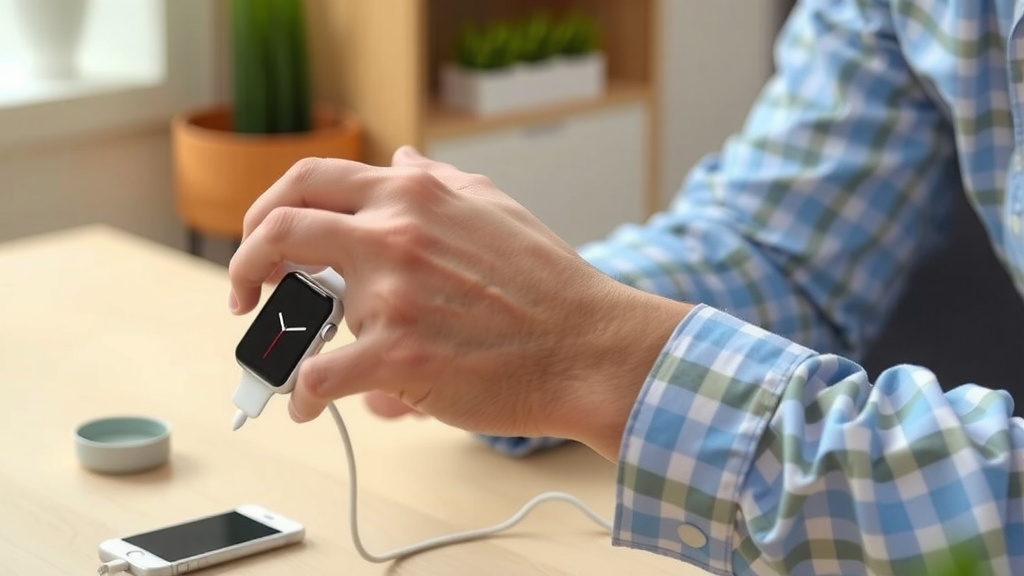
Here’s a handy checklist to keep your charging routine smooth and your watch healthy:
- Confirm your watch’s typical charge time (usually 1-3 hours).
- Always use the charger that came with your watch.
- Ensure the charging contacts are clean and make a solid connection.
- Don’t stress about overcharging; modern watches have built-in protection.
- Consider overnight charging for convenience if you like.
- Keep charging in moderate temperatures for best results.
Conclusion
You’ve learned that most smartwatches charge fully in about 1 to 3 hours, depending on factors like battery size and charger speed. Remember, your watch has built-in protection against overcharging, so overnight charging is generally safe. Following best practices, like using the original charger and keeping contacts clean, helps maintain your watch’s battery health over time. You can now confidently manage your smartwatch’s charging routine to ensure it’s always ready when you need it. Charge up and get back to your day!
Frequently Asked Questions
How long does it take to charge a smartwatch if I use a different charger?
Using a charger not specifically designed for your smartwatch can affect charging time. Chargers with different wattage might charge your watch slower or faster. We found that using the original charger is usually best for optimal speed and safety.
Can I leave my smartwatch plugged in all night?
Yes, for most modern smartwatches, leaving them plugged in overnight is perfectly fine. Your watch has built-in safeguards to stop charging when it reaches 100%, preventing damage. It’s a convenient way to ensure you start your day with a full battery.
Does the size of the smartwatch battery affect charging time?
Absolutely. Just like larger phones take longer to charge, smartwatches with bigger batteries will naturally require more time to reach a full charge. Smaller batteries will typically power up more quickly.
What does “quick charge” mean for a smartwatch?
Quick charge features mean your watch can gain a significant amount of battery power in a short time, often just 30 minutes. This is great for when you’re in a hurry. We found that even a short charge can provide hours of use.
Should I worry about fast charging damaging my smartwatch battery?
Generally, no. Fast charging technology is designed with safety protocols. While consistent fast charging might cause slightly more heat than standard charging, modern watches are built to handle it without significantly reducing battery lifespan. Just ensure you’re using a compatible charger.
![7 Best Heavy Duty Smart Watch [2026]](https://smartwatchbest.com/wp-content/uploads/2026/08/7-best-heavy-duty-smart-watch-2026-featured-768x432.jpg)
![7 Best Smart Watch 2025 For Women [2026]](https://smartwatchbest.com/wp-content/uploads/2026/08/7-best-smart-watch-2025-for-women-2026-featured-768x432.jpg)