
How Does a Smart Watch Connect to Your Phone?
Your smartwatch connects to your phone primarily using Bluetooth technology, a common wireless standard that allows devices to communicate over short distances. This connection makes it possible for your watch to receive notifications, sync data, and even control certain phone functions, creating a handy extension of your mobile device right on your wrist. It’s like giving your watch a direct line to your phone’s brain.
Beyond Bluetooth, some smartwatches can also use Wi-Fi for updates or when your phone isn’t nearby, and cellular models have their own independent connection. The type of connection ensures your watch and phone work together smoothly, bringing you alerts, health tracking, and more without constantly needing to pull out your phone. We found that the convenience this offers is a major reason for their popularity.
- Smartwatches mainly use Bluetooth to talk to your phone.
- This allows notifications, data syncing, and remote control.
- Wi-Fi and cellular connections offer more independence.
- These connections create a convenient link between devices.
Let’s break down exactly how your smartwatch pairs with your phone and what makes it all happen.
Connecting Your Smartwatch to Your Phone: The How-To
You might be wondering how your smartwatch actually talks to your phone. It’s not magic, though it can feel like it sometimes! We found that understanding the connection helps you get the most out of your wearable. Let’s dive into the tech that makes it all possible. It’s simpler than you might think and happens mostly behind the scenes.
Bluetooth: The Primary Wireless Link
For most smartwatches, Bluetooth is the main way they communicate with your smartphone. Think of Bluetooth as a short-range radio. It allows two devices to pair up and exchange information without needing cables. Your watch and phone use this technology to create a personal network, usually within about 30 feet.
How the Bluetooth Pairing Process Works
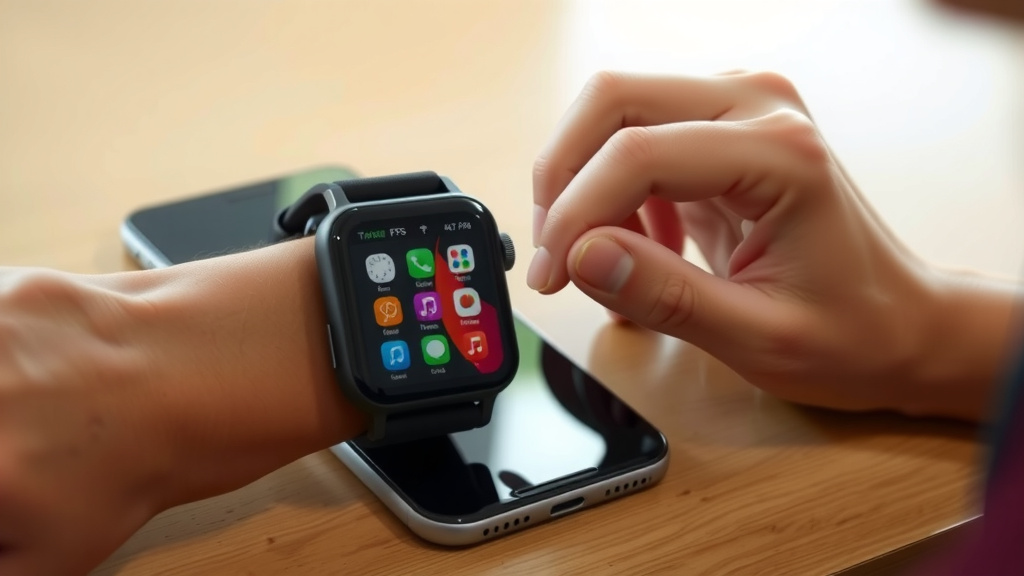
When you first set up your smartwatch, you’ll typically need to pair it with your phone. This involves enabling Bluetooth on both devices. Your phone’s smartwatch app will then search for nearby Bluetooth devices. You’ll see your watch listed, and you’ll tap to connect.
Sometimes, a code will appear on both screens. This ensures you’re connecting to the correct device. Once confirmed, the two devices are paired. This pairing is saved, so they’ll automatically reconnect whenever they are within range and Bluetooth is on. It’s a really convenient way to keep things linked.
What Bluetooth Enables
This constant Bluetooth connection is what allows your watch to be an extension of your phone. It’s how you get those notifications right on your wrist. Texts, calls, app alerts – they all come through because Bluetooth is actively relaying the information from your phone to your watch.
Beyond alerts, Bluetooth is also used for data syncing. When your watch tracks your steps, heart rate, or sleep, it sends that data back to your phone via Bluetooth. This information is then usually stored in a companion app. This makes reviewing your health stats much easier.
We found that controlling phone features from your watch, like skipping a song or even finding your misplaced phone, also relies on this Bluetooth link. It’s a surprisingly robust connection for something so small and wireless.
Wi-Fi: Expanding the Connection’s Reach
While Bluetooth is fantastic for nearby communication, some smartwatches also use Wi-Fi. This connection is useful in a couple of scenarios. It can allow your watch to download updates or sync data directly when it’s in range of your home or office Wi-Fi network. This is especially helpful if your phone isn’t nearby at that moment.
When Wi-Fi Becomes Your Watch’s Best Friend
Imagine you’re at home and your phone is upstairs charging. If your smartwatch is connected to your home Wi-Fi, it can still download new watch faces or sync your latest workout data. This reduces the need for your phone to be constantly in close proximity for certain tasks.
Many experts say Wi-Fi can also be used for music streaming to Bluetooth headphones directly from your watch. This offers more freedom if you want to leave your phone behind during a run. The watch connects to your Wi-Fi, then streams music to your headphones.
Wi-Fi vs. Bluetooth: What’s the Difference?
The key difference is range and speed. Bluetooth is for short-range, low-power communication. Wi-Fi is for longer ranges and can handle much larger amounts of data faster. Think of Bluetooth as a quick chat and Wi-Fi as a full conversation with more details.
Here’s a quick comparison:
| Feature | Bluetooth | Wi-Fi |
|---|---|---|
| Range | Short (approx. 30 ft) | Longer (depends on router) |
| Speed | Slower | Faster |
| Power Usage | Low | Higher |
| Primary Use | Notifications, syncing, basic control | Updates, music streaming, independent data use |
Cellular Smartwatches: True Independence
Some higher-end smartwatches come with their own cellular connection. These models have their own SIM card or eSIM. This means they can make calls, send texts, and stream data completely independently of your phone. They essentially act like a mini smartphone on your wrist.
How Cellular Smartwatches Work
These watches connect to cellular networks just like your phone does. You’ll need a separate data plan from your mobile carrier for this feature to work. This is often an add-on to your existing phone plan.
We found that cellular smartwatches offer the most freedom. You can leave your phone at home entirely and still stay connected. This is great for workouts, errands, or times when you want to disconnect from your phone but not from communication.
The Role of the Smartwatch App
Regardless of the connection type, a dedicated smartwatch app on your phone is essential. This app is the central hub for managing your watch. You’ll use it to set up your watch, customize settings, and view your synced data. Think of it as the control center for your wearable device.
We found that most setup and initial pairing happens through this app. It guides you through connecting via Bluetooth or Wi-Fi. It’s also where you’ll find firmware updates for your watch. Keeping this app updated is key to a smooth experience.
Staying Connected: A Quick Checklist
To ensure your smartwatch and phone stay happily connected, keep these points in mind:
- Keep Bluetooth enabled on your phone.
- Ensure your smartwatch is charged and powered on.
- Keep your watch within Bluetooth range of your phone.
- Check your companion app for any connection issues.
- Update your watch’s software and its companion app regularly.
- If using Wi-Fi, ensure your watch is connected to a trusted network.
Conclusion
You’ve now seen how your smartwatch connects to your phone, mostly through the magic of Bluetooth. We’ve covered how this allows for instant notifications and data syncing. You also learned about Wi-Fi for broader connectivity and cellular options for true independence. The companion app is your command center for all these connections. To get the most out of your wearable, ensure your Bluetooth is on and your devices are charged. Now, go enjoy the convenience of your connected wrist!
Frequently Asked Questions
Does my smartwatch need Bluetooth to work?
For most smartwatches, Bluetooth is the primary way they connect to your phone for notifications and syncing. While some models have Wi-Fi or cellular capabilities, Bluetooth is usually essential for the core functionality. You’ll typically need to enable it on both devices for them to communicate.
Can my smartwatch connect to my phone without Bluetooth?
Yes, some smartwatches can connect to your phone using Wi-Fi, especially for updates or syncing when your phone isn’t nearby. Cellular smartwatches can operate completely independently of your phone. However, Bluetooth is still the most common and often necessary method for initial pairing and everyday use.
How far apart can my phone and watch be and still connect?
With Bluetooth, the typical range is about 30 feet (10 meters). If your watch supports Wi-Fi and is connected to the same network as your phone, the range can be much greater, depending on your router’s signal strength. Cellular models can connect from anywhere with a cell signal.
What if my smartwatch won’t connect to my phone?
First, check that Bluetooth is enabled on your phone and that your watch is charged and powered on. Ensure they are within range of each other. Sometimes, simply restarting both devices or toggling Bluetooth off and on can resolve the issue. Make sure you are using the correct companion app.
Will my smartwatch use my phone’s data plan?
If your smartwatch primarily uses Bluetooth or Wi-Fi, it generally won’t use your phone’s data plan, as it’s using your phone’s existing connection or a Wi-Fi network. However, cellular smartwatches require their own data plan from a mobile carrier to make calls, send texts, or access data independently.

![7 Best Smart Watch For Hunting [2026]](https://smartwatchbest.com/wp-content/uploads/2026/07/7-best-smart-watch-for-hunting-2026-featured-768x432.jpg)
![7 Best Smart Watch For Irregular Heart Rate [2026]](https://smartwatchbest.com/wp-content/uploads/2026/09/7-best-smart-watch-for-irregular-heart-rate-2026-featured-768x432.jpg)